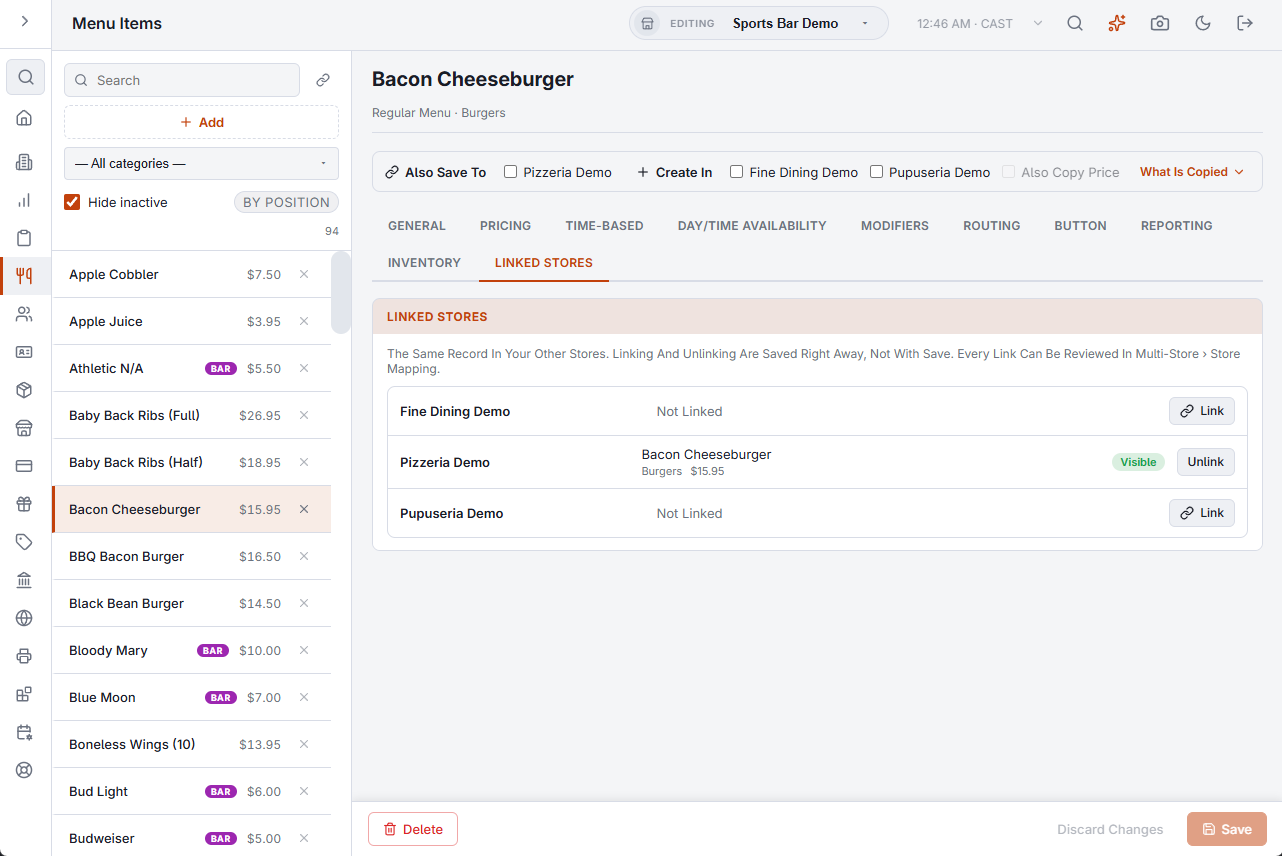
Every store owns its own records, so a change saved in one store stays in that store. Also Save To is the exception you choose: a bar at the top of an editor that lists the stores where the record you are editing is linked. Tick a store and press Save. The record is saved here first, and then the same change is saved to the linked record in each ticked store.
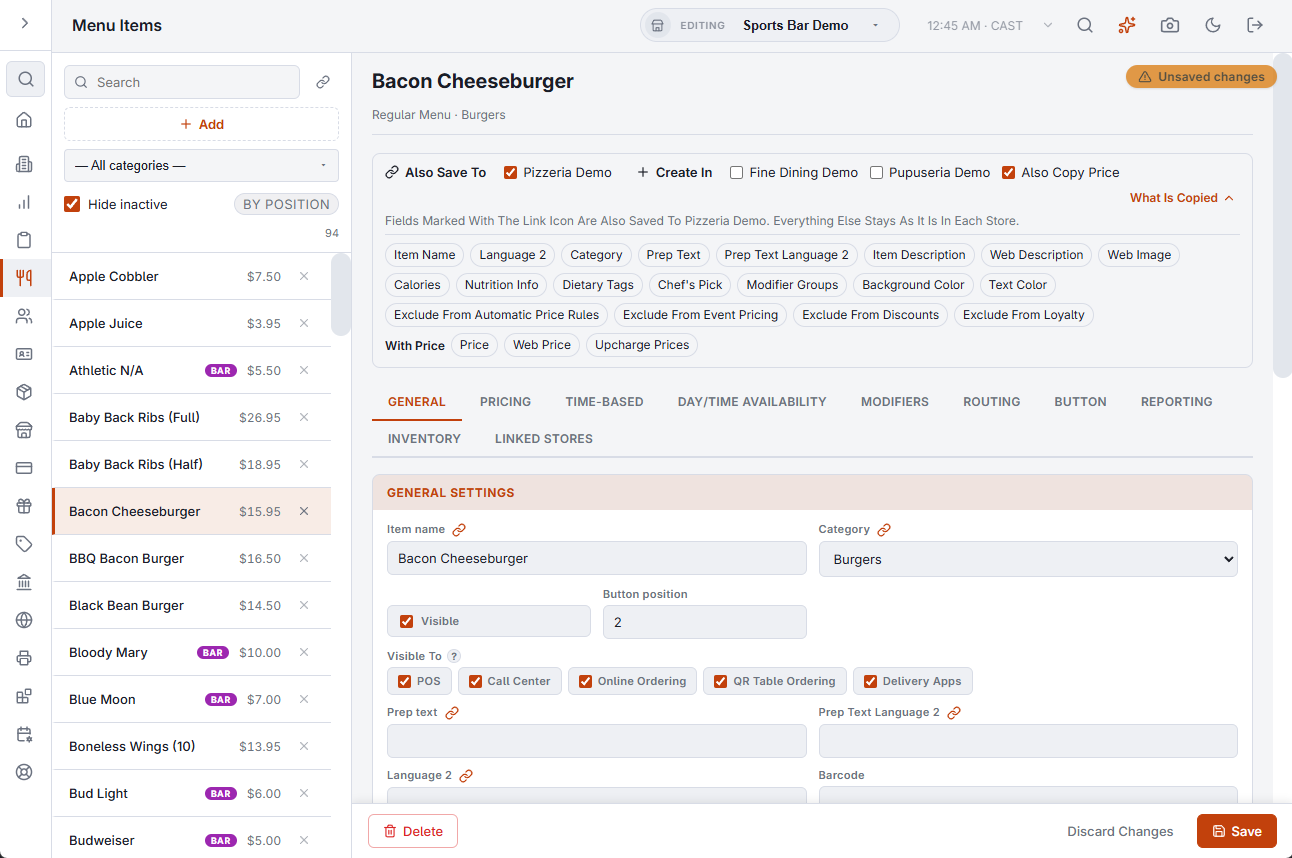
The bar appears for users with all-store access, in the editors of menu items, categories, modifier groups, modifiers, modifier levels, bar modifiers, bar qualifiers, order types, discounts, price rules, event pricing, and inventory categories, units, vendors and items. Nothing is ticked when an editor opens, and the ticks clear after each save, so a change never reaches another store by accident.
What Is Copied
What Is Copied at the end of the bar lists the fields that travel for this kind of record. The list opens by itself when you tick a store, and the same fields get a link mark in the form. Everything that is not on the list stays as it is in each store.
Also Copy Price
Prices stay per store unless you tick Also Copy Price. With it, the price fields travel too: an item’s price, web price and upcharge prices; a modifier’s base price and per-level prices; a bar modifier’s price; a price rule’s method and price; a pricing event’s amount; an inventory item’s case cost.
What always stays per store
- Whether the record is hidden, disabled or visible, and where it is sold.
- Button position and button image.
- Tax settings, printers and prep stations.
- The days and times a menu item or category is available.
- Allergens.
- Stock on hand, counts, reorder level and maximum of an inventory item.
What follows through its own link
Some fields point at another record of the store: an item’s category and modifier groups, a bar modifier’s categories, a discount’s order type and item assignments, a price rule’s order type, an inventory item’s category, unit and suppliers. These are carried to the matching record of the other store through that record’s own link.
- If it is linked in the other store, it is added or updated there.
- If it is not linked there, it is skipped, and the message after the save says how many were skipped.
- If you removed it here and the other store has it too, it is removed there. What only the other store has is left alone.
The Linked Stores section
The same editors have a Linked Stores section. It has one line per other store: the linked record there, or Not Linked. Link opens a list of that store’s records to choose from; the ones with the same name are marked. Unlink removes the link. Both are saved at once and do not wait for Save. To link many records in one go, use Store Mapping.