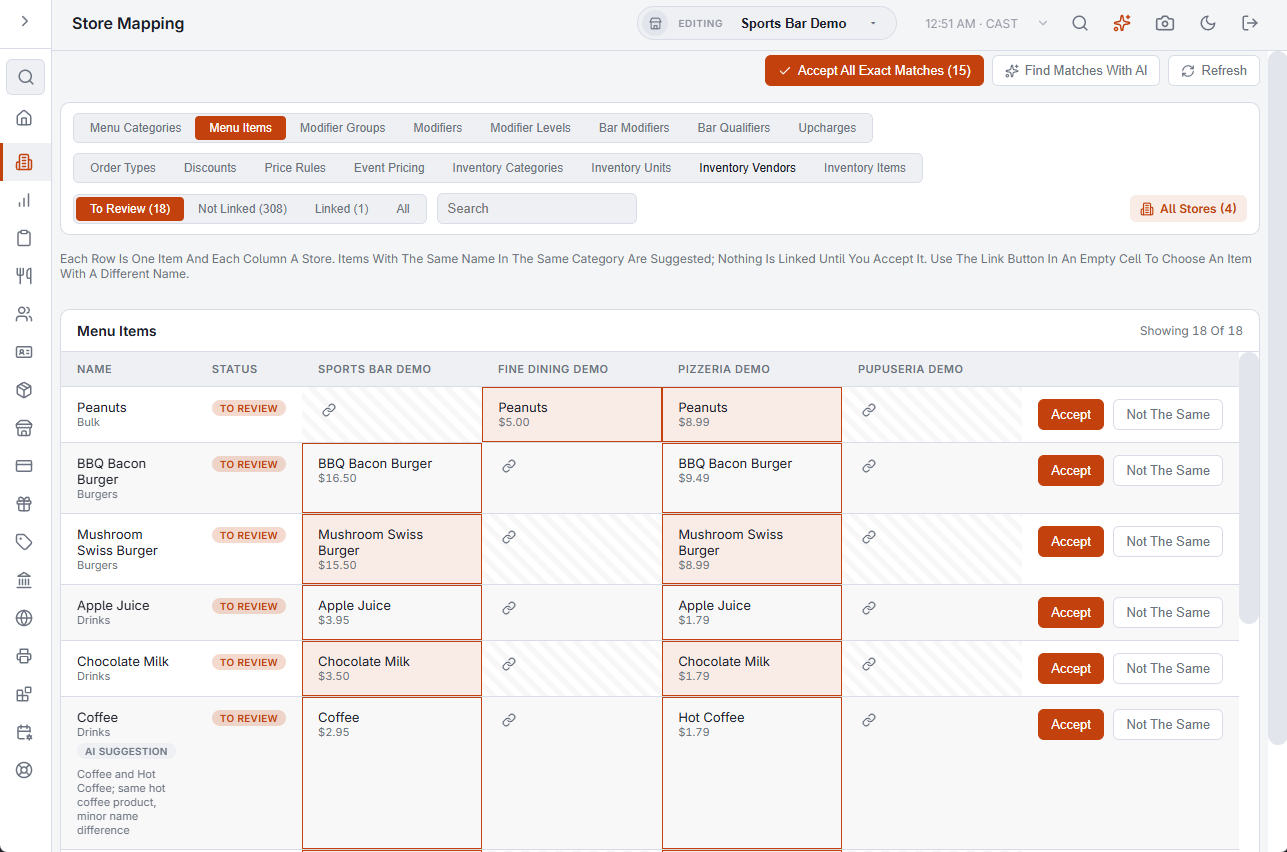
Back Office › Multi-Store › Store Mapping records which record in one store is the same thing as which record in another. Each store owns its own menu and lists, so the same dish, discount or order type is a separate record in every store. A link says they are one and the same. Once two records are linked, nothing depends on their names any more: a store can rename its copy and the link holds.
What links are used for
- Reports across stores — linked items share a row in Product Mix Comparison and the Menu Advisor, and linked order types and discounts share a row in Order Types And Discounts.
- Saving a change in several stores — see Also Save To.
- Adding a record to another store — see Create In.
- Inventory transfers — the send and receive screens pick the linked item in the other store. See Moving stock between stores.
The page needs all-store access, and it covers the stores whose plan includes Multi-Store. See Giving a manager all-store access.
The tabs
There is one tab for each kind of record. The first group is the menu: Menu Categories, Menu Items, Modifier Groups, Modifiers, Modifier Levels, Bar Modifiers, Bar Qualifiers and Upcharges. The second group is everything else: Order Types, Discounts, Price Rules, Event Pricing, Inventory Categories, Inventory Units, Inventory Vendors and Inventory Items.
Each row is one record and each column is a store. Three views split the rows:
- To Review — rows with a suggested match waiting for your answer.
- Not Linked — records that exist in one store and are linked to nothing.
- Linked — records confirmed as the same in two or more stores.
Suggestions
Records with the same name in the same container are suggested as a match. Case, spacing and punctuation are ignored. A suggestion changes nothing until you answer it:
- Accept — links the records.
- Not The Same — drops the suggestion, and it is not offered again.
- Accept All Exact Matches — accepts every same-name suggestion on the tab in one step.
Find Matches With AI
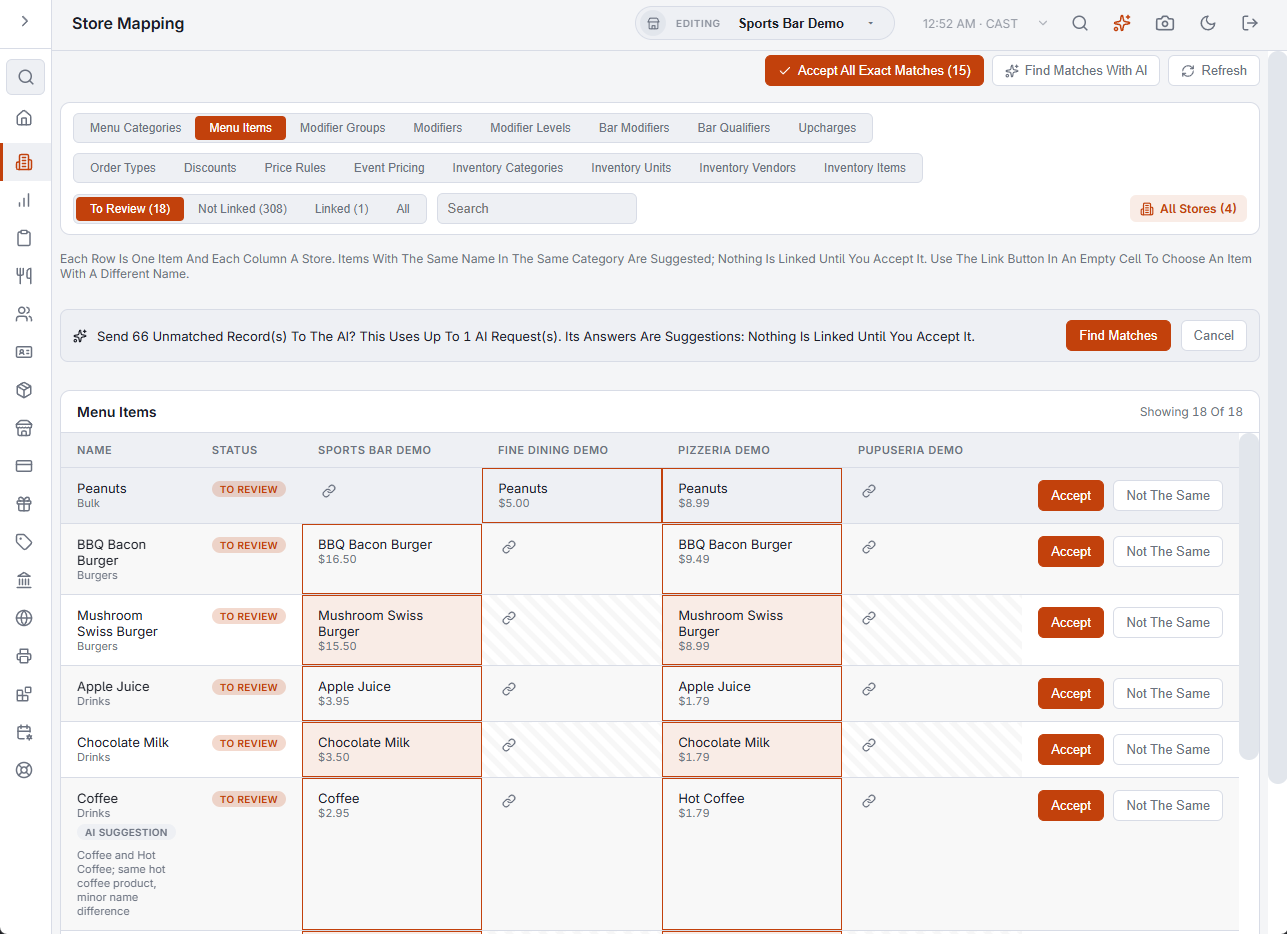
Records that are named differently in each store are not suggested by name. Find Matches With AI sends the names that are still unmatched to the AI and brings back likely pairs, each marked AI Suggestion with a one-line reason. They are accepted one at a time, never all at once. The AI runs only when you press the button, and each run counts toward the account’s AI allowance.
Good to know
- A link holds one record per store.
- Unlink on a linked row takes that store’s record out of the link. Nothing else about the record changes.
- A store created with Copy Setup From Store arrives with its records already linked to the store it was copied from.
- A record can also be linked from its own editor, in the Linked Stores section.
- Job types are not here. Employees, job types and permissions belong to the whole account, so there is one list for every store.