Back Office › Multi-Store › Product Mix Comparison is an item-by-store table: for each item, what it sold in every store over the dates you choose, and where it is not on the menu at all.
The toolbar
- Dates — opens on Last 7 days; the choices are Today, Yesterday, Last 7 days, Last 30 days, Month To Date or your own Start and End. Each store counts its own business days.
- Filter Items… — type part of an item or category name to narrow the table.
- Only Items Missing From A Store — keeps the items that at least one store does not offer.
- Refresh and CSV in the header. The CSV has every matched item, whatever the filter, with each store’s quantity, revenue, mix share, price and whether it is offered. Headings and the Yes/No cells are in the language Back Office is shown in.
The page
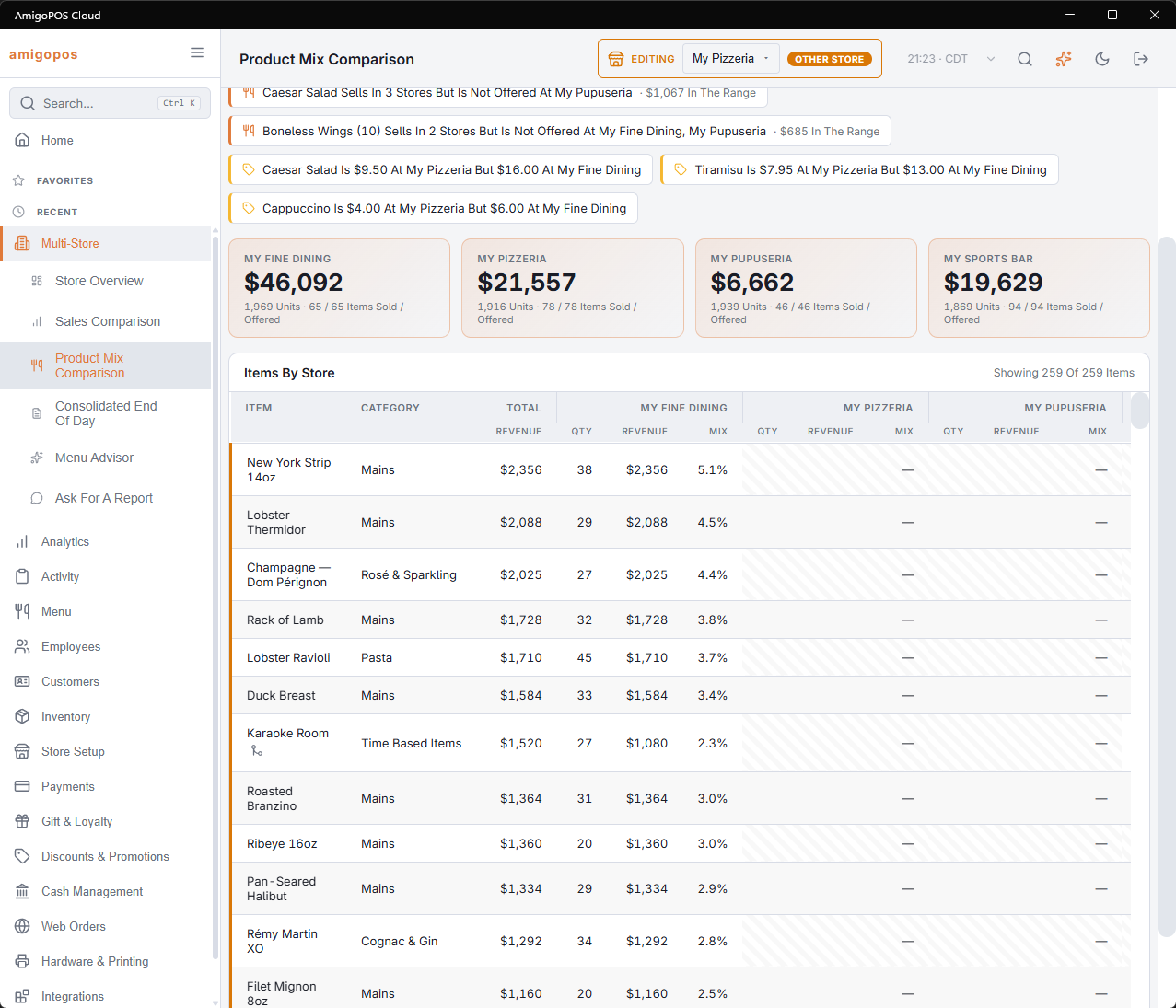
- Insights — up to three top sellers that sell in two or more stores but are missing from another; up to three items whose price differs by 10% or more between stores; and any store offering ten or more items that did not sell in the range.
- A box per store — its item revenue, units sold, and Items Sold / Offered.
- Items By Store — one row per item, highest total revenue first, with Category and the Total revenue, then Qty, Revenue and Mix (the item’s share of that store’s item revenue) for each store. Point at a store’s revenue to see its menu price. The header says Showing n Of n Items.
Revenue here is the price of the item lines sold, without modifiers, from orders that were not voided.
How items are matched
Each store owns its own menu, so the same dish is a separate item in every store. Items linked across stores share one row. Items that are not linked are matched by name, ignoring case, spacing and punctuation.
Linking the same item across stores
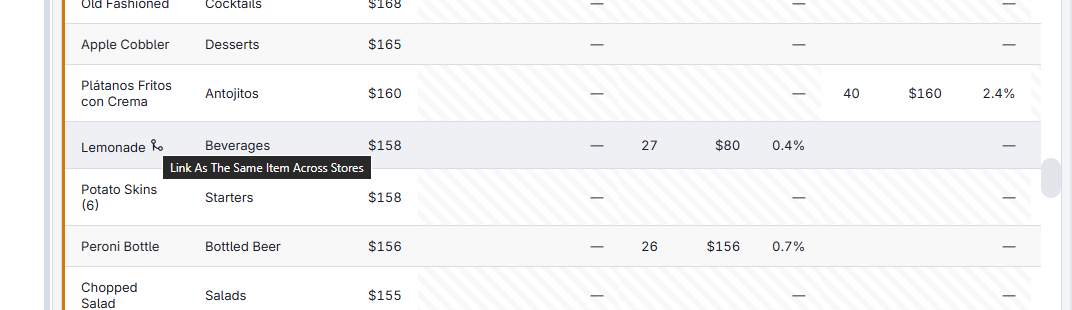
A row matched only by name, present on two or more stores’ menus, has a link button beside the name. Selecting it records that these items are the same dish; the row then shows the linked mark and stays together even if one store renames its item. Copies made when a store is created from another are linked already.
Linking many items at once
The link button on this page links one row at a time. Store Mapping works through the whole menu: it suggests every same-named item, accepts them in one step, and can ask the AI about items that are named differently in each store. The links are the same ones, so a row linked there shows the linked mark here.