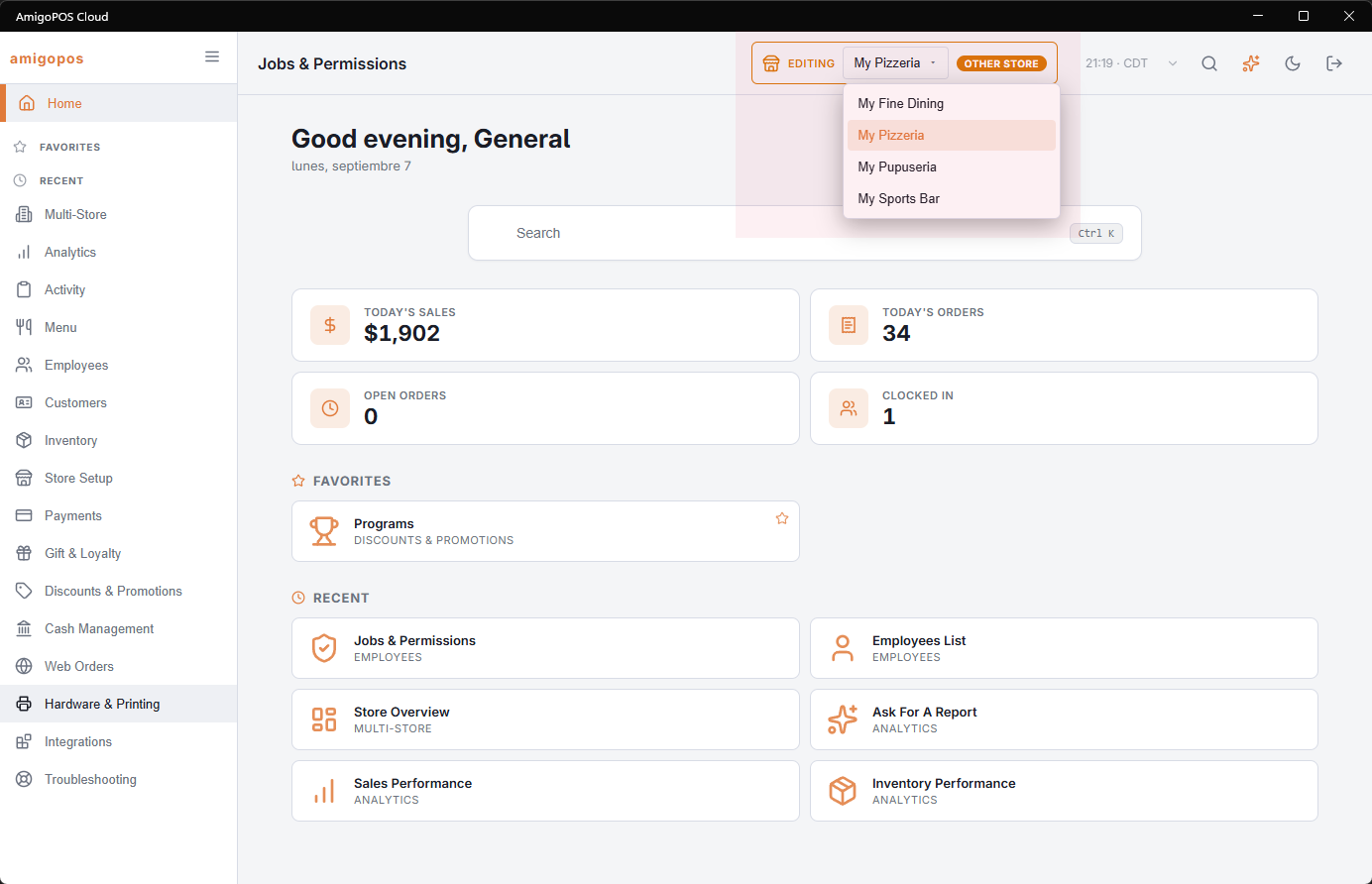
With all-store access, the Back Office header carries a store picker: Editing followed by a drop-down of the account’s stores. Choose a store and every Back Office page works on it — menu, prices, settings, devices, reports. It appears when the store’s plan includes Multi-Store, your job has Allow All Stores and the account has more than one store; see Giving a manager all-store access.
Knowing where you are
While the picker is on a store other than the one this station belongs to, the picker changes colour and shows the Other Store tag. Pointing at it reads Back Office Is Editing A Different Store Than This Device Is Registered To. The clock in the header then shows that store’s time and name.
Switching
Choose the store in the drop-down. Loading and the store’s name show while everything Back Office keeps for a store is reloaded, so a page never shows one store’s list with another store’s prices. The page you were on then opens again for the new store. If the new store’s plan does not include that page, it closes.
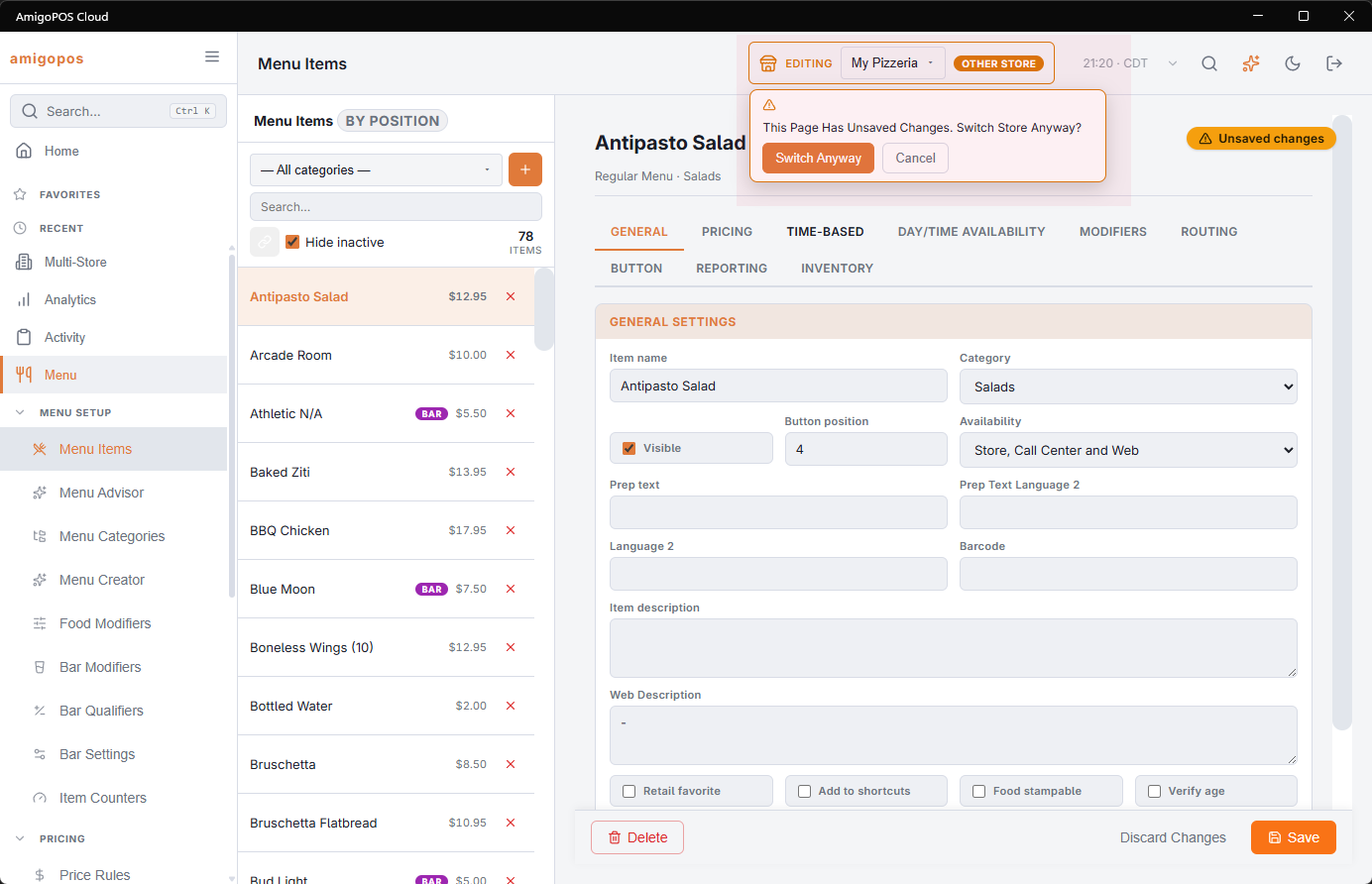
If the page has changes you have not saved, the picker asks first: This Page Has Unsaved Changes. Switch Store Anyway? Switch Anyway drops the changes and switches; Cancel keeps you where you are.
Leaving Back Office
Closing Back Office puts the station back on its own store and reloads it before the register shows again. Your last pick is remembered on this device, for you, for the next time you open Back Office. If that store has since been switched off, Back Office opens on the station’s own store.