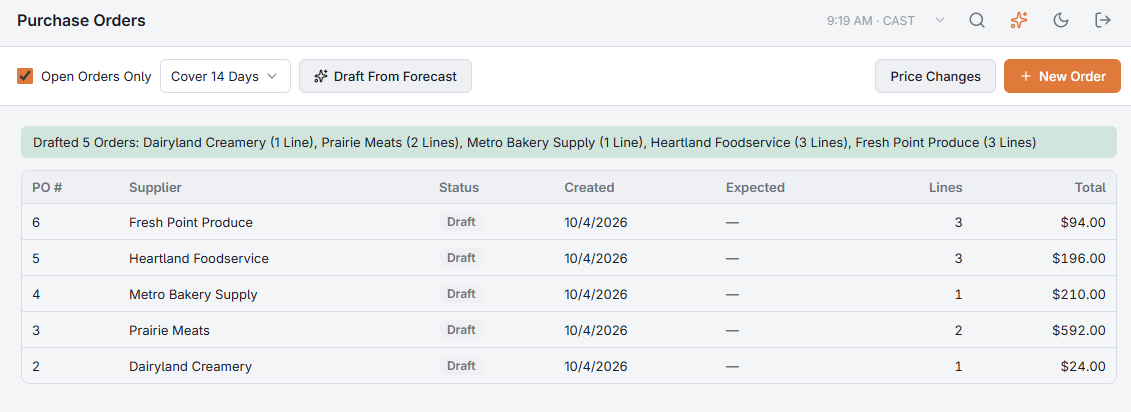
On Back Office › Inventory › Operations › Purchase Orders, pick how many days to cover (3, 7 or 14) and choose Draft From Forecast. The Back Office creates one draft purchase order per supplier, filled with what those days are expected to need.

What goes on each draft
- The same quantities as Ordering from the forecast: expected use plus 10%, minus what is on hand and already on order, in whole cases.
- Items are grouped by their preferred supplier. Items with no supplier set are counted and reported instead of ordered — set a supplier on the item to include it.
- A supplier that already has an open draft is skipped, so clicking twice does not create duplicates.
A message then lists the drafts it made (supplier and number of items), the suppliers it skipped, and how many items have no supplier.
Nothing is sent
Drafts go to nobody. Open each one, adjust it, and mark it ordered when you place the order — see Purchase orders.
The assistant can do the same: draft our orders for the weekend shows each supplier, item count and estimated total, and creates the drafts after you confirm.