Insight and Suggestions are on for every store from the start. This page lists what you can change and who sees what.
Settings
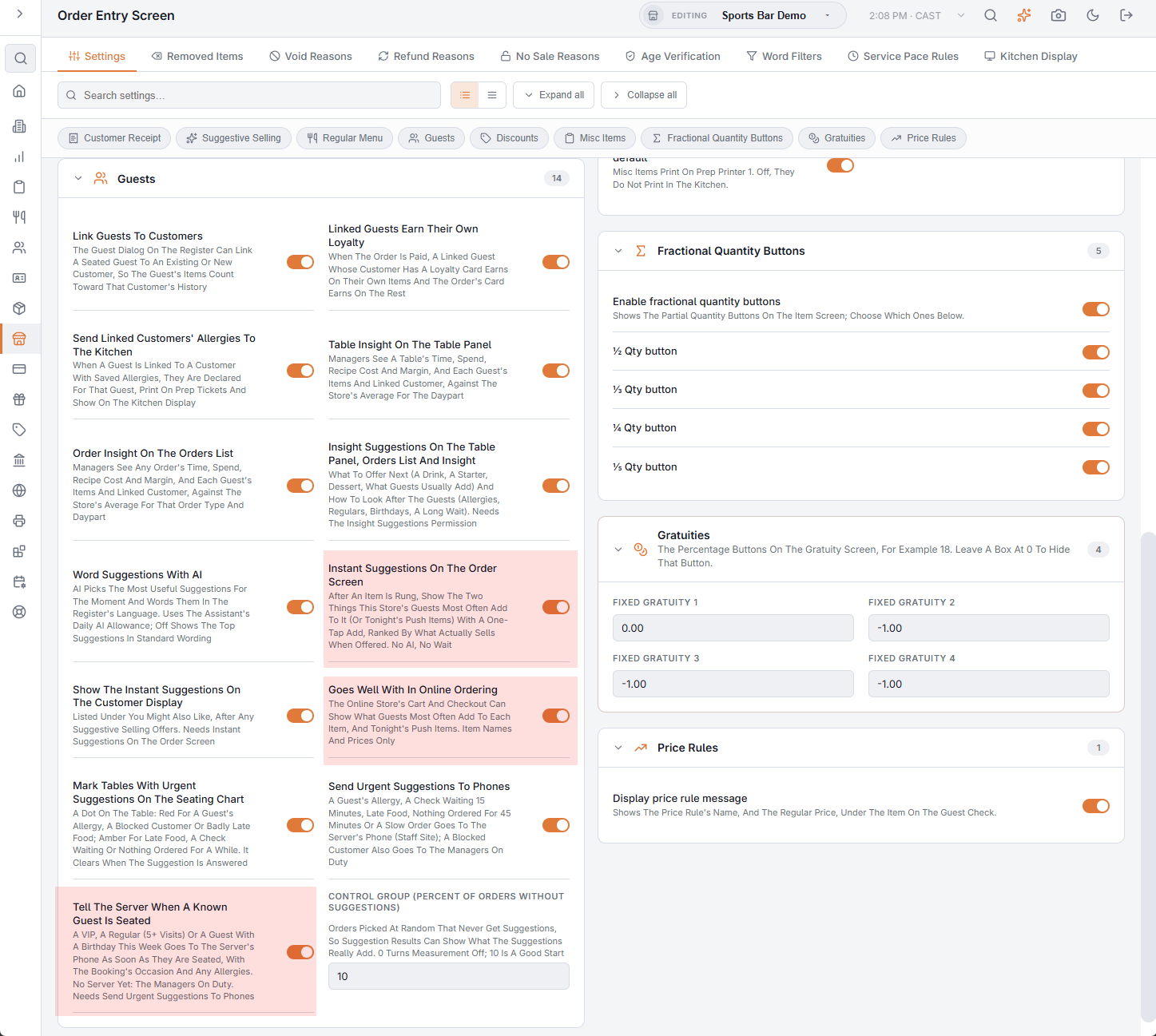
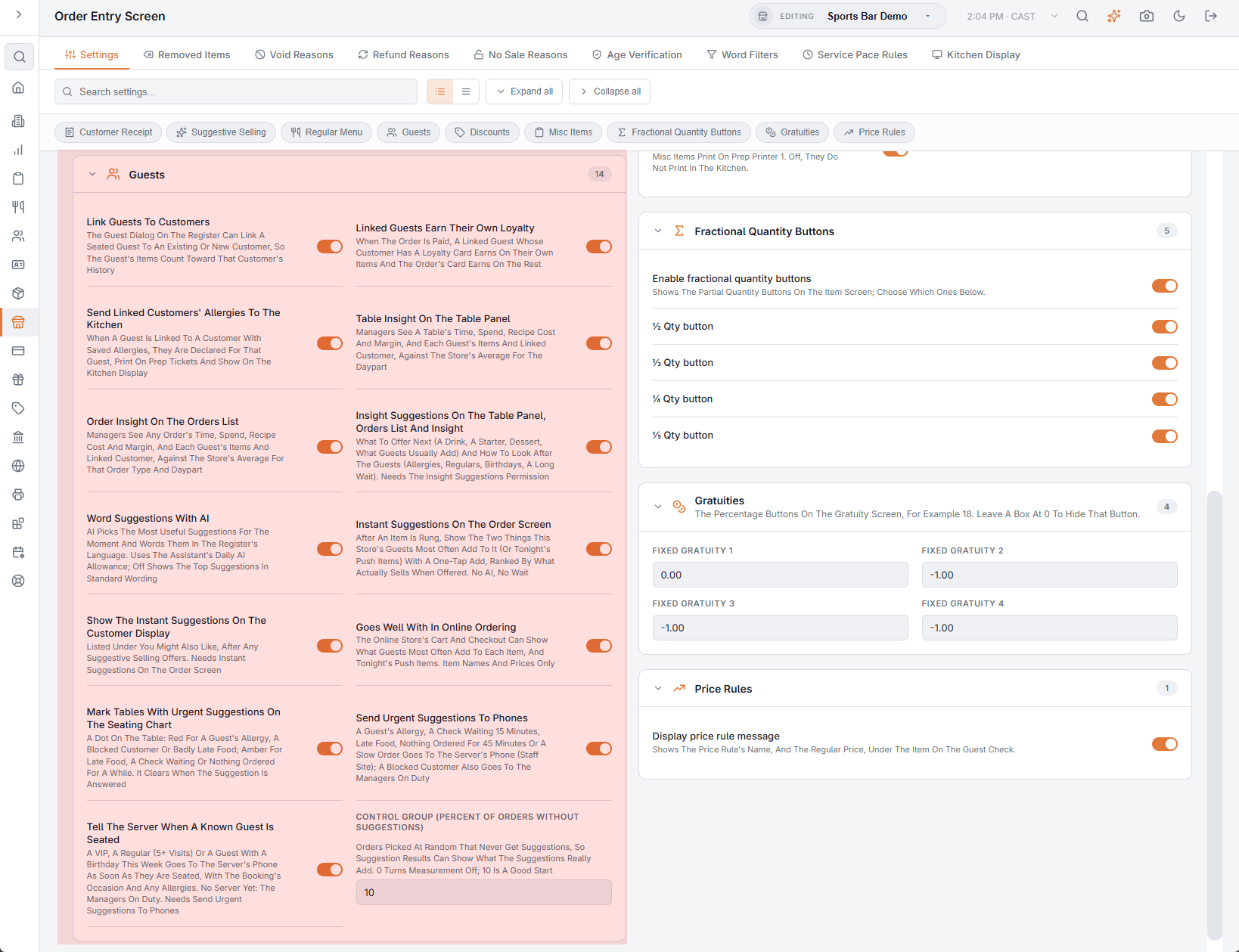
Back Office › Store Setup › Order Entry Screen, section Guests:
- Table Insight On The Table Panel and Order Insight On The Orders List: the Insight buttons.
- Insight Suggestions On The Table Panel, Orders List And Insight: turns suggestions on or off everywhere.
- Word Suggestions With AI: AI picks the most useful suggestions for the moment and words them. It uses the assistant's daily AI allowance; the wording is reused until the order changes. Off: the top suggestions in the standard wording.
- Instant Suggestions On The Order Screen: the green strip after an item is rung (two items).
- Mark Tables With Urgent Suggestions On The Seating Chart (the dots) and Send Urgent Suggestions To Phones.
- Control Group (Percent Of Orders Without Suggestions): the percent of orders (0–50, default 10) that never get suggestions, so Suggestion Results can show what the suggestions really add. 0 turns the measurement off.
Permissions
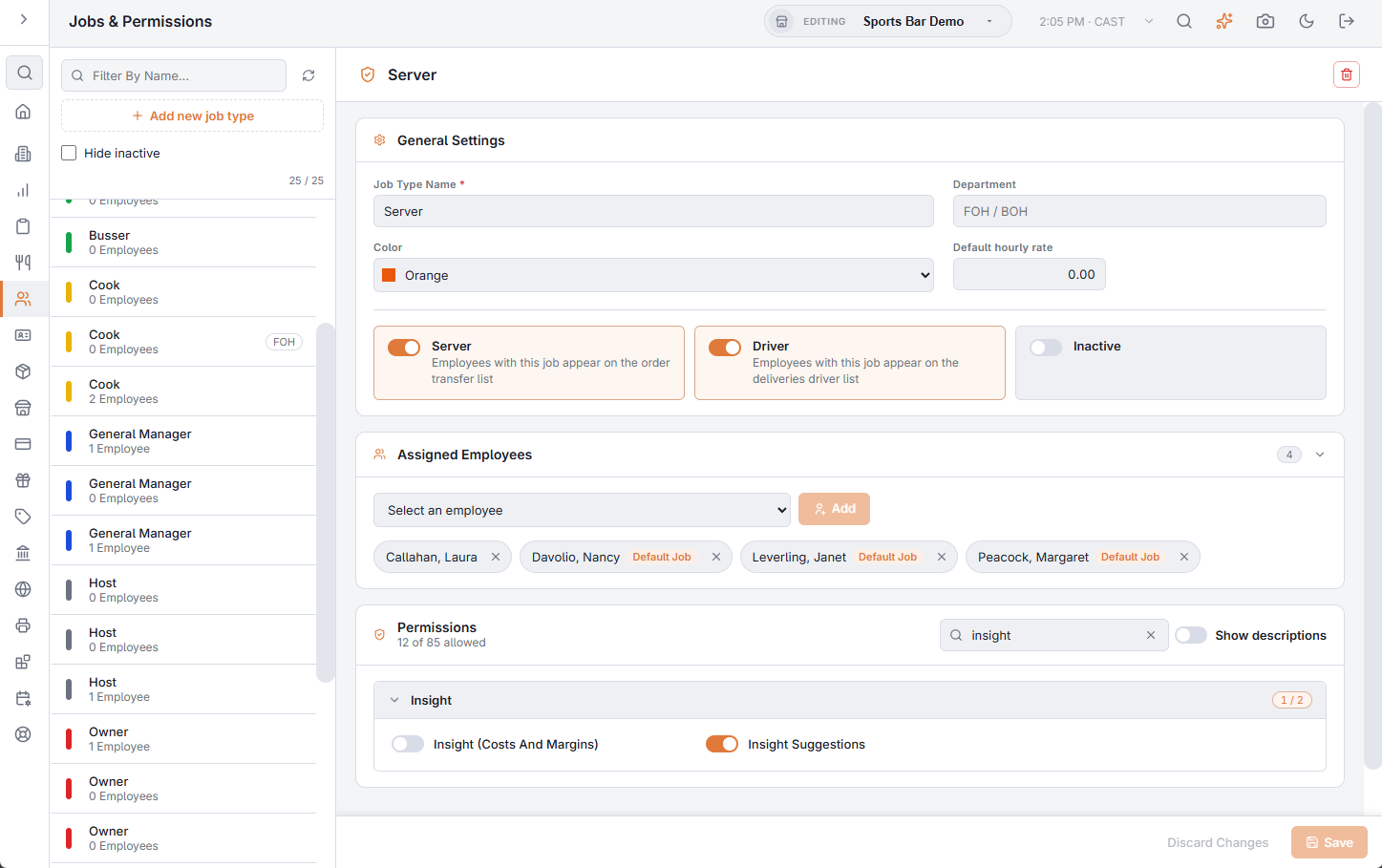
Back Office › Employees › Roles & Permissions, group Insight:
- Insight (Costs And Margins): opens Table and Order Insight. Given to every job that had Manager or Back Office Reports when it was introduced.
- Insight Suggestions: Suggestions, the order-screen strip, the seating chart dots and the phone notifications, without costs or margins. On for every job that works the floor; off for time-clock-only jobs.
Tonight's push items
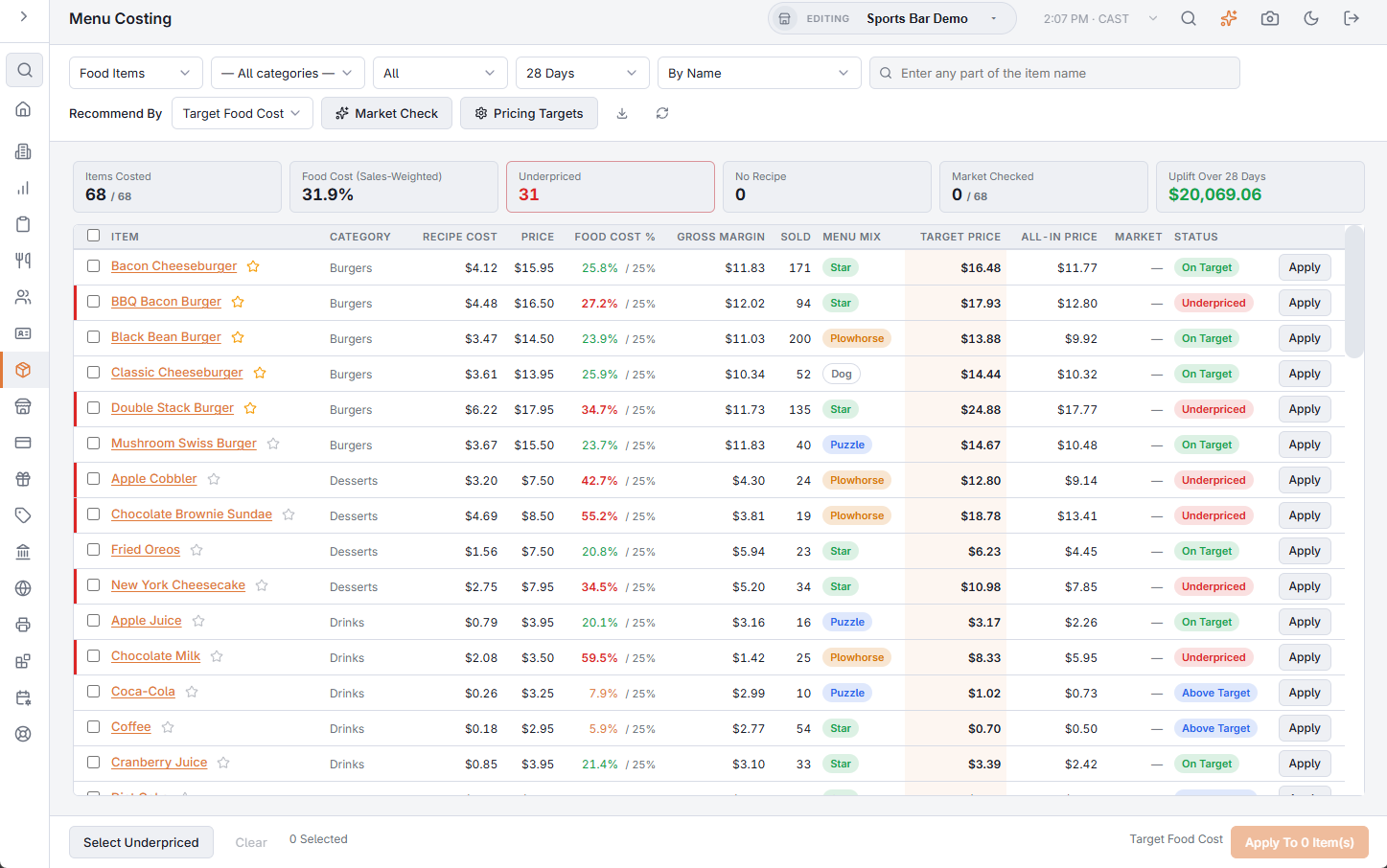
In Back Office › Inventory › Menu Costing, tap the star next to an item to push it: suggestions offer it first whenever it fits (the starter, dessert or drink to suggest, the order-screen strip) and add a “tonight's push” suggestion. Tap the star again to stop. Margins sit next to the star, so it is easy to push what earns most.
How suggestions improve
Each store tunes itself: a kind of suggestion its staff act on more often than average is shown more, one they keep dismissing less. Safety suggestions are never moved.
More switches
In the same Guests section:
- Show The Instant Suggestions On The Customer Display: the order-screen strip's items also appear on the customer display, under You Might Also Like.
- Goes Well With In Online Ordering: the online ordering site's cart shows what guests most often add to the items in it, and tonight's push items.
- Tell The Server When A Known Guest Is Seated: the server's phone is told when a VIP, a regular or a birthday guest sits down. Needs Send Urgent Suggestions To Phones.