Require Username And Password is a permission in the Admin group on Back Office › Employees › People › Jobs & Permissions. It turns off PIN sign-in for the people who hold that job: they sign in with their own username and password instead. PINs are quick, which is the point on a busy floor; but a manager’s PIN is worth sharing, and a shared PIN makes the audit trail meaningless.
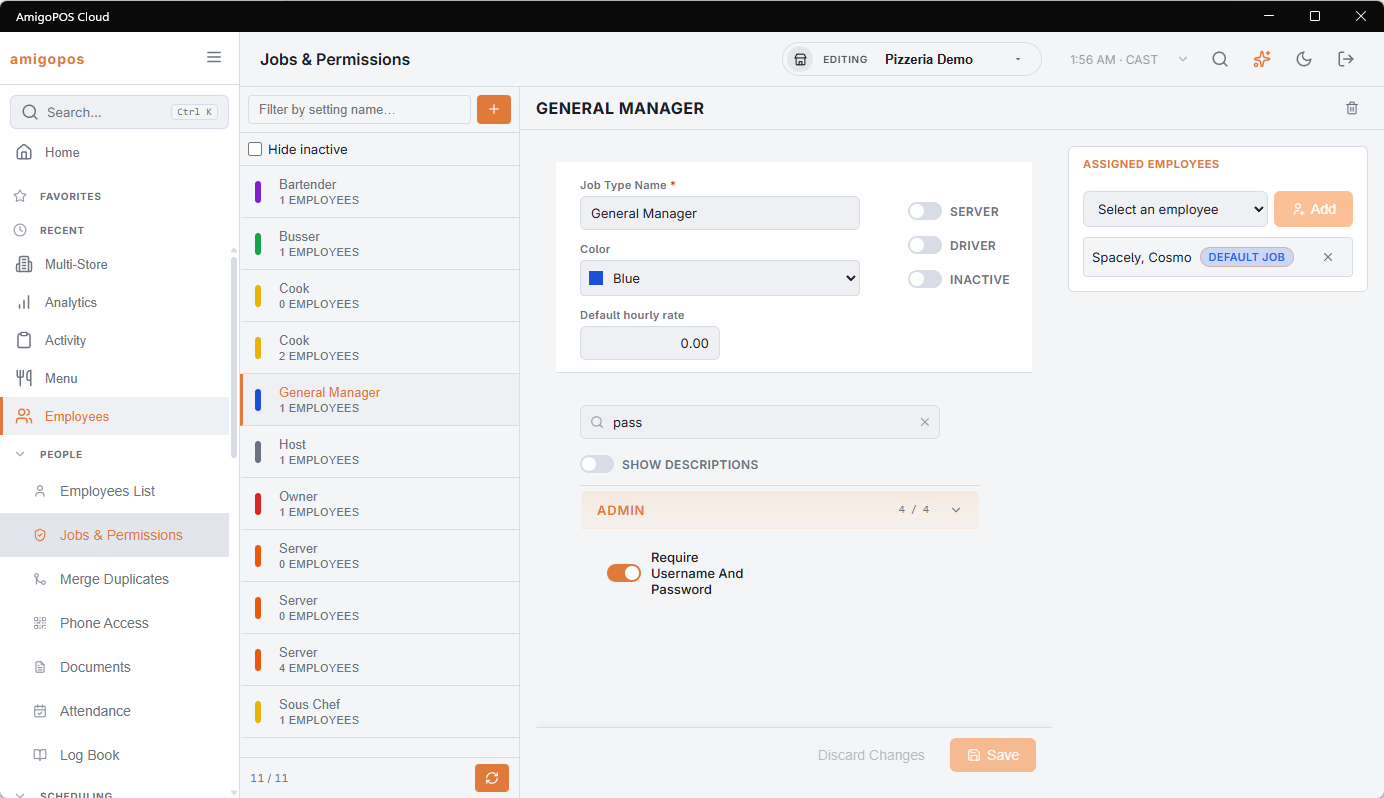
What changes for those employees
- Typing their PIN on the sign-in screen is refused with Pin Login Is Disabled For This User. Sign In With Your Username And Password., and the screen switches to the username form.
- They cannot sign in while the station is offline. Passwords are checked by the server, and only PINs are kept on the station for offline sign-in.
- It counts for every job the employee holds, not only their default job. A job other than the default blocks the PIN only when the employee has a username and password on their profile, so someone who has only a PIN is not locked out by a second job. A job taken off the employee no longer counts.
- Each of them needs a Username and Password on their profile (Back Office › Employees › People › Employees List, Login section) before the job is switched over.
Apply it to the jobs with real power — general manager, anyone with Back Office access — not to servers and bartenders, who sign in many times a shift and need the speed.
How credentials are kept
Passwords are stored as a one-way hash, so nobody can read them back. On the employee’s profile the Password box is always empty (Leave Blank To Keep The Current Password): typing in it replaces the password, leaving it empty keeps it. Passwords saved before hashing was introduced are converted the first time each person signs in.
- A new employee is given a random four-digit PIN that nobody else has. Change it with them to one they will remember.
- An inactive or released employee is refused everywhere — PIN, username and password, offline, and the staff site.
- Repeated wrong PINs pause sign-in on that register; see Sign-in lockout (too many wrong PINs).