A four-digit PIN is guessable if somebody is allowed to keep guessing. After five wrong attempts within five minutes, sign-in pauses on that register.
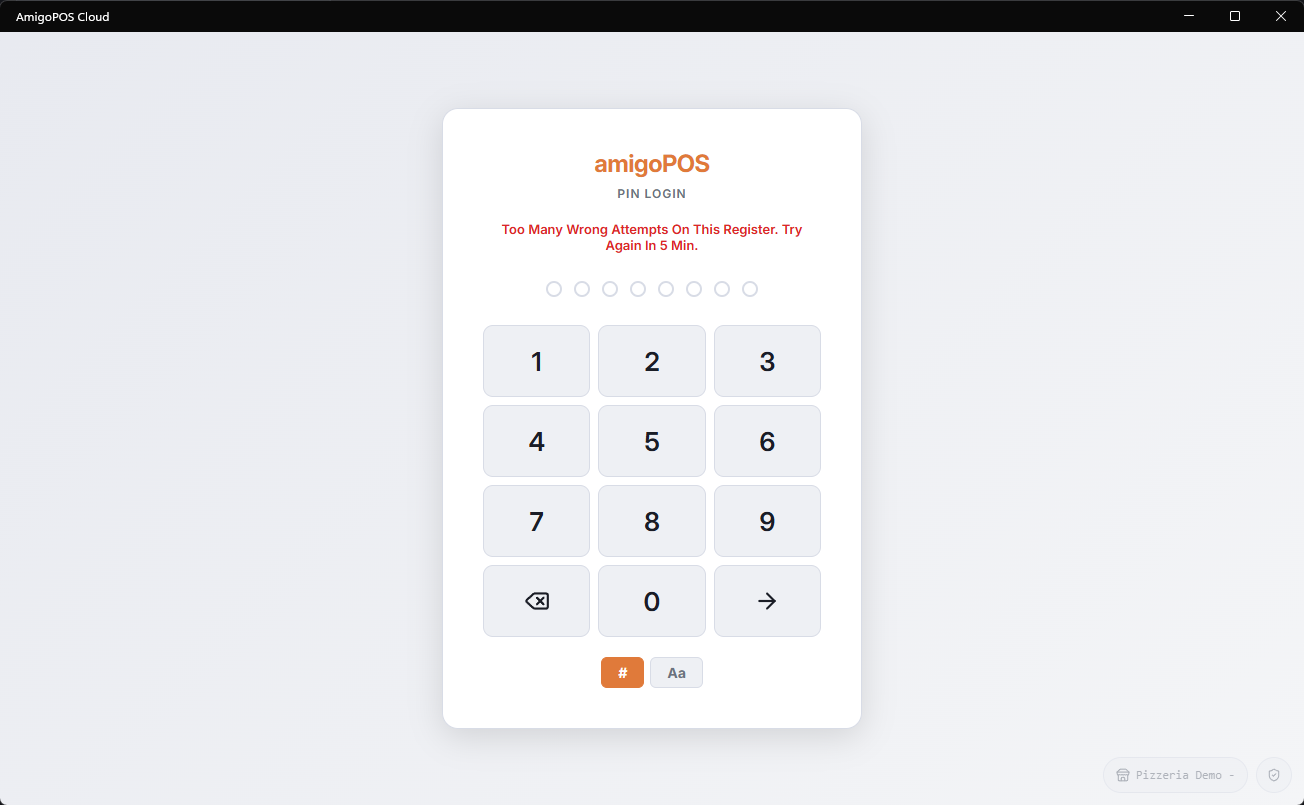
How the pause works
- The first pause is five minutes. If the wrong attempts start again once it lifts, the next pauses are 10, 20, 40 and then 60 minutes.
- It is that register, not that employee: everyone else can keep working on the other stations, and nobody is locked out of their own account.
- PIN and username/password are counted separately, so a password pause does not stop PIN sign-in and the other way round.
- A correct PIN during a pause does not open it — the pause has to run out or be lifted.
- Managers are told when a register pauses, so somebody knows without being called over.
Lifting it early
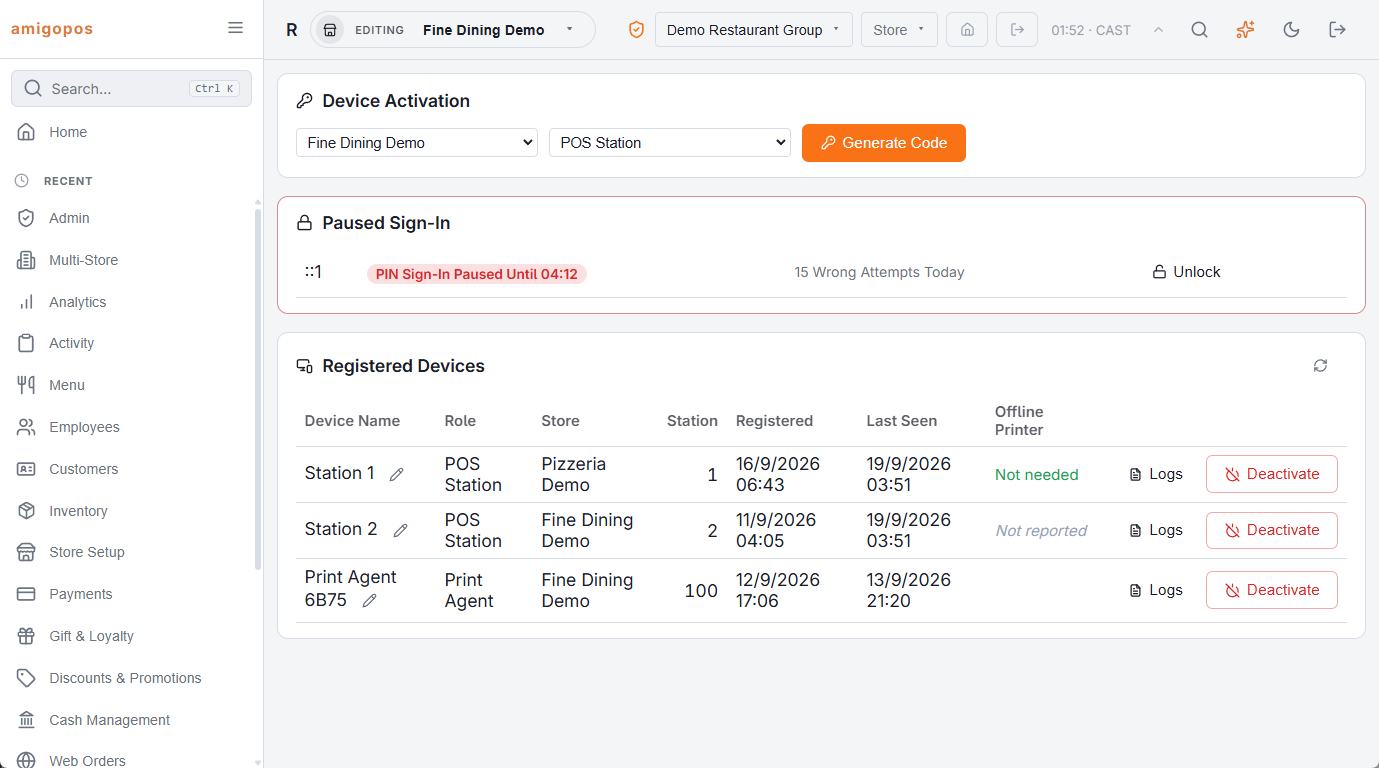
- Back Office › Hardware & Printing › Registered Devices — a paused register shows a chip with the time it lifts and an Unlock button. Managers, whoever registered the devices and Admin can use it.
- A manager signing in with their username and password on that register clears a PIN pause.
- Waiting — a pause always ends by itself.
Phones are separate: the staff site locks itself for 15 minutes after five wrong PINs on that phone and nothing else is affected. If a register pauses repeatedly and nobody admits to mistyping, treat it as somebody trying PINs at the till and change the PINs of anyone with real permissions.
In the Security Log
Every wrong PIN, pause and lifted pause is also in Back Office › Activity › Audit › Security Log, with the station and the time, next to the sign-ins on the website, the apps and online ordering. See The Security Log.