Two settings in Back Office › Discounts & Promotions › Guest Offers › Settings › Extras In Your Emails help your coupons get used.
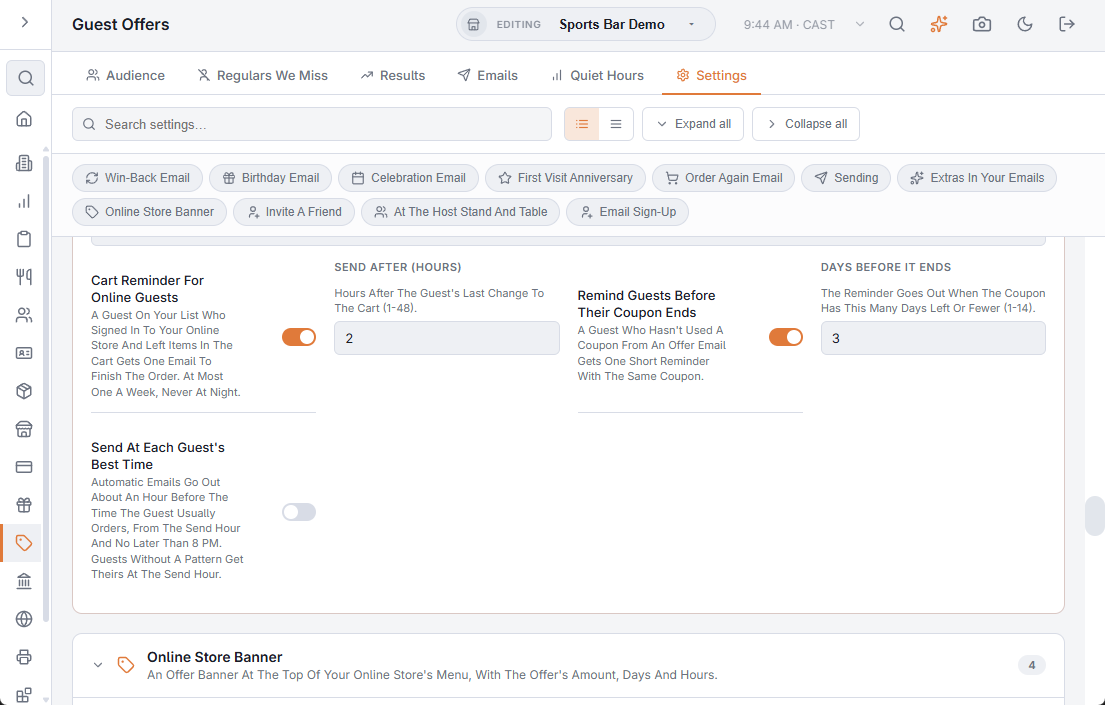
Remind guests before their coupon ends
Many coupons are simply forgotten. With Remind Guests Before Their Coupon Ends on (the default), a guest who hasn’t used a coupon from an offer email gets one short reminder with the same coupon when it has Days Before It Ends (3) or fewer days left.
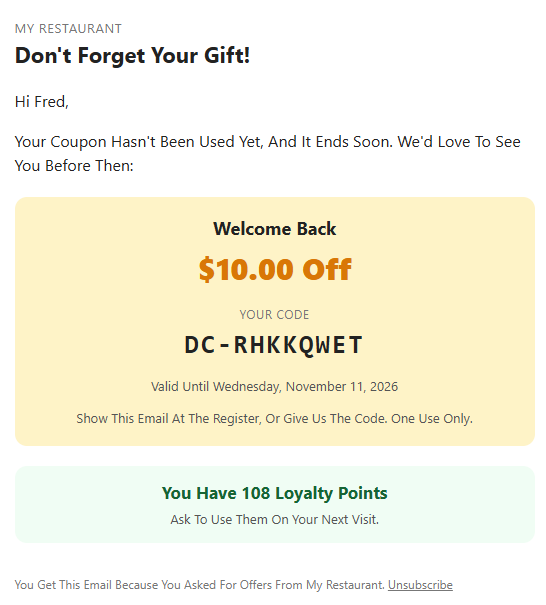
- It covers the win-back, birthday, Email The List, thank-you, celebration and first visit anniversary coupons. Order again codes are left out.
- Once per coupon, never for a coupon sent in the last 3 days, and never on a day the guest got another offer email.
- Only guests still on your list get it; guests who paused offers or chose birthday only don’t.
- Reminders show as Coupon Reminder on the Results tab. When the coupon is used it still counts for the email that gave it.
Send at each guest’s best time
With Send At Each Guest’s Best Time on (off by default), each automatic email (win-back, birthday, celebration, first visit anniversary, order again) goes out about an hour before the time of day that guest usually orders, from your send hour and no later than 8 pm. Guests without a pattern get theirs at the send hour. Email The List and cart reminders are not affected.
Related: Guest offers: extras in your emails