Many guests who unsubscribe only want fewer emails for a while. The page the Unsubscribe link at the bottom of every offer email opens gives them two softer choices.
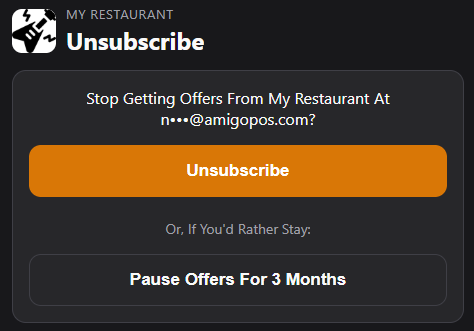
- Unsubscribe — comes first, as before: the guest stops getting offers.
- Pause Offers For 3 Months — no offer emails for 3 months, then everything starts again on its own.
- Only Send My Birthday Emails — only the birthday and celebration emails. Offered only when the guest’s birthday is known.
A guest who paused or chose birthday only sees it on the same page later, with Get All Offers Again.
What it means for your emails
- These guests stay on your list, but the win-back, first visit, order again and Email The List emails leave them out, and so do the guest counts on the Quiet Hours tab.
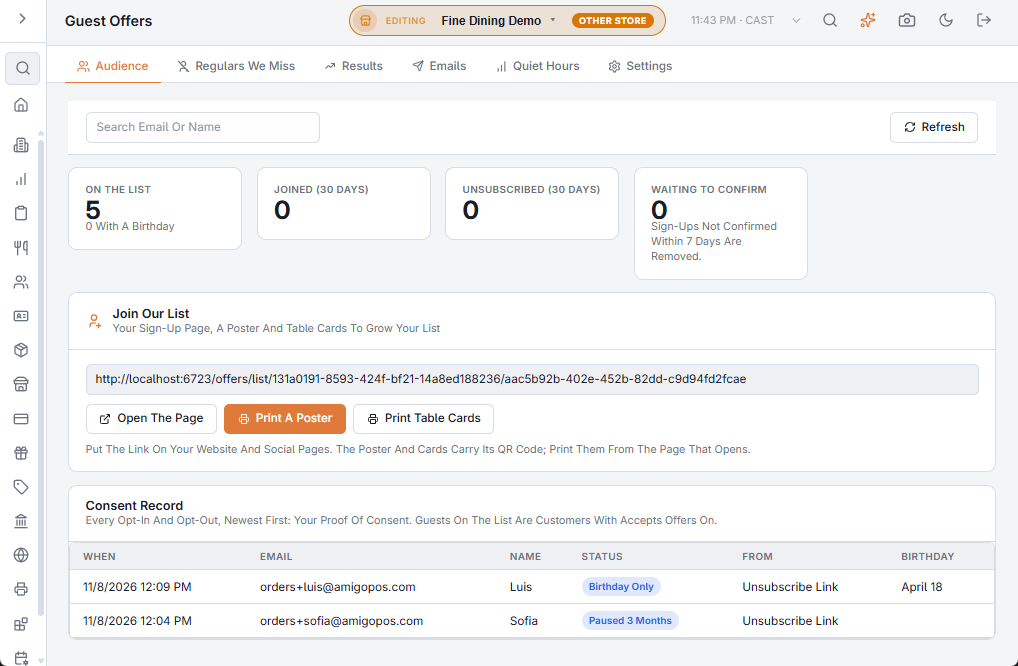
- Each choice is kept in the Consent Record on the Audience tab as Paused 3 Months, Birthday Only or Back To All Offers. The guest’s latest choice counts.
- Unsubscribing with one tap from the mail app still unsubscribes the guest completely.
Related: Guest offers: how your emails are delivered · Guest offers: building your email list