Upcharges are the sizes and strengths a bar item can be sold in, such as Double, Tall, Premium or Virgin. They are set up in two halves, and both are needed before a variation can be sold: the upcharges on the bar category, and a price for each one on the item.
1. Upcharges on the category
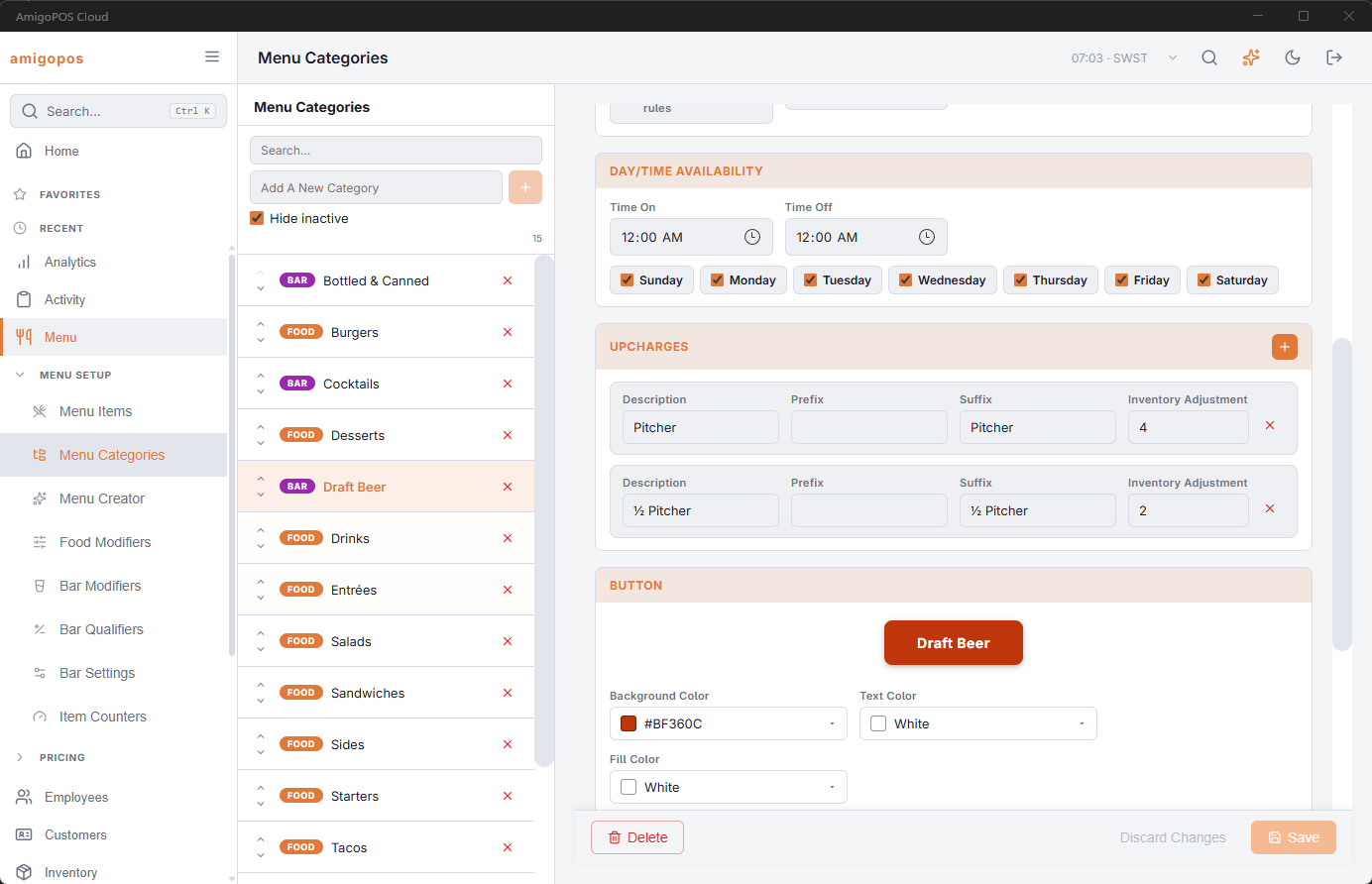
In Back Office › Menu › Menu Setup › Menu Categories, open a bar category. Its Upcharges section lists the upcharges in order. The + adds one, and the × deletes one.
- Description — the name staff tap, such as Double.
- Prefix and Suffix — text added before or after the item’s name on the check and the prep ticket, such as “Lg” in front or “Dbl” behind.
- Inventory Adjustment — multiplies the drink’s recipe when it is sold with this upcharge: 2 for a Double takes twice the pour from stock, 1 the normal pour. See How modifiers, levels and pour sizes use stock.
Each box saves when you leave it; the category’s Save is not needed for upcharges.
2. A price per item, per upcharge
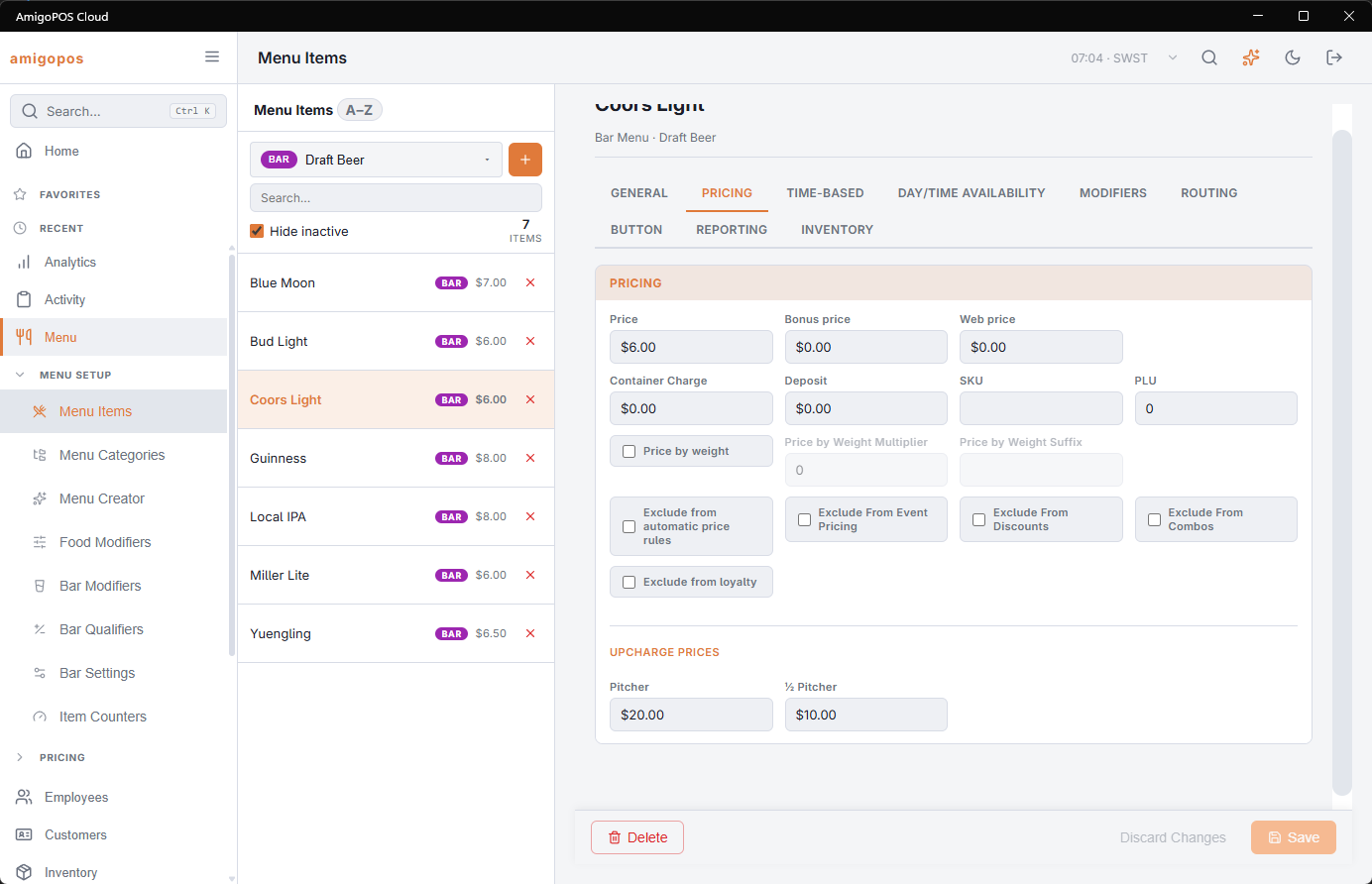
An upcharge means nothing until an item has a price for it. In Back Office › Menu › Menu Setup › Menu Items, open the bar item and its Pricing tab. Under Upcharge Prices there is a box for each of the category’s upcharges. The price is the full price of the variation, not an amount added on. These prices save with the item’s Save.
At the register
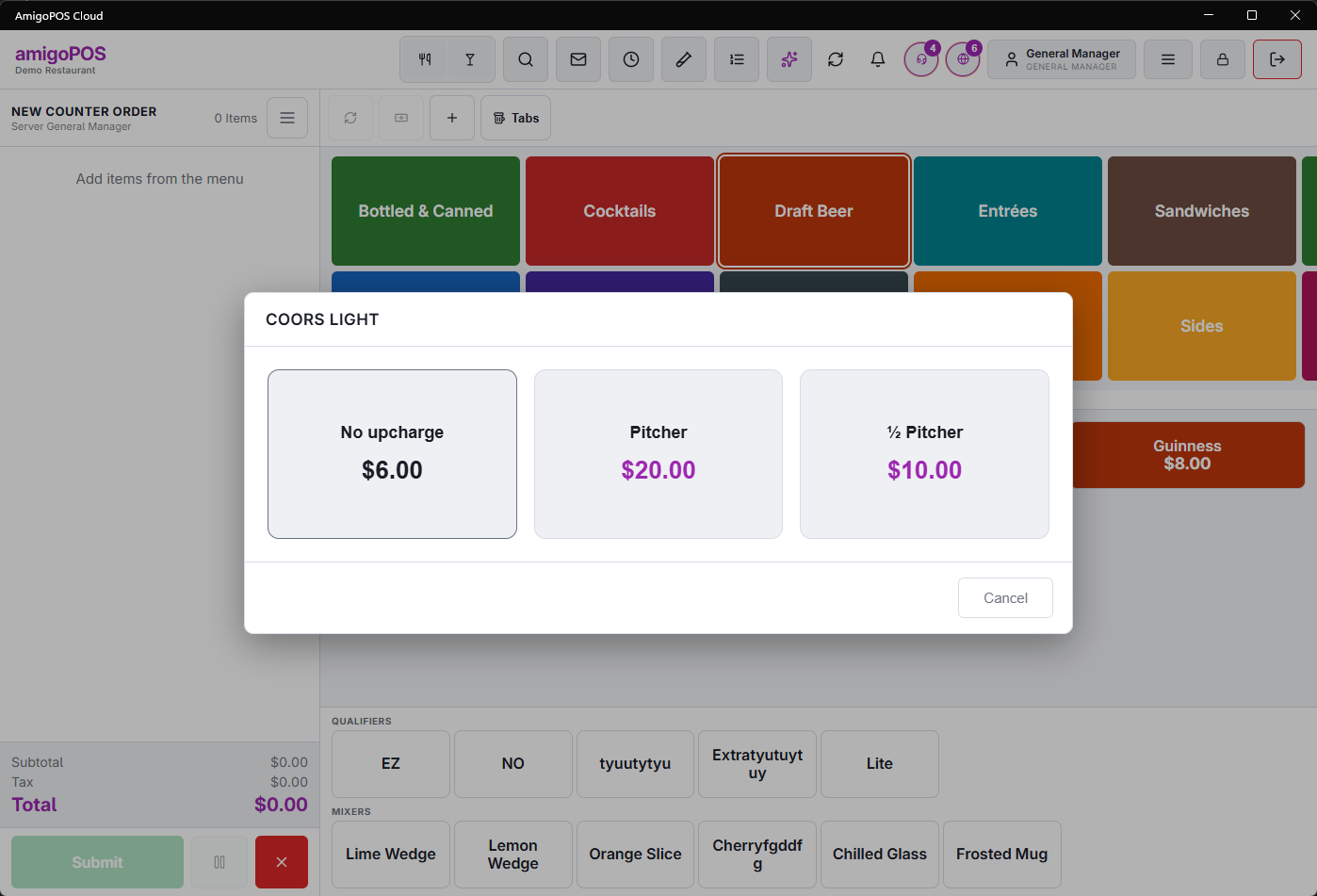
Adding a bar item shows its upcharges, plus a base no upcharge choice that is always there. Only upcharges the item has a price for can be picked.
What prints
The upcharge’s prefix and suffix are applied to the line name, so “Strawberry Colada” rung as Virgin reads “Strawberry Colada Virgin” on the check and on the prep ticket. An upcharge with neither a prefix nor a suffix puts its name in brackets after the item’s name.
- Price rules can treat upcharges separately; see Exclude upcharges in Price rules.
- Prices already rung are not changed by editing an upcharge. Changes apply to lines rung afterwards.