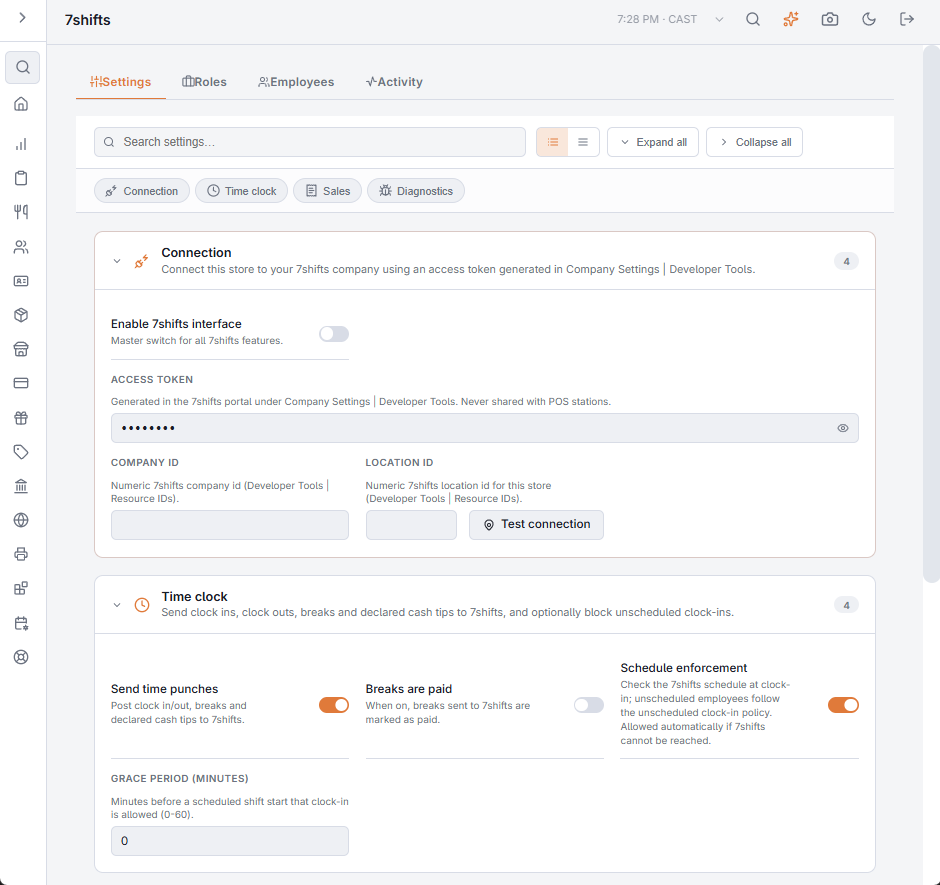
With Schedule enforcement on (Settings tab of Back Office › Integrations › 7shifts, Time clock section), the POS asks 7shifts at every clock-in whether the employee is scheduled to work now. It is the one part of the integration that can stop an action at the POS.
The check
- The employee counts as scheduled when 7shifts has them on a shift at this location now, or starting within the Grace period (minutes) — 0 to 60, 15 by default.
- When 7shifts says the employee is not scheduled, the clock-in is flagged Not scheduled to work in 7shifts.
- When the employee is not linked to a 7shifts user, it is flagged Employee is not linked to a 7shifts user, so the missing link gets noticed.
What happens next
A flagged clock-in follows the Unscheduled Clock-In Policy of the time clock, set in the Schedule Enforcement section of Back Office › Employees › Scheduling › Time Clock (see Time Clock settings):
| Policy | Result |
|---|---|
| Block | The clock-in is refused. |
| Require Manager | A manager must approve the clock-in at the register. |
| Allow | The clock-in goes ahead. |
Before switching enforcement on, check that policy and link every employee. With the policy on Block, an employee who is unlinked, or missing from the 7shifts schedule, cannot clock in.
Failing open
If 7shifts cannot be reached, does not answer within a few seconds, or returns an error, the clock-in is allowed. Enforcement never becomes the reason a shift cannot start because the internet is down.