A new order type starts with the recommended steps for its kind, so it prints to the kitchen and receipts from its first order. The Workflow tab can also start a type over from those steps, or copy another type’s workflow.
The recommended steps
| Kind | When The Order Starts | After The Order Is Sent | At Payment |
|---|---|---|---|
| Dine-in | Show seating chart, Prompt for guest count, Enable guest assignment | Print prep tickets | Print receipt |
| Takeout | Show customer info | Print prep tickets, Print labels, Print receipt on submit | Print receipt |
| Delivery | Show customer info, Delivery Dispatch | Print prep tickets, Print labels, Print receipt on submit | Print receipt |
| Bar | — | Print prep tickets, Stay on order entry after submit | Print receipt |
| Other / custom | — | Print prep tickets | Print receipt |
A new type is created with the kind Other / custom. Set its Kind on the General tab, then use Reset To Recommended to switch to that kind’s steps; it uses the Kind shown in the editor. Recommended steps start switched on and set to Block.
Reset To Recommended
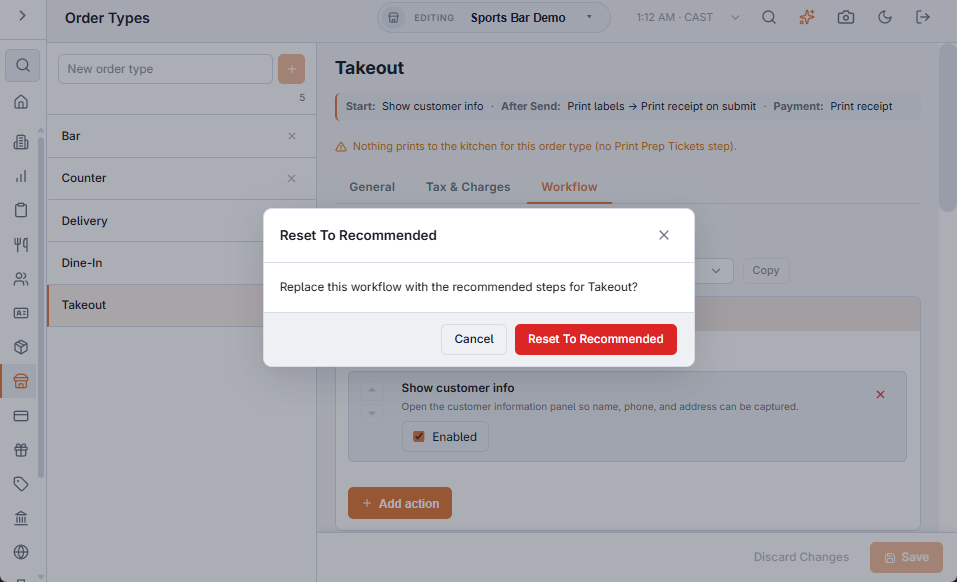
On the Workflow tab, Reset To Recommended replaces the type’s workflow with the steps above for its current kind, after a confirmation. Steps you added are removed; settings on the other tabs are not touched.
Copy From
Pick a type in the Copy From list (every other type, disabled ones included) and press Copy to replace this type’s workflow with that one’s — same steps, same order, same on/off and Block or Warn Only choices, same parameters. Useful for a second dine-in type (Patio, Bar Dining) or a Phone type that should behave like Takeout.
Back to Order types and workflow.