Order types (Back Office › Store Setup › Order Types) define the kinds of orders the store takes — Dine-In, Takeout, Delivery, Bar, Counter, Phone — and each type carries its full behavior: what the register asks when an order starts, what it checks before sending, what it prints, how payment behaves, its money rules and how its tickets look in the kitchen.
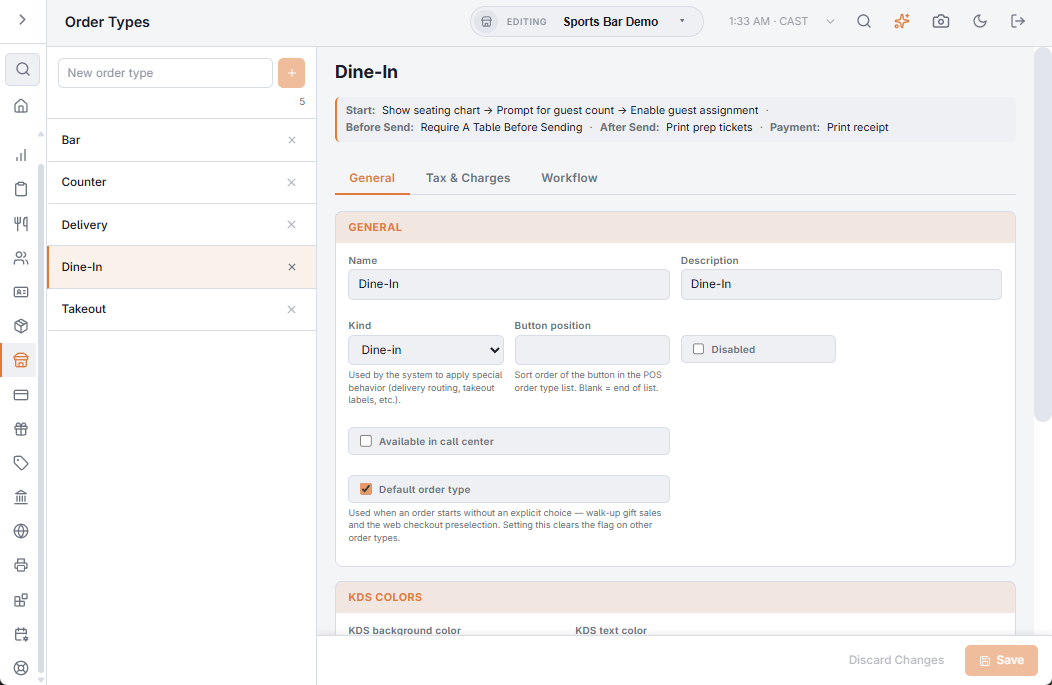
The editor
Pick a type in the list on the left, or type a name in New order type and press +. The editor has three tabs: General, Tax & Charges and Workflow. Save and Discard Changes at the bottom apply to the first two tabs; changes on the Workflow tab are saved as you make them.
The workflow at a glance
Under the type’s name, on every tab, one line lists the workflow steps that are switched on, stage by stage, in the order they run — for example Start: Show seating chart → Prompt for guest count → Enable guest assignment · After Send: Print prep tickets · Payment: Print receipt. Click the line to open the Workflow tab.
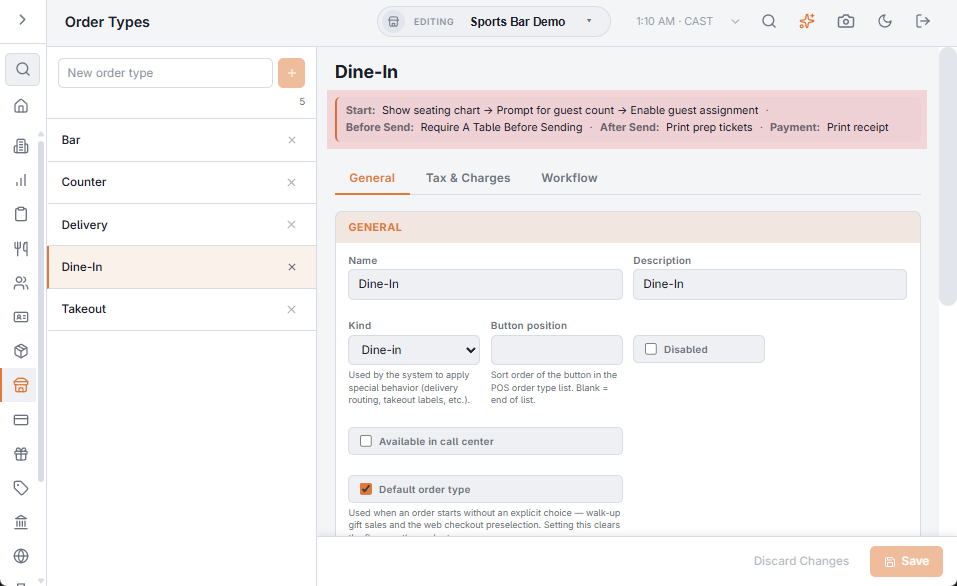
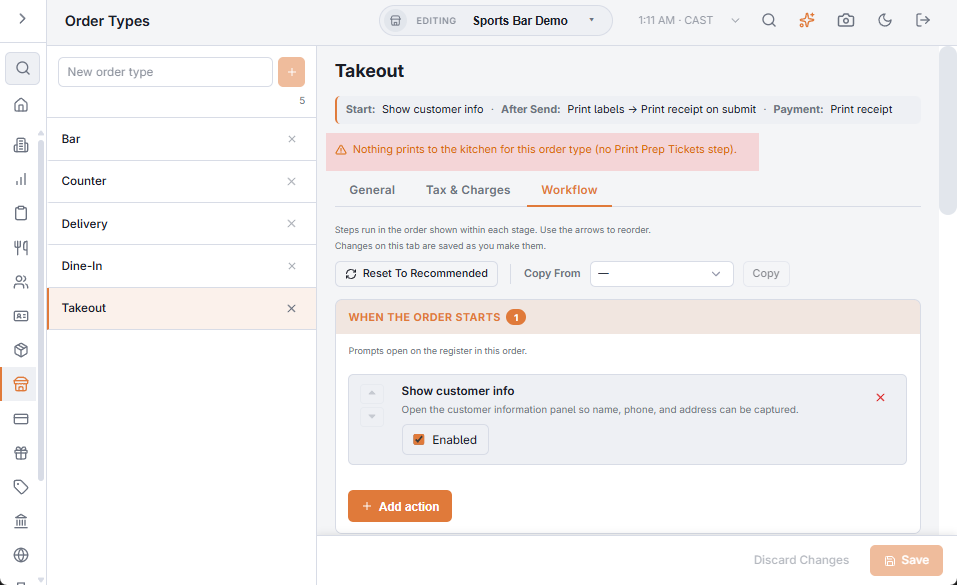
A warning shows under the line when the setup is almost certainly a mistake:
- Nothing prints to the kitchen — the type has no Print prep tickets step switched on.
- Orders won’t appear on the delivery board — the kind is Delivery but no Delivery Dispatch step is switched on.
- The beverage isn’t enforced — Force beverage selection is on without Validate beverage rule, so the beverage category opens first but the order can be sent without one.
General
- Name and Description.
- Kind — Dine-in, Takeout, Delivery, Bar or Other / custom. It is the type’s family: it decides the recommended workflow, and Delivery applies the delivery zone charges.
- Button position on the order-type picker (blank puts it at the end), and Disabled to take the type off the register. A disabled type stays in the Back Office list, faded.
- Available in call center for types a call-center seat can submit.
- Default order type — the type used when an order starts without a choice (a walk-up gift card sale, online checkout). Only one type can be the default.
- KDS Colors — KDS background color and KDS text color for the type’s tickets, plus Aging warning (minutes) (1–240) and Late warning (minutes) (1–480); blank uses the Station default (Aging and late thresholds): delivery tickets can run tighter clocks than dine-in.
Tax & Charges
- Tax — Non-taxable and Bar menu tax included (see below); Bar menu disabled keeps the bar menu categories off orders of this type; Charge for takeout containers makes items marked Takeout Non-taxable (on the item or its category) tax-free on this type.
- Surcharge type — No surcharge, Percentage or Fixed amount per order of this type. With a surcharge, Surcharge amount, Surcharge label and Surcharge tax rate appear.
- Mandatory gratuity — with it switched on: Gratuity %, the party size that triggers it (Apply to parties of n Or More; it comes off again if the party drops below), and whether tax is included and discounts are excluded when it is calculated. Print Gratuity Suggestions on Receipt and Include in minimum tip declaration sit here too.
- Cover charge — which cover the type applies, if any.
Workflow
The workflow is the list of steps the register runs at each stage of an order’s life: When The Order Starts, Before The Order Is Sent, After The Order Is Sent and At Payment. It is why Dine-In asks for a table and Delivery for an address: the type says so.
- Workflow steps, stage by stage — every step, what it does, and the Block or Warn Only choice.
- Start prompts and their order — what the register asks when an order starts, and in which order.
- Recommended workflows, reset and copy — the starting steps for each kind, and copying a workflow from another type.
Adding and deleting a type
A new type is saved at once as Kind Other / custom, at the end of the list, available in the call center and included in the minimum tip declaration, with the recommended steps for Other. The × on a row deletes the type after you confirm. Save before picking another type: the editor does not warn about unsaved changes on General and Tax & Charges. The Id under Reporting is the type’s fixed identifier for exports.
Tax on an order type
Non-taxable exempts every order of the type — wholesale, staff meals, or take-out where the law exempts it; the return lists those sales under non-taxable order types. Bar menu tax included treats bar prices as tax-inclusive, and the surcharge rate taxes the type’s surcharge. The separate Tax Inclusive toggle was removed: inclusive pricing is the store-wide VAT setting on Sales tax setup.