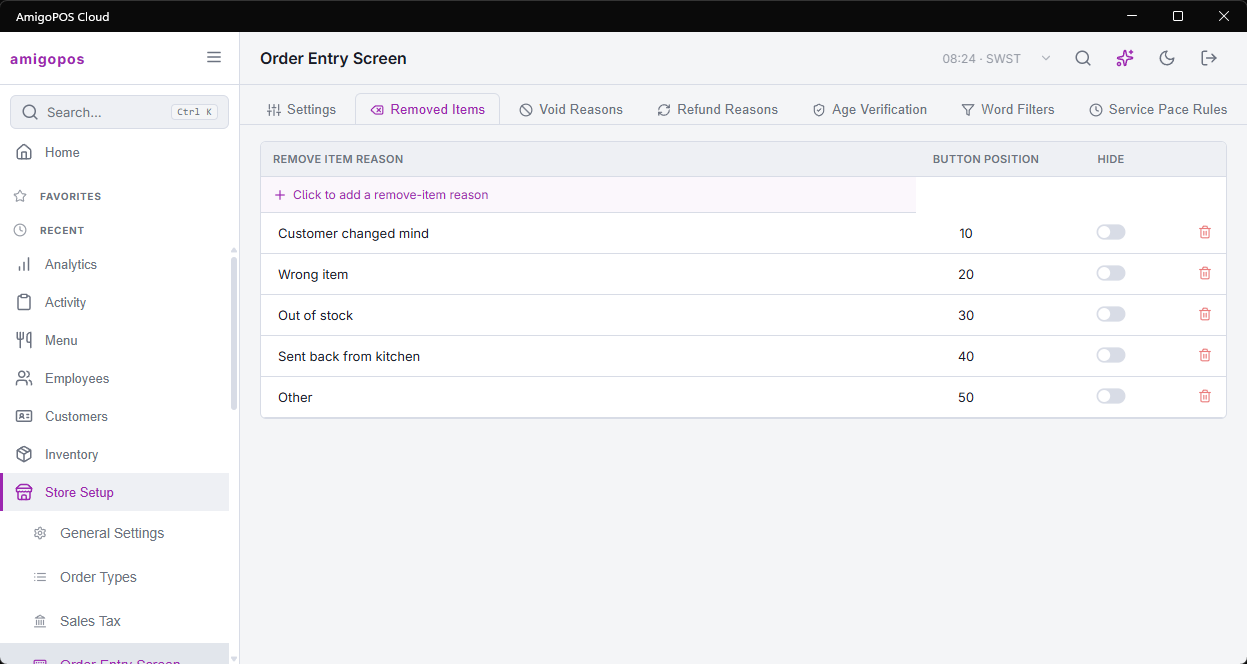
Five lists on Back Office › Store Setup › Order Entry Screen set the reasons staff pick at the register and the text filters applied to what they type: the Removed Items, Void Reasons, Refund Reasons, Age Verification and Word Filters tabs. Each is an editable grid: click the add row to create an entry (it is saved at once), edit a cell and it saves when you leave it, and use the delete button — after a confirmation — to remove one. Age Verification has its own topic: Age verification and ID-required items.
Removed Items
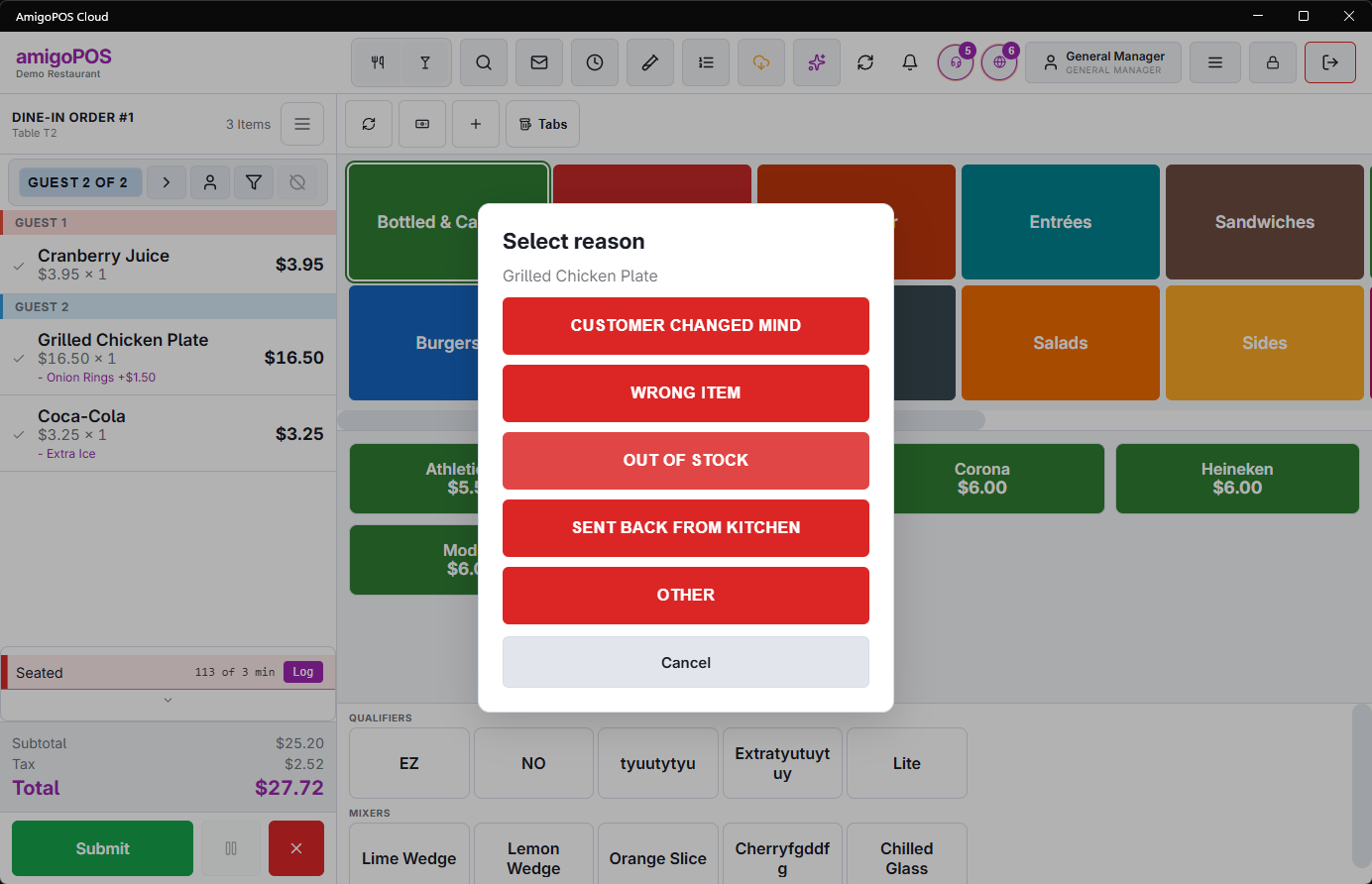
The reasons shown when someone removes an item that was already sent to the kitchen or bar. Items not sent yet are removed without a prompt — nothing was made. Columns: Remove item reason (up to 50 characters), Button position (the order of the buttons at the register) and Hide.
After the reason is chosen, if inventory has already recorded the item’s usage, the register also asks whether to return the ingredients to inventory — yes for a mistake caught before anything was made, no if the food was prepared and wasted. Usage is recorded shortly after sending, so an item removed within a few seconds may skip this question; nothing needs reversing.
Void Reasons
The reasons offered when voiding an order; a reason is required. Columns: Void reason (up to 50 characters), Button position and Hide. See Voids and the void reason prompt.
Refund Reasons
The reasons shown when a manager processes a refund from the orders list. The chosen reason is stored on the refund and appears in refund history and transaction reports, so keep the list short and specific — Wrong order, Food quality, Guest complaint, Duplicate charge. Columns: Refund reason (up to 50 characters) and Hide. A refund cannot be completed without a reason; with none visible the refund screen says “No refund reasons are configured.”
In every list, Hide takes a reason off the register without deleting it, so past orders still show it.
Word Filters
Search-and-replace rules applied as staff type item notes, order notes, guest names on items, misc item names, guest-check names and customer notes. Each rule has a Search text and a Replace text (up to 200 characters each). The classic use is keeping profanity or shorthand off prep tickets and receipts.
- Matching ignores upper and lower case and also matches inside longer words — a rule for “ass” changes “class” too. Use longer search text, or add spaces around a word.
- Left empty, Replace text becomes XXX; it does not remove the word.
- A rule with an empty Search text is ignored.
Common questions
- Removing an item didn’t ask for a reason. The item hadn’t been sent yet — only sent items prompt.
- The refund screen has no reasons to pick. Every reason is deleted or hidden — add one, or untick Hide.
- Can I change the order of the buttons? Yes, for removed-item and void reasons: change Button position. Refund reasons are listed by name.