The log book is what the closing manager tells the opening manager. It lives in two places — Back Office › Employees › People › Log Book and More › Log Book on the staff site — and every manager sees the same entries.
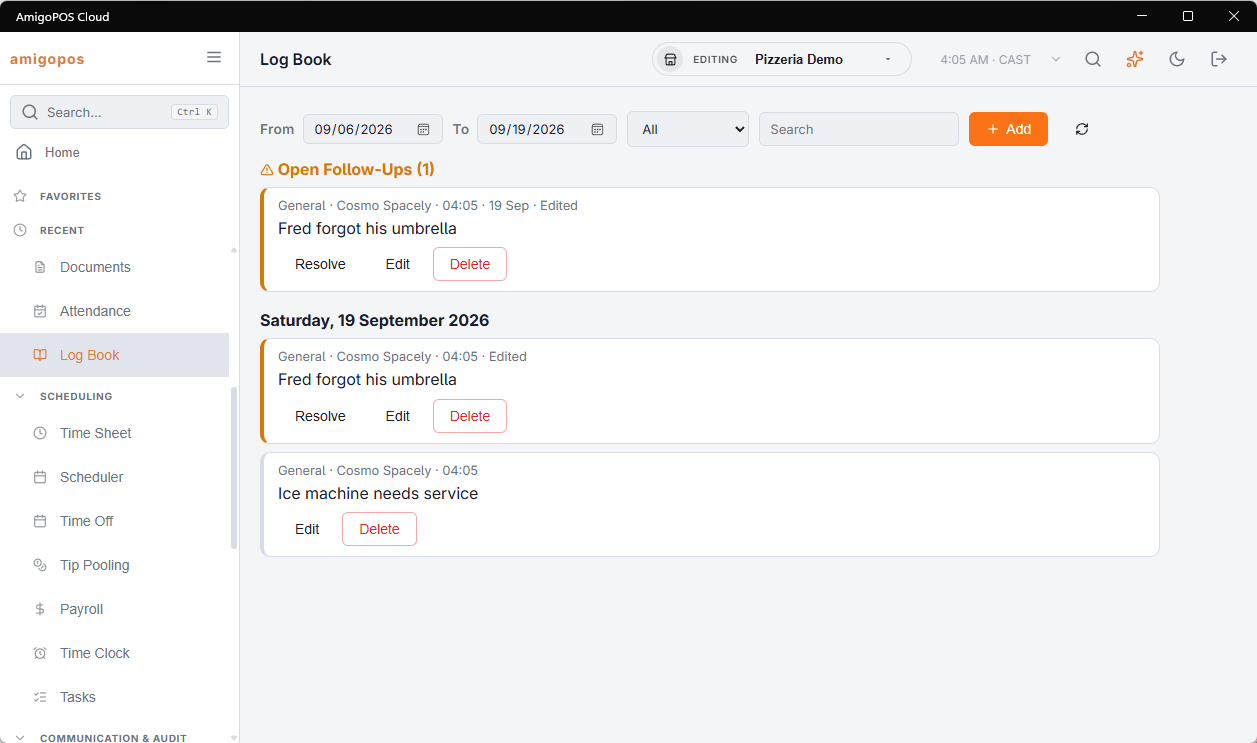
Writing an entry
An entry belongs to a business day, has a category and a note, and carries your name and the time automatically. Categories keep a month of entries readable: General, Staffing, Guest, Incident, Maintenance, Cash. Write it while it is fresh — from the phone on the floor, or in Back Office at the end of the night.
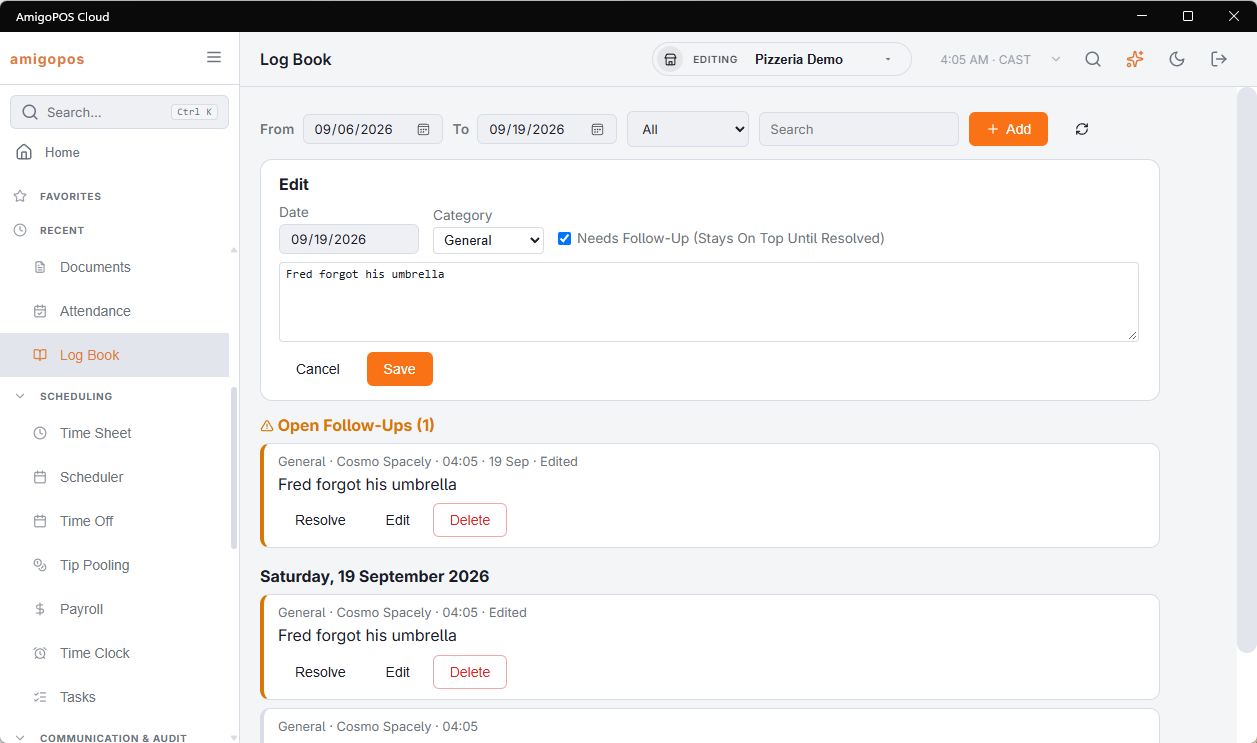
Late notes land on the right day: a note written at half past one belongs to the day that is still open, the same way the rest of the night’s takings do.
Follow-ups
Tick Needs follow-up and the entry stays in an Open follow-ups block at the top of the page — on every manager’s phone and in Back Office — until somebody taps Resolve. The freezer nobody has called about is the reason this exists. Who resolved it and when is kept, and a resolved item can be reopened.
Finding things later
Back Office holds the full book: a date range (the last two weeks to start with), a category filter and a text search across the notes and the authors. “When did that fridge go down the last time?” is a search, not a memory.
Who can do what
- Any job with manager access reads and writes.
- On the phone you can delete your own entries. In Back Office a manager with the employee-editor right can edit or delete anyone’s; deleted entries are kept out of sight rather than destroyed.
- Employees never see the log book. The one place it goes out is the end-of-day close e-mail, sent to the managers who receive it: it lists the entries for the day that was closed and every follow-up still open (The end-of-day report).