A paid holiday is a store business day on which every hour punched is paid at a premium — double pay on a public holiday is the usual case. Enter the dates once a year at Back Office › Employees › Scheduling › Payroll › Holidays, and the Payroll page keeps those hours apart from regular and overtime hours, with the premium already in the labor cost and the export files.
Keeping the calendar
The Holidays button in the Payroll toolbar opens the calendar for the year shown in its dropdown. Each line is a date, a name and a pay multiplier (2.0 = double pay; 1.5 = time and a half). Pick a date, type the name, adjust the multiplier if it is not 2.0 and press Add — Enter in the name box does the same. Edit loads a line into the form, Delete asks first. A date that is already listed is updated rather than listed twice; the form says so before you save.
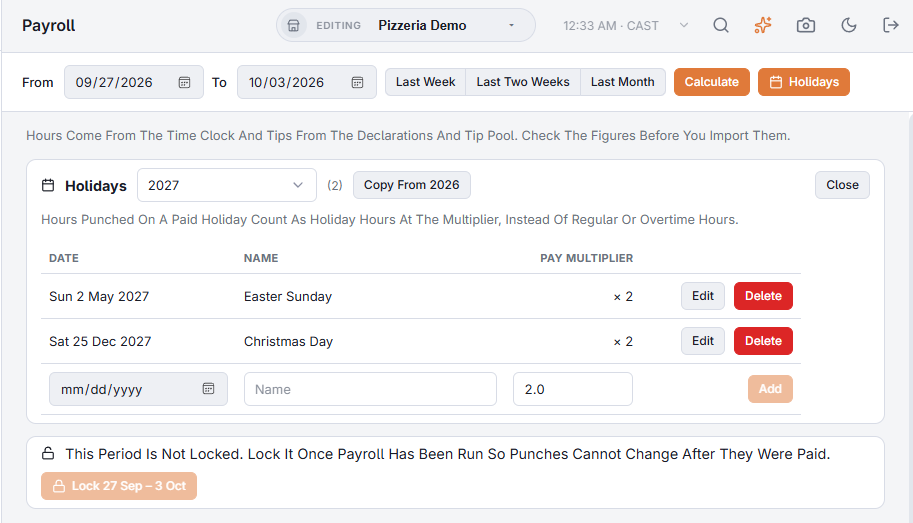
Copy From brings last year’s holidays into the year on screen on the same month and day, after showing you which ones it will add; dates already in the year are left as they are, and it tells you when there is nothing to copy. Holidays that move each year (Easter, Carnival) are typed in by hand.
What it changes on the Payroll page
Calculate a period that contains a holiday and a Holiday column appears next to Regular, Overtime and Double Time, with the holidays in the period named above the table:
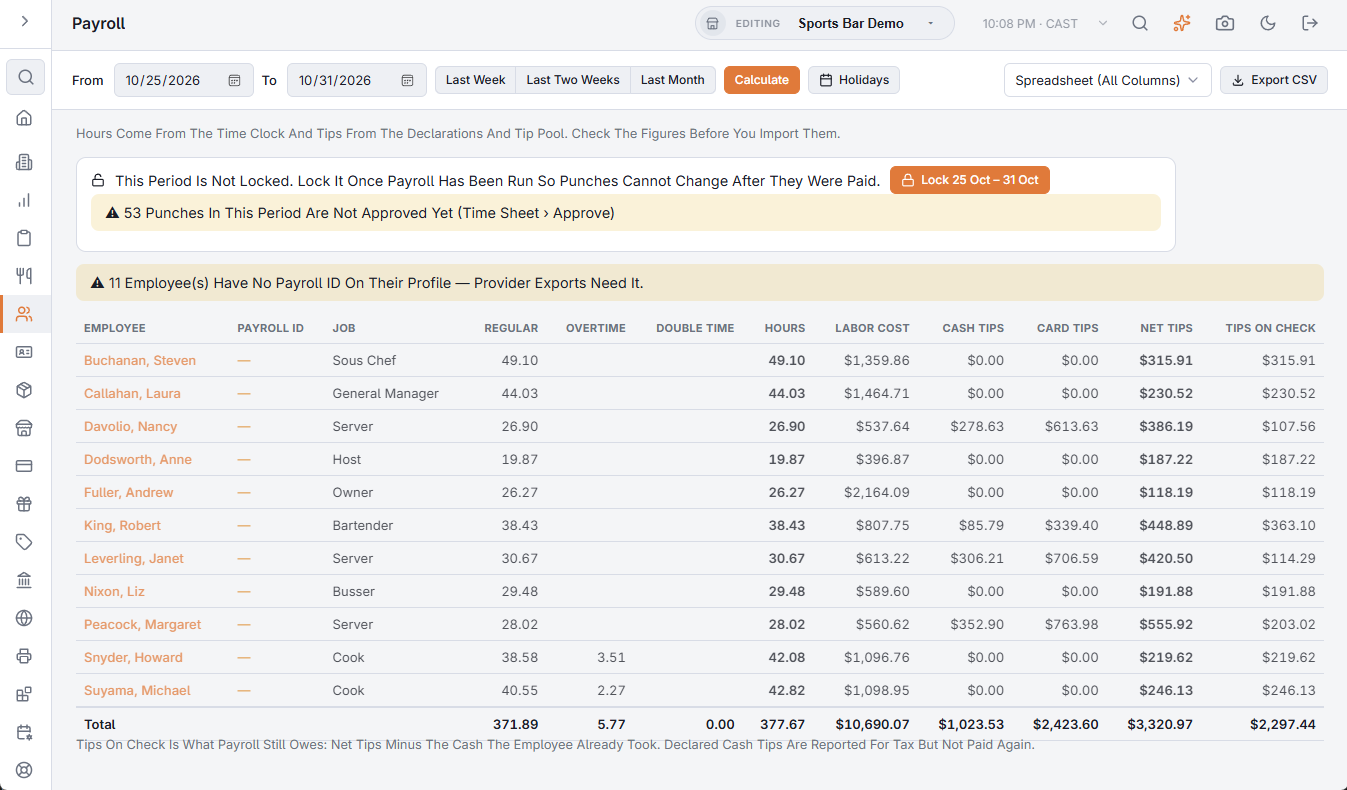
- A punch whose business day is a holiday is counted entirely as holiday hours — it is not also split into regular and overtime, so nothing is paid twice. The business day follows the store’s business-day start time, the same rule the end of day uses, so a closing shift that runs past midnight still belongs to the holiday it started on.
- Labor Cost for those hours is hours × the employee’s rate × the multiplier. An employee on salary has no hourly rate, so their punches keep their normal cost.
- Hours counts the holiday hours; the totals row sums them.
In the export files
- Spreadsheet (All Columns) — HolidayHours and HolidayPremium columns (the premium is the amount above base pay).
- ADP — the holiday hours go out under hours code H.
- Paychex — a HOL earnings row per employee.
- Gusto and QuickBooks Payroll — a Holiday Hours column.
On the manager’s Today page
While the holiday is running, the Labor card on the staff site’s Today: the manager’s day on their phone page shows Paid Holiday Today with the name and multiplier, and its labor cost, labor percent and projection already include the premium.