Many payroll premiums are calculated over the hours an employee is registered for — the hours in their contract — rather than over the hours they happened to work. Someone registered for four days of eight hours is registered for 32 hours a week, which is 32 × 52 ÷ 12 = 138.67 hours a month: the premium is paid over 138.67 hours, anything worked above it is overtime, anything below it is hours not worked. CloudPos keeps that figure on the employee and does the arithmetic on the Payroll page.
On the employee
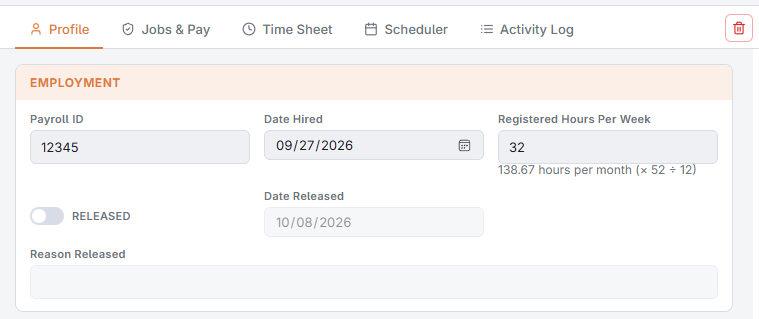
Open the employee at Back Office › Employees › People › Employees List and, under Employment, fill in Registered Hours Per Week. The monthly figure (× 52 ÷ 12) is shown underneath as you type, so 32 shows 138.67. Leave it blank for employees without a contracted figure.
On the Payroll page
Calculate a period and two columns appear after Hours for every employee who has a figure — the columns stay hidden while nobody has one:
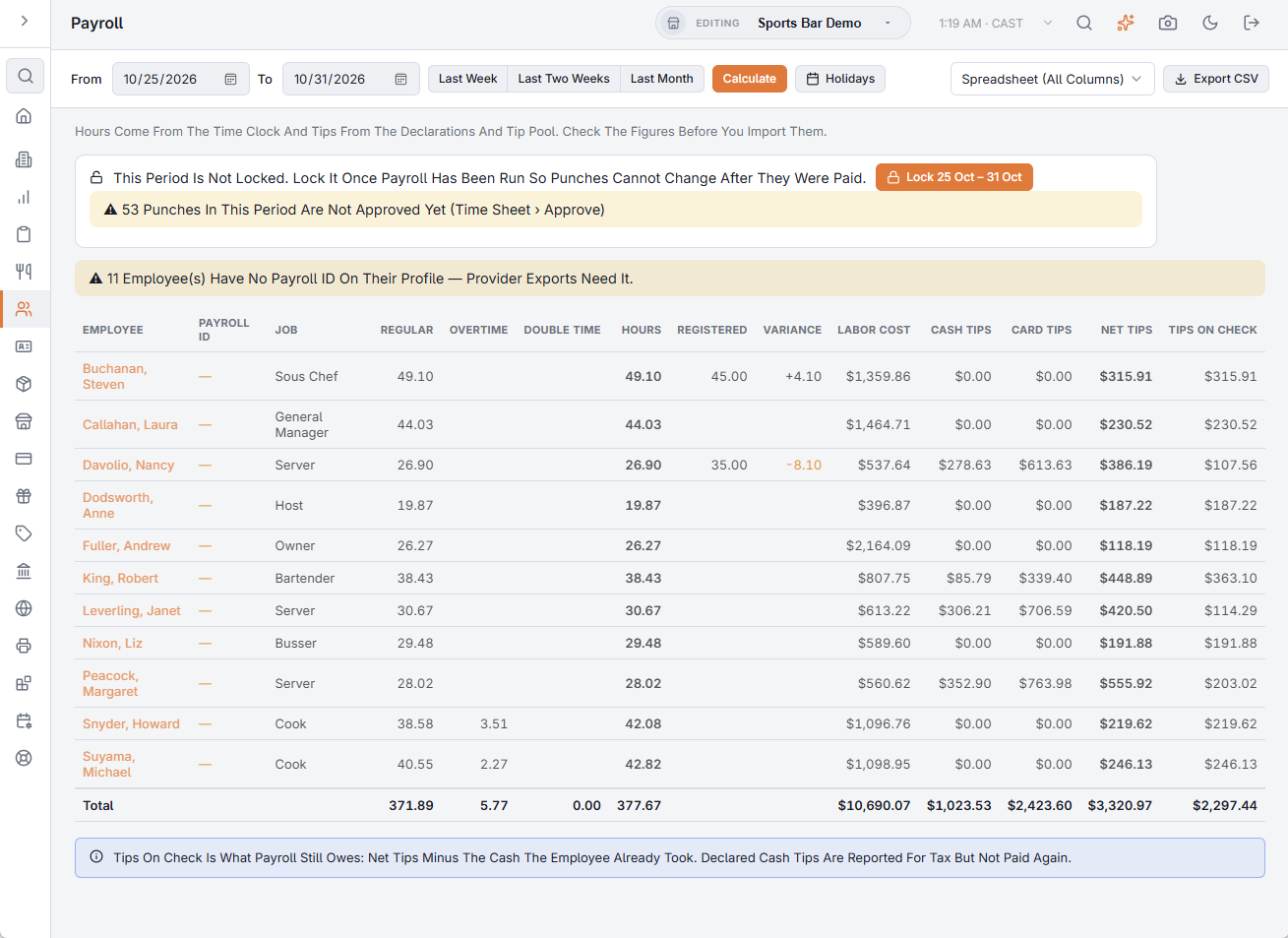
- Registered — the registered hours for the period on screen. A whole calendar month (or several) counts weekly × 52 ÷ 12 per month; any other range counts weekly × days ÷ 7, so a week is simply the weekly figure.
- Variance — hours worked minus registered hours. Positive: the extra hours to run as overtime. Negative (shown in amber): hours not worked.
The Last Month button in the toolbar selects the previous calendar month, which is the period these figures are meant for. In the Spreadsheet (All Columns) export the two values sit right after the employee’s name as RegisteredHours and HoursVariance; the ADP, Paychex, Gusto and QuickBooks files are unchanged, since those services take hours, not contracts.