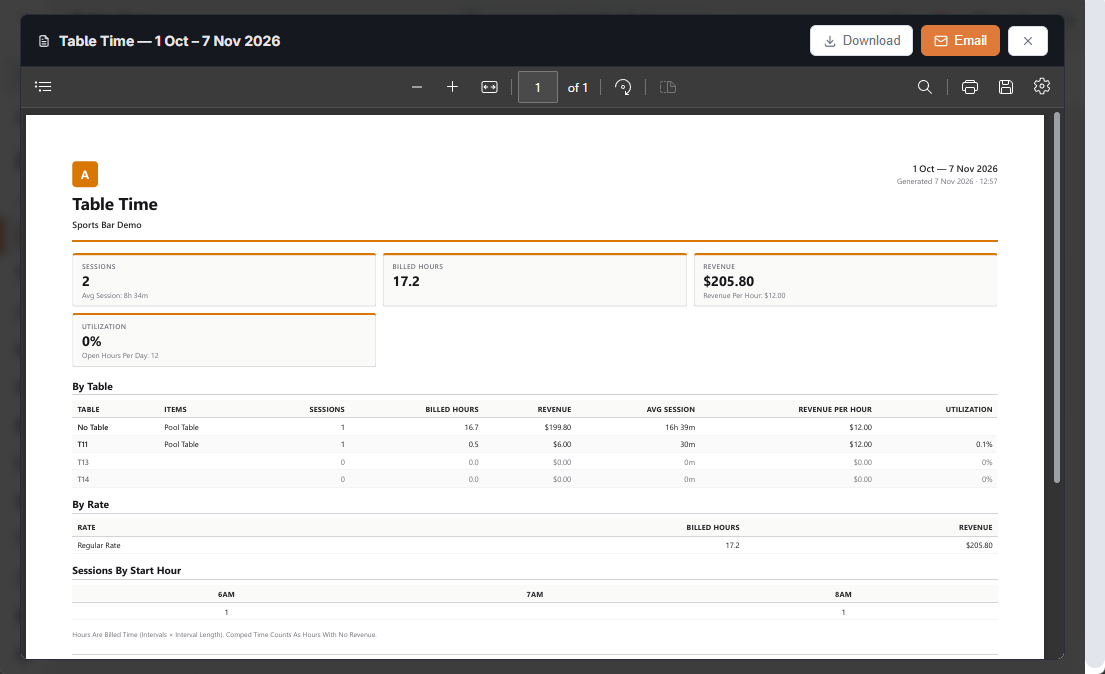
Back Office › Activity › Orders › Table Time shows how the timed tables were used and what they earned over a range of business days. The page only appears in stores that sell time-based items.
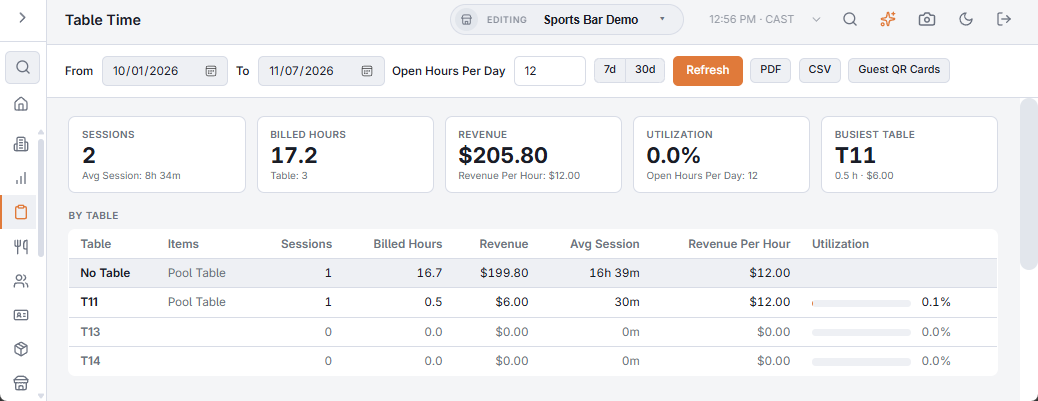
The filters
- From / To — business days. Changing a date reloads at once.
- Open Hours Per Day — used only for utilisation (see below). Default 12.
- 7d / 30d — quick ranges ending today.
- Refresh, PDF, CSV and Guest QR Cards (see The guest table page and QR cards).
The numbers
| Card | What it counts |
|---|---|
| Sessions | Games. A game split by a happy-hour change or a player change counts once. Underneath: the average session length. |
| Billed Hours | Intervals billed × interval length, summed. Underneath: how many timed tables there are. |
| Revenue | What the time was sold for, after line discounts. Underneath: revenue per billed hour. |
| Utilization | Billed hours ÷ (days × open hours per day × tables). |
| Busiest Table | The table with the most billed hours, with its hours and revenue. |
By Table, By Rate, by hour
- By Table — one row per timed table: items played on it, sessions, billed hours, revenue, average session, revenue per hour and a utilisation bar. Timed tables with no games are listed at 0%, so idle tables stand out. Games rung without a table appear as No Table.
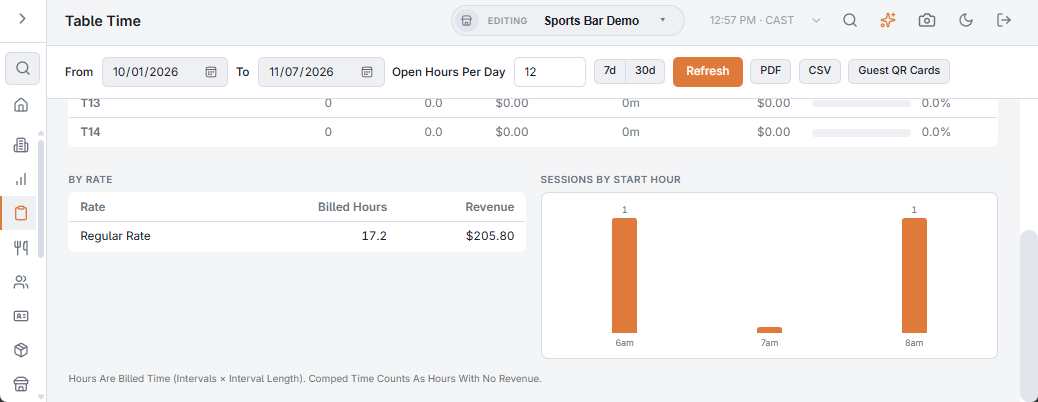
- By Rate — hours and revenue per rate label: Regular Rate, Happy Hour, 3 Players… One label per price rule and player count.
- Sessions By Start Hour — when games start, in store time. Use it to staff the hall and to place happy hour.
How it counts
- Only settled checks, not void. Removed and voided lines are left out.
- Comped time counts as hours played but earns nothing.
- Hours are billed time — the intervals charged — not the minutes between start and stop. A 61-minute game on an hourly rate counts as 2 hours.
Exporting
- PDF opens the usual report preview, where it can be downloaded or emailed. The open hours you entered travel with it, so the PDF’s utilisation matches the page.
- CSV downloads one file with the summary, By Table, By Rate and sessions by start hour.