For stores that sell time — pool tables, lanes, karaoke rooms — the assistant reads the timers and the rates.
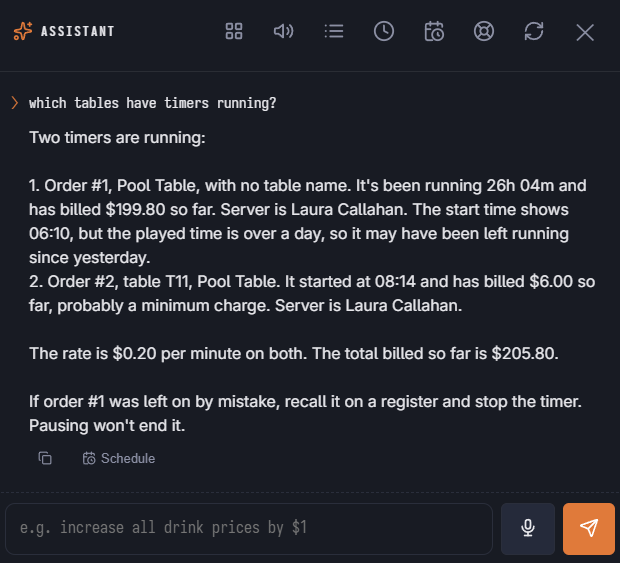
Ask
- “Which tables have timers running right now, and what have they billed so far?”
- “What's on table 4?”
- “What do we charge for the pool tables, including happy hour?”
- “How did table time do today?”
Running timers and one table's timers need the Manager right; table time sales need the same right as the Table Time report. Charges are worked out from the order as last saved, so they are close estimates while a game is running.
Change
Change Table Time Rate changes one timed item's rate, interval, minimum, grace, players included or extra-player price, like the item's Time-Based tab. Happy-hour and day-and-time rates are price rules — ask the assistant to change the price rule. The change can be undone.
In the launcher
When the store has timed items, the Menu area has Change Table Time Rate and Table Time Rates, and Reports has Timers Running Now and Table Time Today.
See Time-based items and Happy hour and rate changes during a game.