Two reports at the register reconstruct what happened to the cash: More › Drawer Activity Log, every event that moved a drawer’s expected cash, and More › Variance Report, every count and what it found. Both are in the manager section and need a connection.
Drawer Activity Log
Choose the period with From and To, or Today, 7 days or 30 days; narrow it to one Drawer and one Event Type, or leave All; then Refresh.
Each row has the Time, Drawer, User, Event Type, Amount (negative for cash out), Currency, Expected After — the drawer’s expected cash after the event — Station and Notes. The number of rows shows below the table.
The event types are Opening Float, Float Adjustment, Cash Sale, Void Sale, Drop, Payout, Bank Deposit (an employee’s banked cash handed in), Audit (a spot count), Closing Count, Verify Handoff, Manager Override and Reset.
Voiding a cash drop, at the register or in Back Office, adds a second Drop row with a positive amount and the note Cash Drop Voided, which puts the cash back into the expected amount. Voiding a cash payout, in Back Office or by voiding a gift card cash-out, does the same with a positive Payout row and the note Cash Payout Voided.
An employee deposit adds a Bank Deposit row with a positive amount and the note Employee Deposit to the drawer that took it. Voiding it takes it back out with a negative Bank Deposit row, Employee Deposit Voided. End Shift leaves that row in place: it adds a negative Bank Deposit row, Employee Deposit Applied At End Shift, to the drawer it runs at, because the orders it settles there carry the deposited cash too.
Voiding a drop, payout or deposit that was already part of a drawer reset adds no row, because the reset already started the expected cash over. The notes the register writes show in your language; notes someone typed show as written.
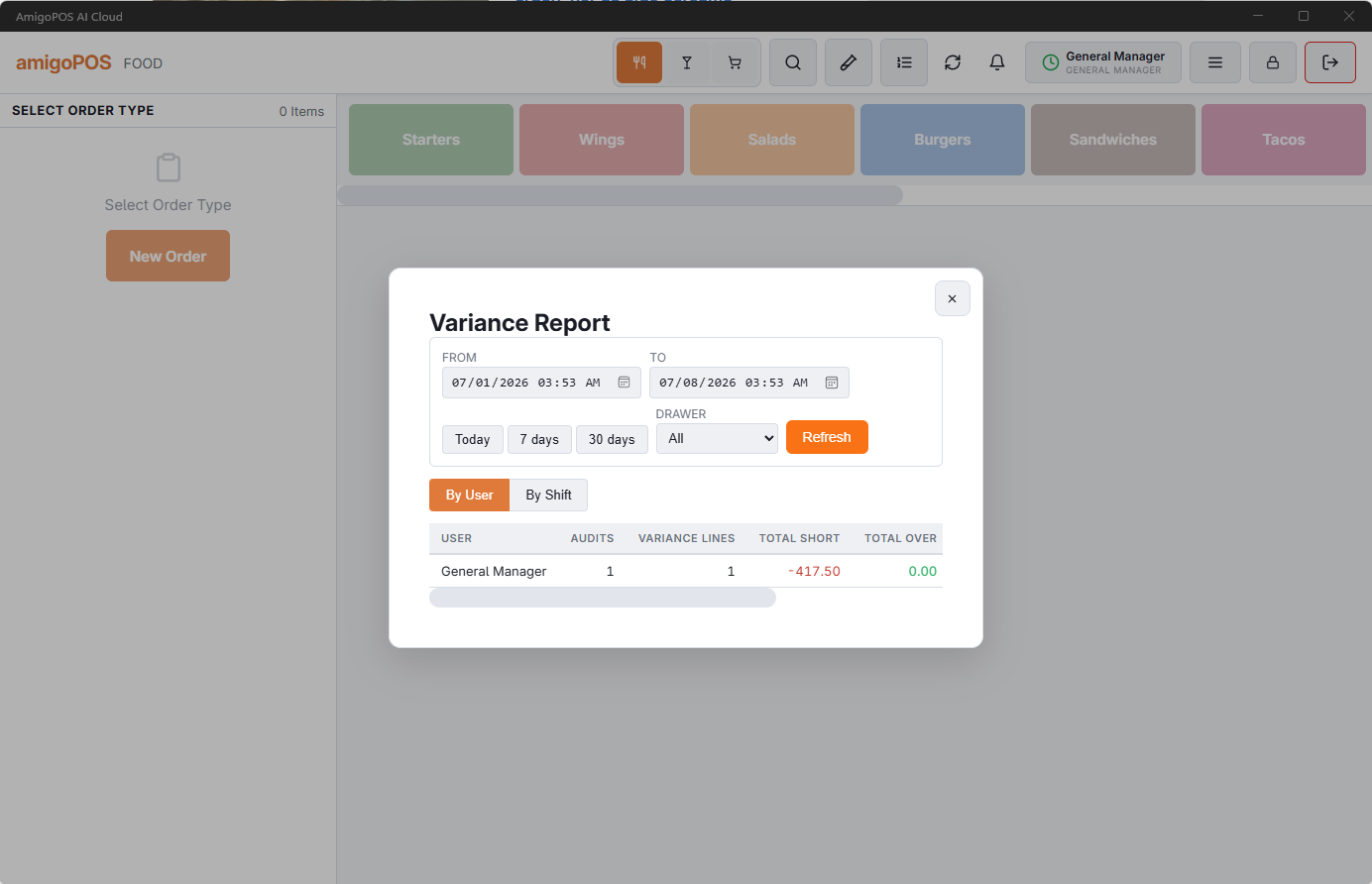
Variance Report
The same period buttons and Drawer filter, then Refresh. Two views:
- By User — per person: Audits (counts made), Variance Lines (currency lines that were off), Total Short, Total Over, Max Variance and Inherited Dirty — drawers they took over without the count that was due. The amounts are what each count found, its difference less the previous count’s on the same drawer, in the store’s own currency.
- By Shift — per shift: user, Shift Start, Shift End, drawer, audits and the totals.
Reading variance fairly
- Small variances in both directions are counting noise. A steady shortage in one direction is the pattern that matters.
- By User gives each person their own part of a drawer’s over or short, worked out from the counts at clock-out and at hand-off. Two cashiers on one drawer at the same time can’t be told apart; Inherited Dirty shows where a count was skipped.
- A steady shortage with careful counts usually means events nobody recorded — change given from the wrong drawer, a till opened by key — before it means theft.
Drop, payout and employee deposit records can also be checked in Back Office: Cash logs in Back Office.
Who a count belongs to
A drawer’s over or short runs from one reset to the next, so each count shows the running difference. What a count found is its difference less the previous count’s, and it goes to:
- the cashier, for their own clock-out count;
- the cashier on the drawer, for a count made while they have it;
- the last cashier who had the drawer, for a count made with nobody on it — the next cashier’s check, or a manager’s close after hours. The next cashier owns the drawer from there.
The parts add up to the drawer’s over or short at its reset, so End of Day drawer totals do not change. Nothing is stored: the split is worked out from the counts each time, so it applies to past dates too. A reset without a count reports no over or short. Cash Short in Loss Prevention and the repeated over/short manager alert use the same split.
Two additions to the Drawer Activity Log: a Paid In adds a Payout row with a positive amount, and every reset leaves a Reset row, also for an empty drawer.