Back Office › Employees › Scheduling › Tip Pooling turns your house tip policy into rules the system calculates every day: bartenders pooling their tips, servers tipping out runners and bussers, a support-staff pool from food sales.
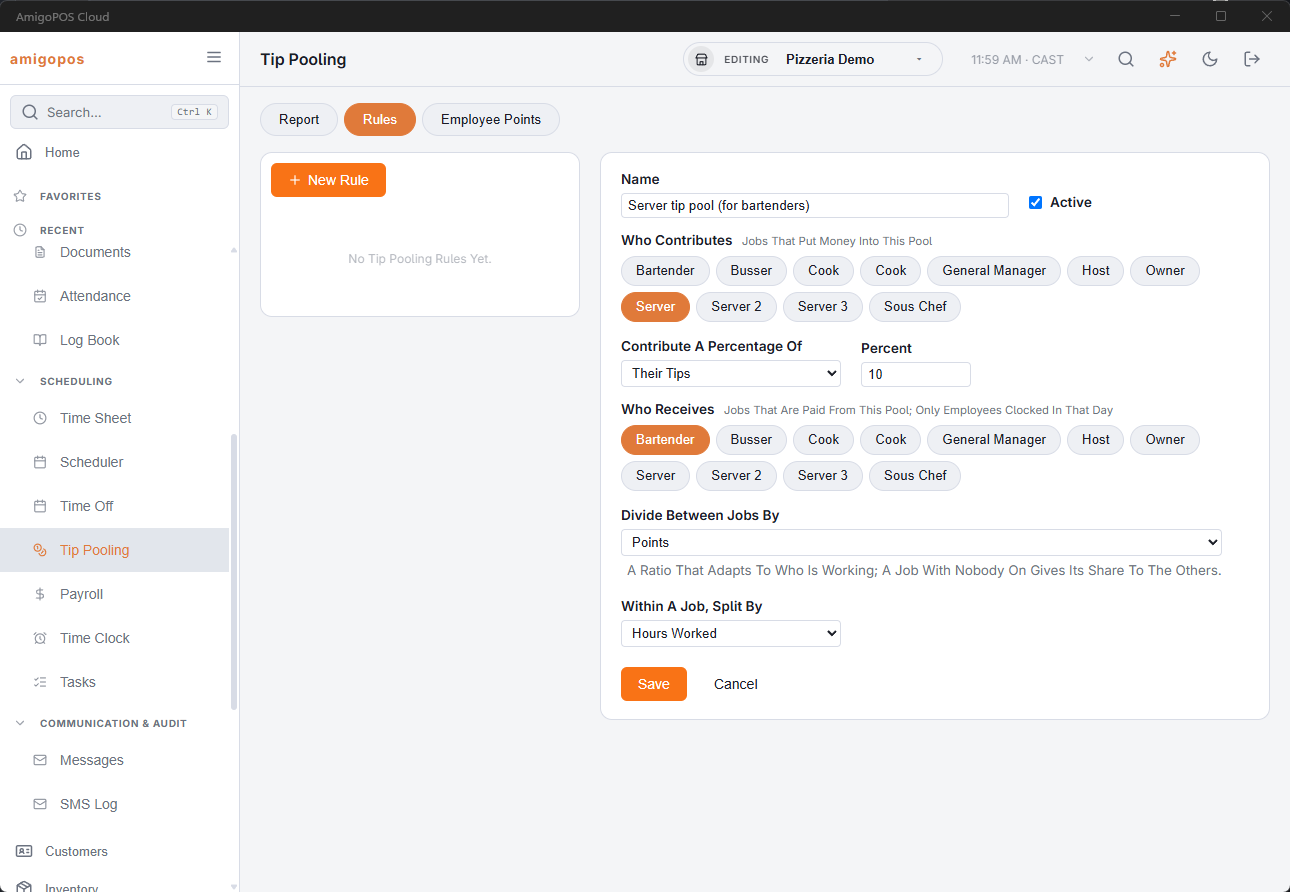
How a rule reads
Every rule is the same sentence: these jobs contribute this percentage of their tips or their sales, and these jobs receive it, divided this way.
- Who contributes — one or more jobs. Rules are set by job; to weight one person above or below coworkers in the same job, give them employee points (below).
- Percentage of tips or of sales — 100% of tips is a pool; 2% of sales is a classic tip-out. Sales can be limited to chosen menu categories, which is how “2% of food sales” is expressed.
- Who receives — one or more jobs. The same job on both sides is a pool; different jobs is a tip-out.
- Divide between jobs by points or percentages — points are a ratio that adapts to who is working, and a job with nobody clocked in gives its share to the others. Fixed percentages must add to 100, and an empty job returns its share to the contributors.
- Within a job, split by hours or equally — hours is the usual choice and the one that survives an argument.
The report
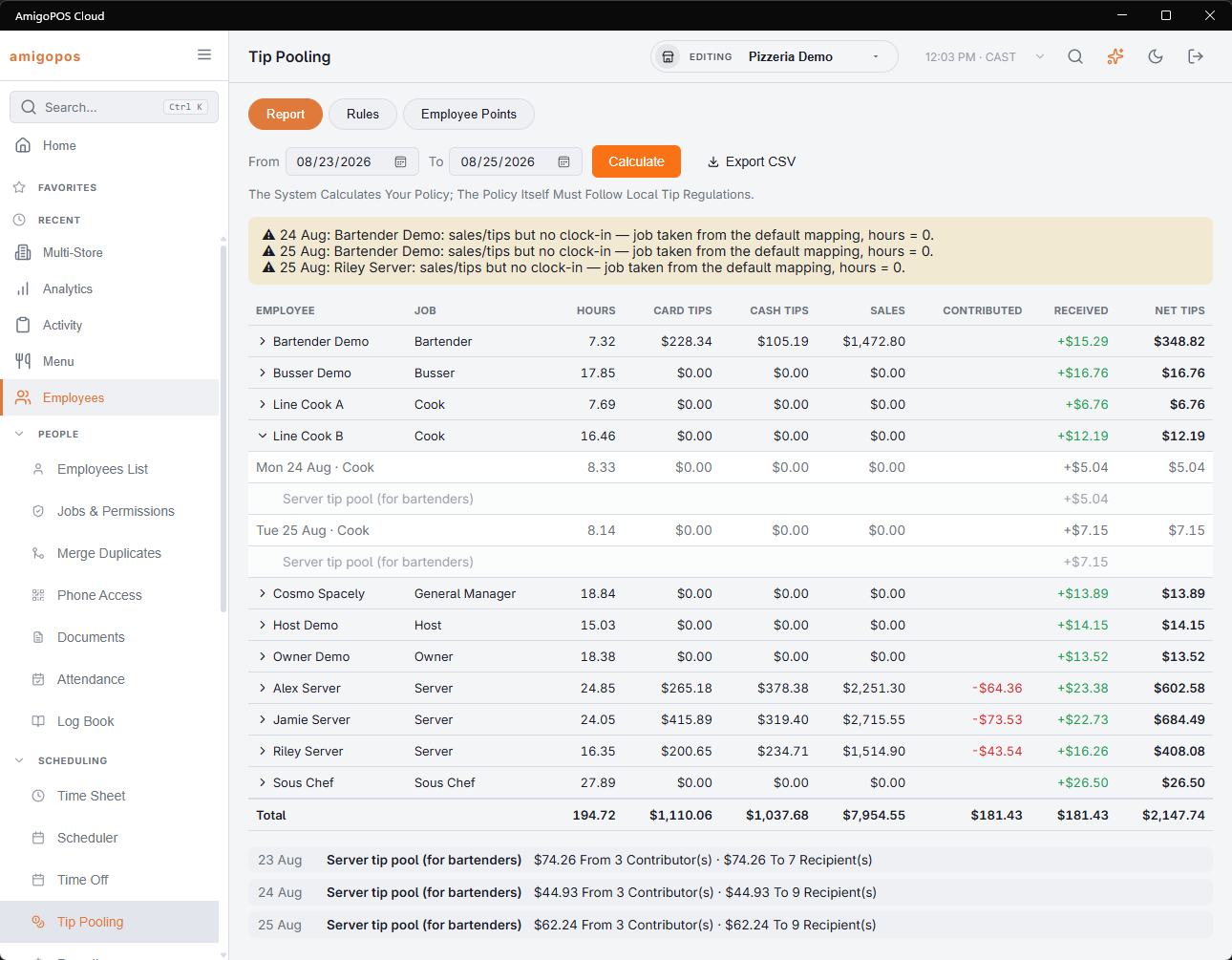
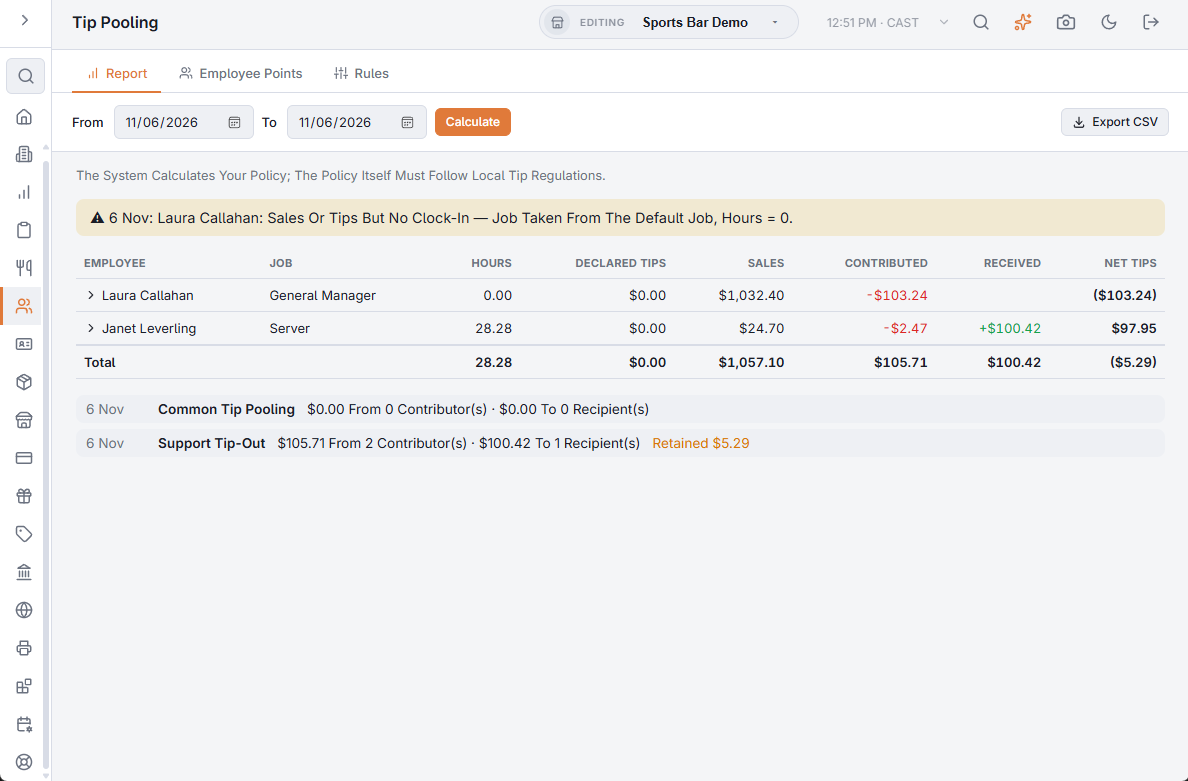
Pick a date range and calculate. Each employee gets one line — hours, card tips, cash tips, sales, contributed, received, net — and expands to show each day and each rule that moved money. The per-pool summary underneath shows what each pool collected and paid out. Export CSV hands the whole thing to payroll.
What the figures come from
- Hours — time clock punches, minus recorded breaks, under the job clocked in.
- Card tips — gratuities on the tickets the employee owns.
- Cash tips — what the employee declared at clock-out.
- Sales — the employee’s settled sales for the day, by menu category.
Nothing is stored: the report recalculates from those figures every time it is run, so a corrected timesheet or a fixed tip declaration is reflected immediately — and so is a changed rule, retroactively.
Employee points
The Employee Points tab weights individual people against coworkers in the same job — a senior bartender at 1.5, a trainee at 0.5. Employees are grouped under each of their jobs with one box each: blank (or 1) is standard, and a change saves as you leave the box.
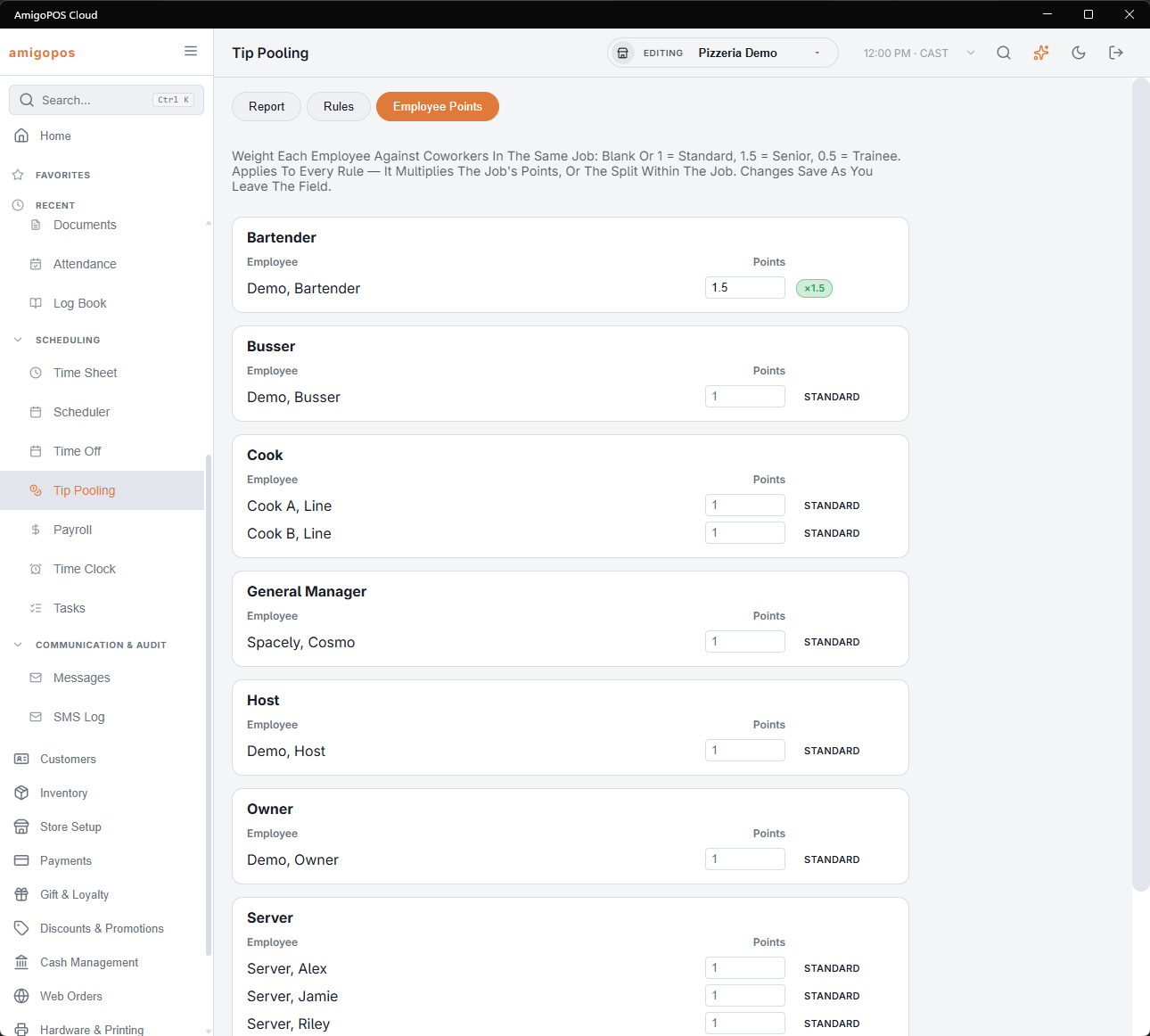
- The weight belongs to the job assignment, so the same person can be senior as a bartender and standard as a server.
- It applies to every rule. With points, a person’s share is job points × employee points × hours (or × 1 when splitting equally). With percentages, the job’s fixed share is split inside the job by employee points × hours (or × 1).
- In the report, the job column shows ×1.5 next to the job when a weight was applied.
Online order tips
Tips left on web orders and pay links belong to no employee, so on their own they appear in nobody’s figures. A rule with source Online Order Tips shares them: the store contributes the percentage you set, there are no contributor jobs to choose, and the recipient jobs divide it by points or percentages, by hours or equally, like any other rule. If nobody in a recipient job is clocked in that day, the money stays with the house and the report says so.
House share (Retain %)
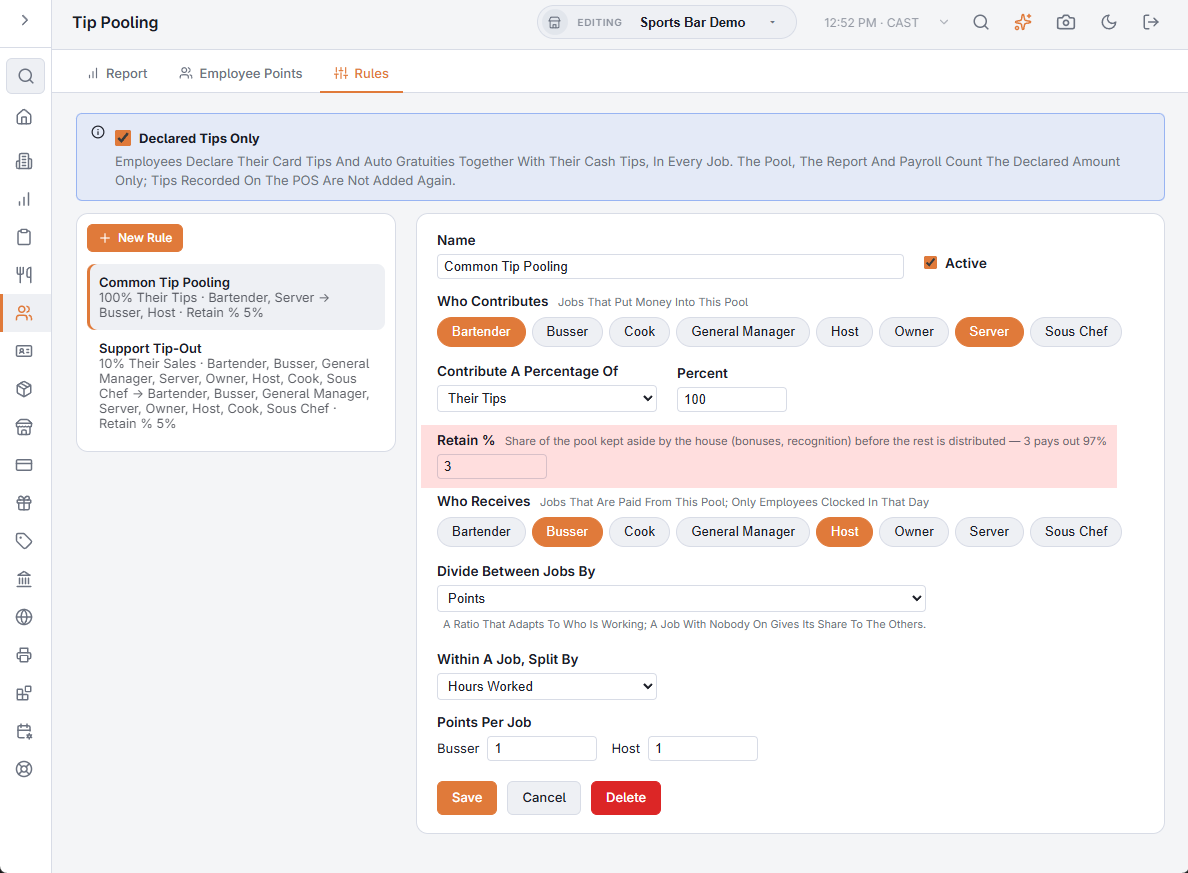
A rule can keep part of its pool aside for the house — bonuses, recognition, breakage — before the rest is divided. Retain % takes that share off the top: at 3, a $1,000.00 pool keeps $30.00 aside and divides $970.00.
- The report lists it under the table, per day and per rule, as Retained. Nobody is paid it, so the Received total is the Contributed total less what was retained.
- The house share is rounded to the cent for each rule on each day, so over a week it can differ by a few cents from the percentage applied to the week’s total.
- When nobody is there to receive and the pool goes back to the contributors, the house share is still kept first.
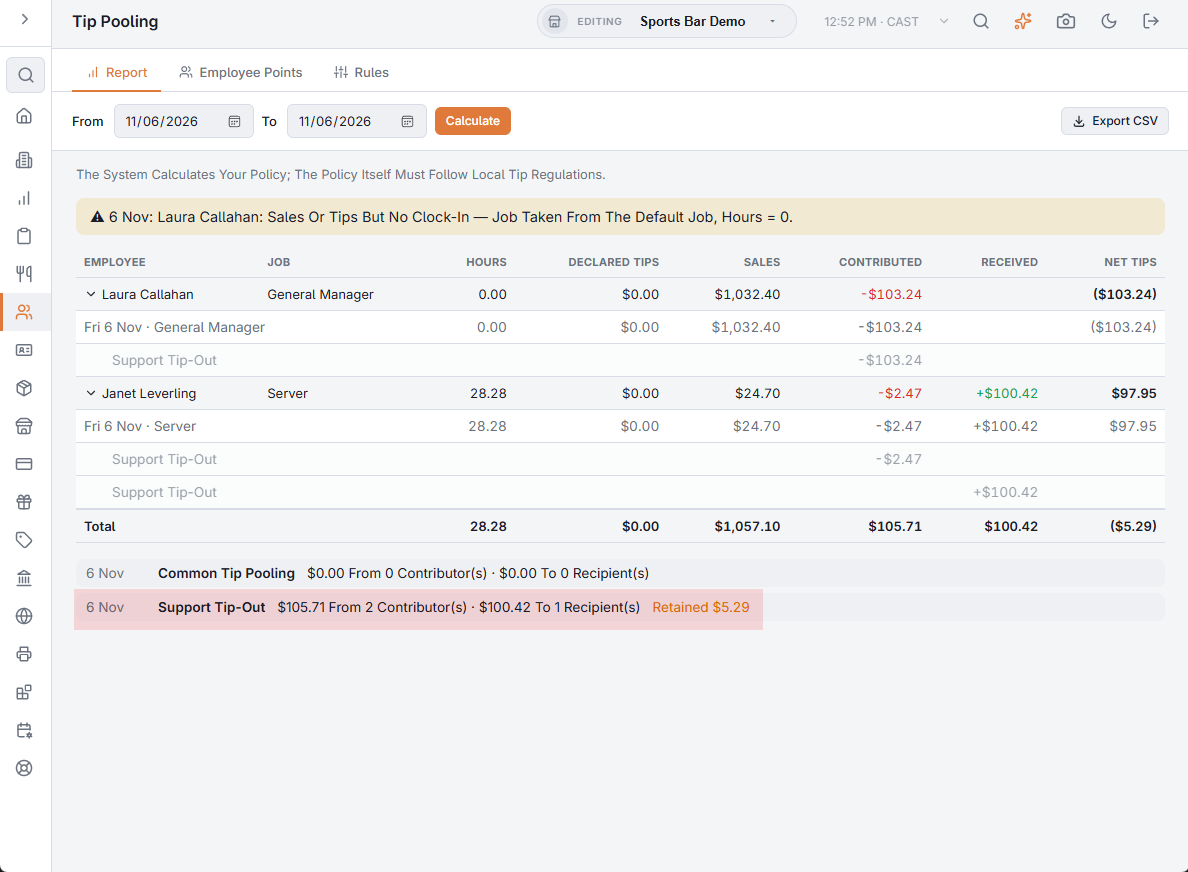
Declared tips only
Some houses have every employee declare everything they made — cash, card tips and auto gratuities — as one amount. Tick Declared Tips Only at the top of the Rules tab and the declaration becomes the only tips figure:
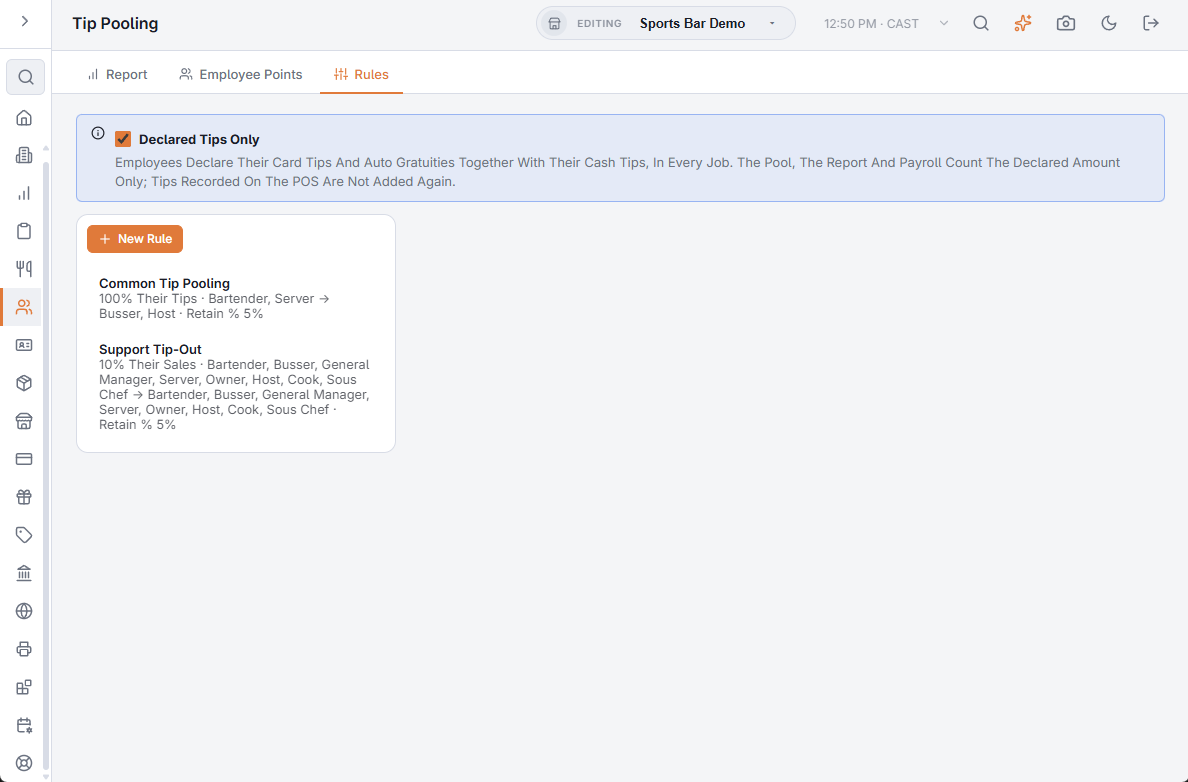
- Each employee’s tips are what they declared. Tips recorded on the POS — auto gratuities and tips entered on card payments — are not added on top, so nothing is counted twice.
- The report shows one Declared Tips column in place of Card Tips and Cash Tips, and Export CSV does the same.
- Payroll counts the same figure: card tips show as zero and net tips are declared − contributed + received. The declared amount is treated as tips the employee already holds, which is right when card tips are paid out in cash at the end of the shift.
- It applies to every job, and to past dates as soon as it is ticked — calculate a period again to see it.
At clock-out
Tell staff to enter the total — cash, card tips and auto gratuities — where the clock-out (or the end-of-shift declaration on My Shift) asks for cash tips; the screen keeps its label. With blind entry on, the card tips step and the cash tips step are saved together as one declaration, and the minimum declaration, if the store enforces one, applies to the total.