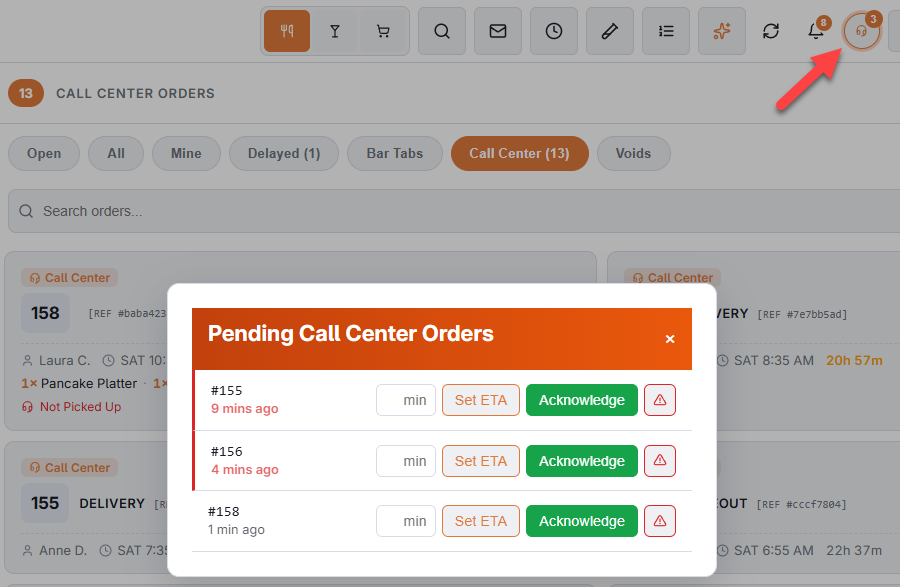
When the call centre sends an order to your store, it lands in the pending overlay and stays there until somebody deals with it. The list shows how long each order has been waiting.
Three actions
- Acknowledge — you have it and you are working on it. The order is recalled so you can carry on with it, and the call centre sees it was picked up.
- Set ETA — enter how many minutes until it is ready. That promises a time back to the call centre and acknowledges the order in the same step, so it is usually the better of the two.
- Report an issue — type what is wrong. Out of an item, the address is not deliverable, the kitchen is an hour behind. The call centre sees it and can call the customer back.
Changes and cancellations
- The badge counts every call-center order waiting for you: new, changed and cancelled.
- A changed order prints an UPDATED kitchen ticket and a cancelled one a CANCELLED ticket, even when nothing was added — an item taken off, an address corrected.
- A problem you report stays on the call center’s screen until they mark it resolved.
- An order the call center is still holding — for a payment, or a callback — does not reach you, the kitchen display or the delivery board until it is sent.
An order whose card on file was declined at the call center waits here too, like one waiting for a pay link; the call center sends the link or takes another card, and the order comes off hold when it is paid.
Telling the call center about an order
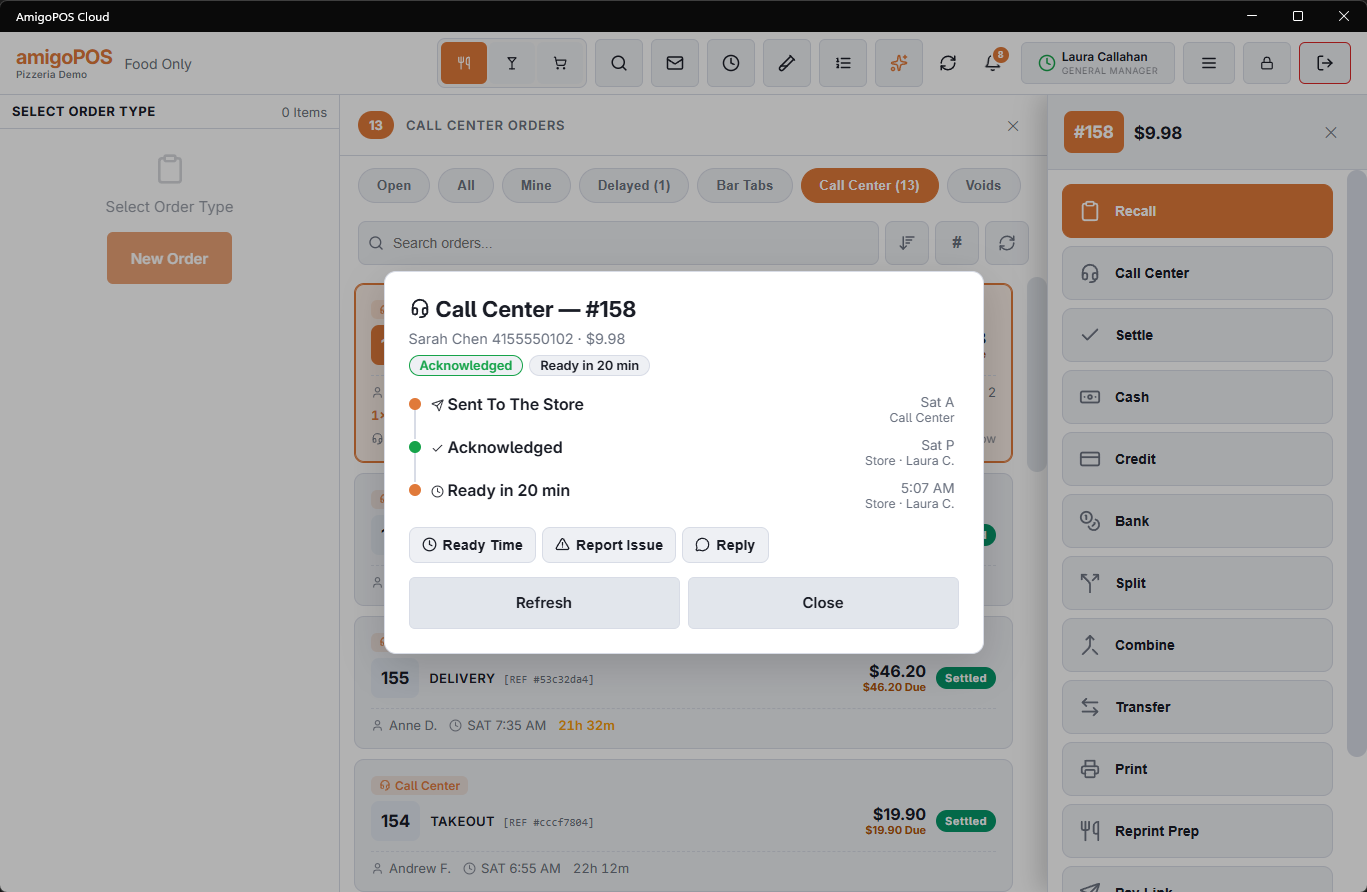
A phone order is the call center’s until it is handed over, and the operator who took it is the one who can call the customer back. Anything the store learns after the order arrives — when it will be ready, that an item is gone, that nobody came for it, that the address is wrong — goes back to the call center from the orders list. Select the order and tap Call Center on the action rail. The order does not have to be recalled.
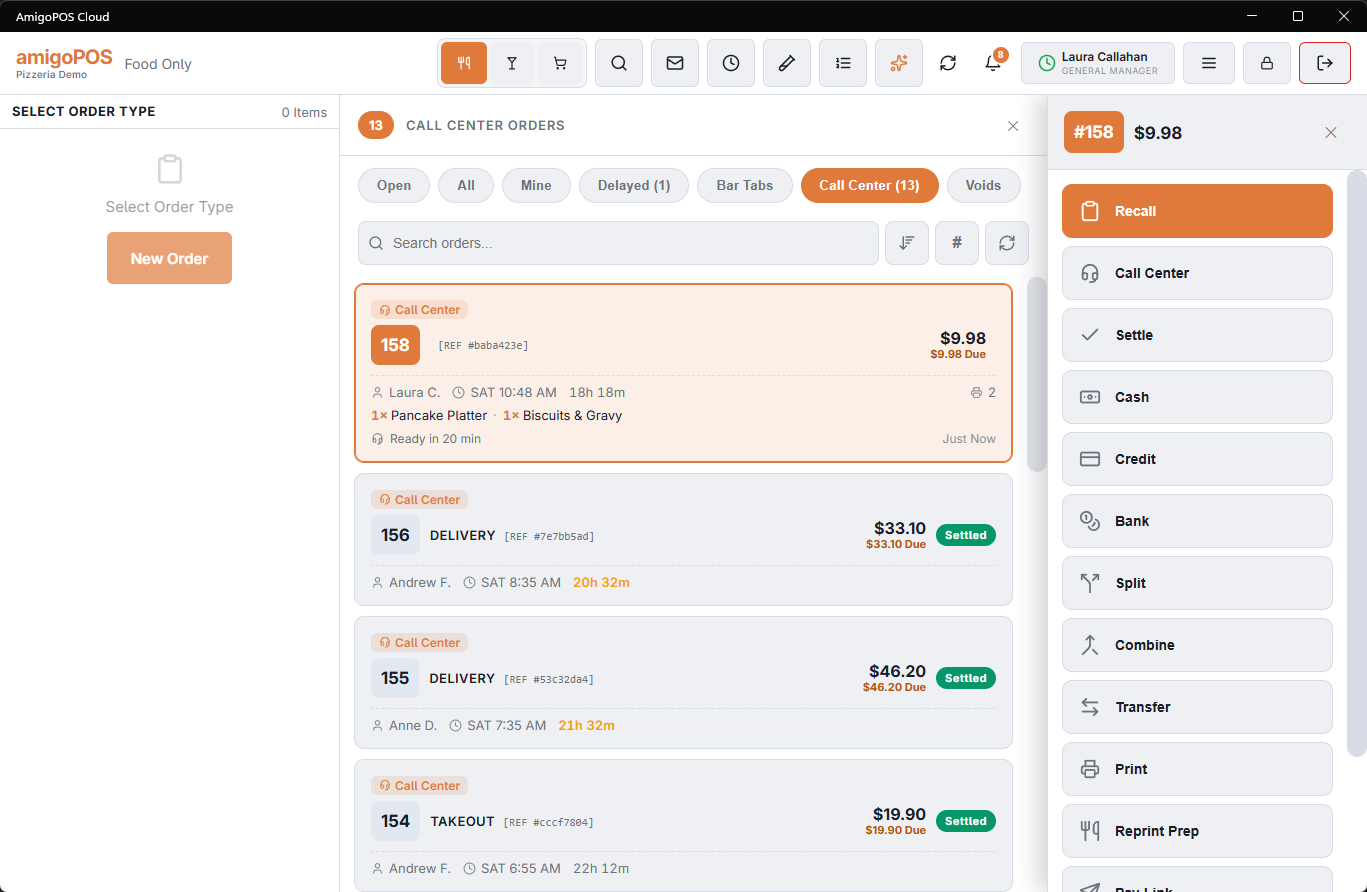
The overlay shows the conversation so far — sent, acknowledged, the ready time, every message either side wrote, and what happened to the order (picked up, out for delivery, paid online) — and four things the store can say:
- Ready Time — tap +10, +20, +30, +45 or +60, or type the minutes, then Set ETA. The seat shows “Ready In 20 Min” on the order’s pill. Set it again to change it.
- Report Issue — Out Of Stock (pick the item from the order’s lines), Not Picked Up, Invalid Delivery Address, Customer Unreachable, or Other with a note. The note is optional for the first four. An issue stays red on every seat of the call center until an operator resolves it.
- Reply — a free-text message, for anything else or to answer the call center.
- Mark Resolved — shown while an issue is open; the store found the item after all, or the customer turned up.
What the call center hears without anyone typing
- Total changed — when a register recalls a call-center order and saves it with a different total (a line removed or added), the seat gets “Total Changed At The Store: $12.50 → $15.00”.
- Voided here — when a register voids a call-center order, the seat gets “Voided At The Store” with the void reason. Both stay on the seat’s tracker until an operator resolves them.
On the card
Each call-center order’s card shows the last thing said and how long ago — in red while a message from this store is waiting on the call center. A reply from the seat, or the seat resolving the issue, also appears as a toast on the register.
A message the call center leaves unanswered for too long raises a manager alert: see sales and service alerts and the Call Center Message Unanswered threshold in alert setup.