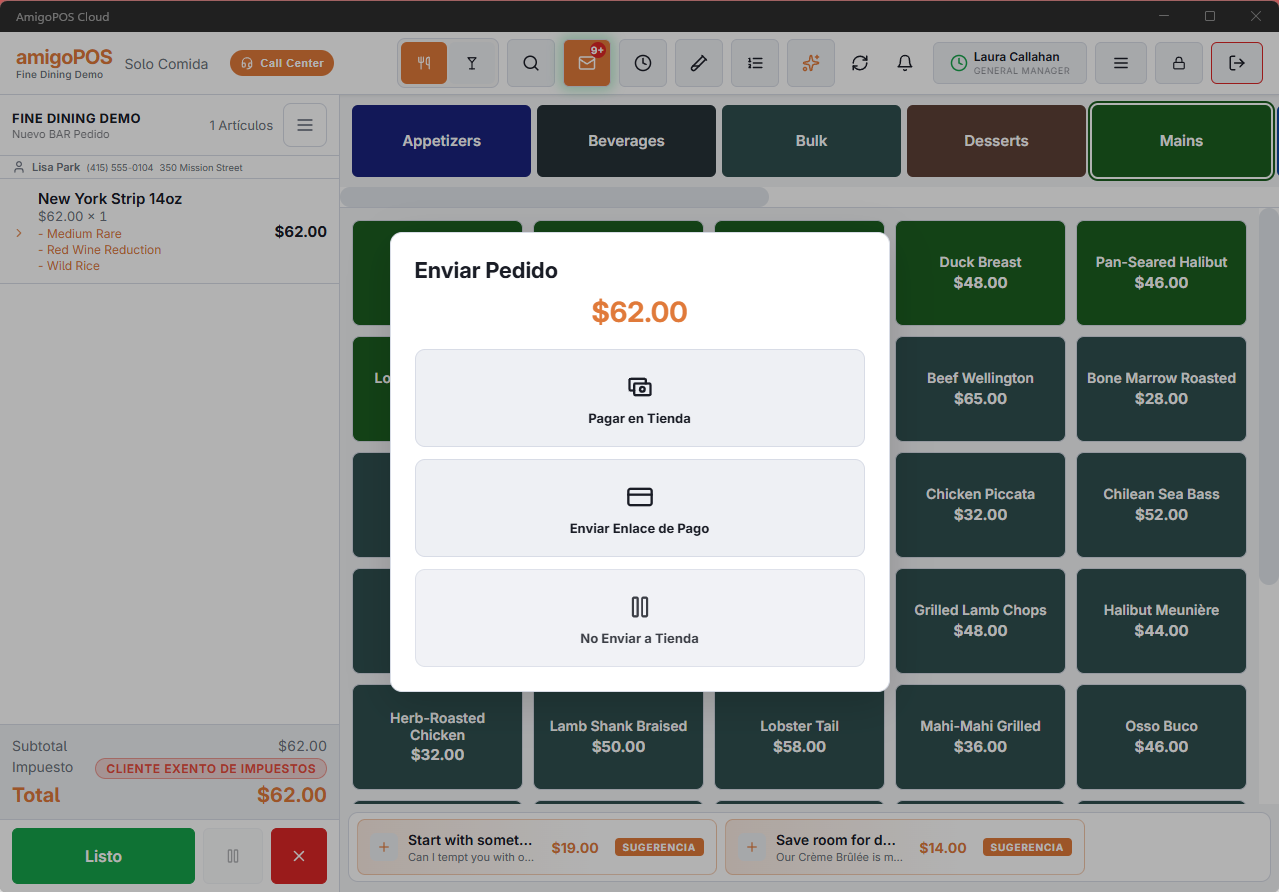
When the order is built, submitting it decides how the store will be paid and whether the order goes now.
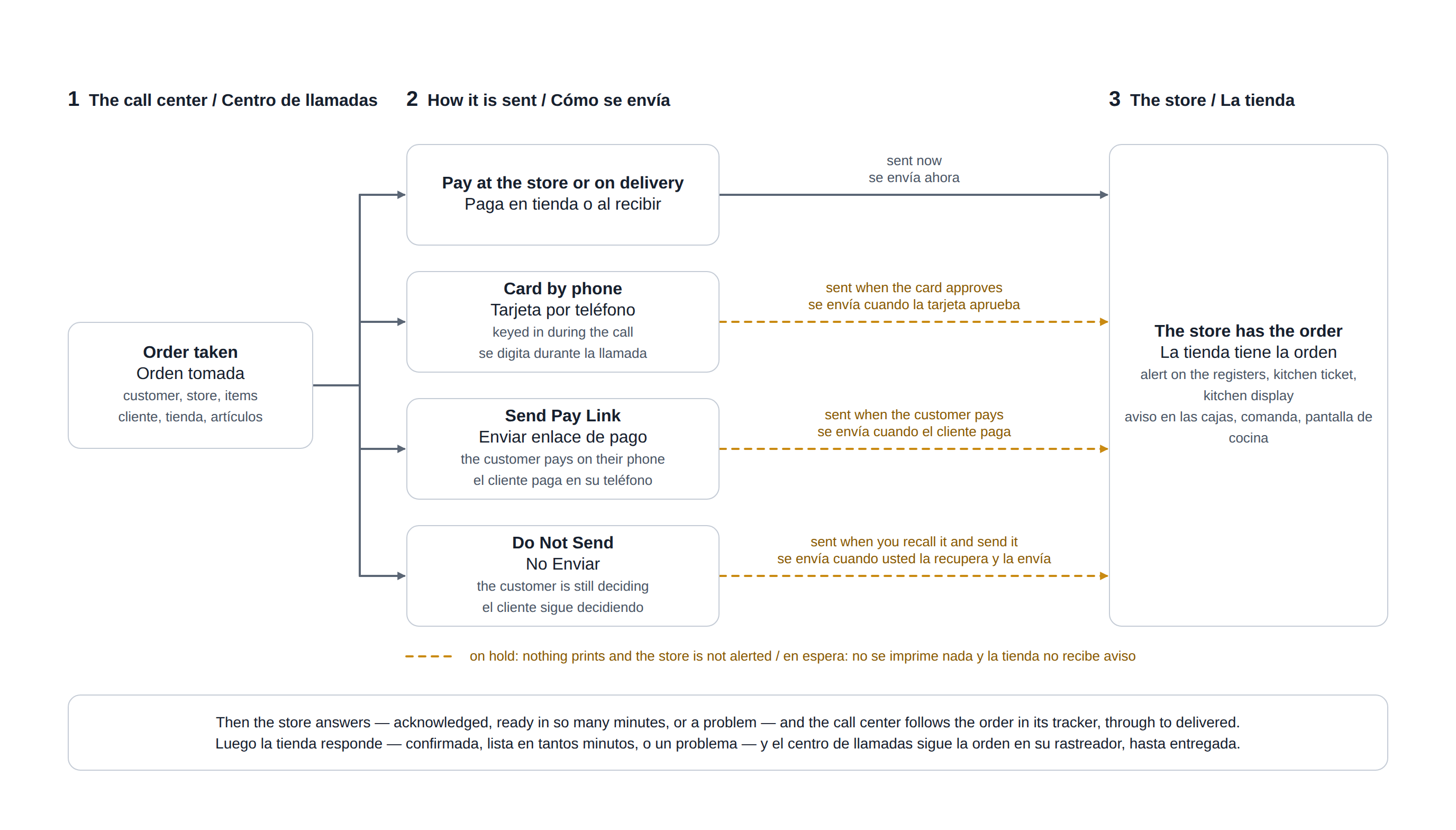
In one picture: the four ways to send an order, and when the store gets it.
Pay at the store or on delivery
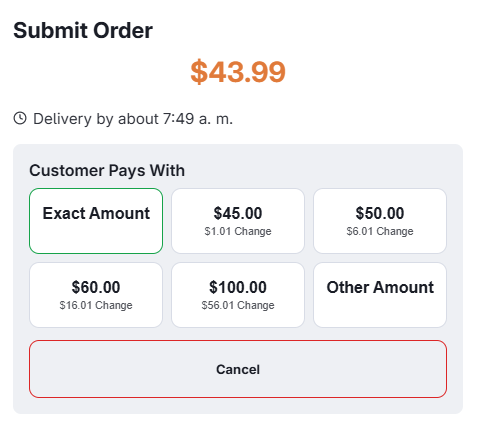
The cash route. You are asked what the caller will pay with — Exact Amount, one of the next bills above the total with the change shown under each, or Other Amount for anything else — and that goes to the store with the order so the driver leaves with the right float.
Send pay link
The customer is sent a link to the store’s secure payment page — by text message, or by WhatsApp where the store is set up for it. No card number is read down the phone and none is typed into the POS. With Hold Call Center Orders Until Paid on (the default), the order waits in Do Not Send while the customer pays and goes to the store by itself once it is paid; with it off, the order goes to the store at once, unpaid. See Sending a pay link.
Do not send
Keeps the order without routing it — the customer is still deciding, or you are holding it for a callback. It is available to send later, and nothing has reached the store yet.
Card by phone
Where the store has a card-by-phone payment method, its button is on the submit screen too. The order is saved on hold, the card is keyed in, and the order goes to the store the moment the card is approved. A declined card leaves the order in Do Not Send, with nothing sent to the kitchen. See Credomatic (card not present).
An order the store already has
- Recalling it and sending it again sends the changes: the store prints an UPDATED ticket and is asked to acknowledge again.
- Do Not Send is refused: an order the store has cannot be taken back onto hold.
- Taking a card by phone for it sends the changes to the store first, then opens the payment.
The change the driver should carry
What you enter for “paying with” travels all the way: it shows on the order’s card on the delivery board as Change For … and on the driver’s phone as Pays With … · Change …
On the submit screen
- A promise line under the total — Delivery by about… or Ready for pickup about… — to read out to the caller.
- For Later chips (Now, +30 Min, +60 Min, At…) that schedule the order without leaving the screen.
- Pay At Delivery asks what the caller will pay with as chips: Exact Amount, the next bills with the change under each, Other Amount. A tap sends the order.
The steps before this screen — the call, the customer, the items — are drawn in Taking a call-center order.