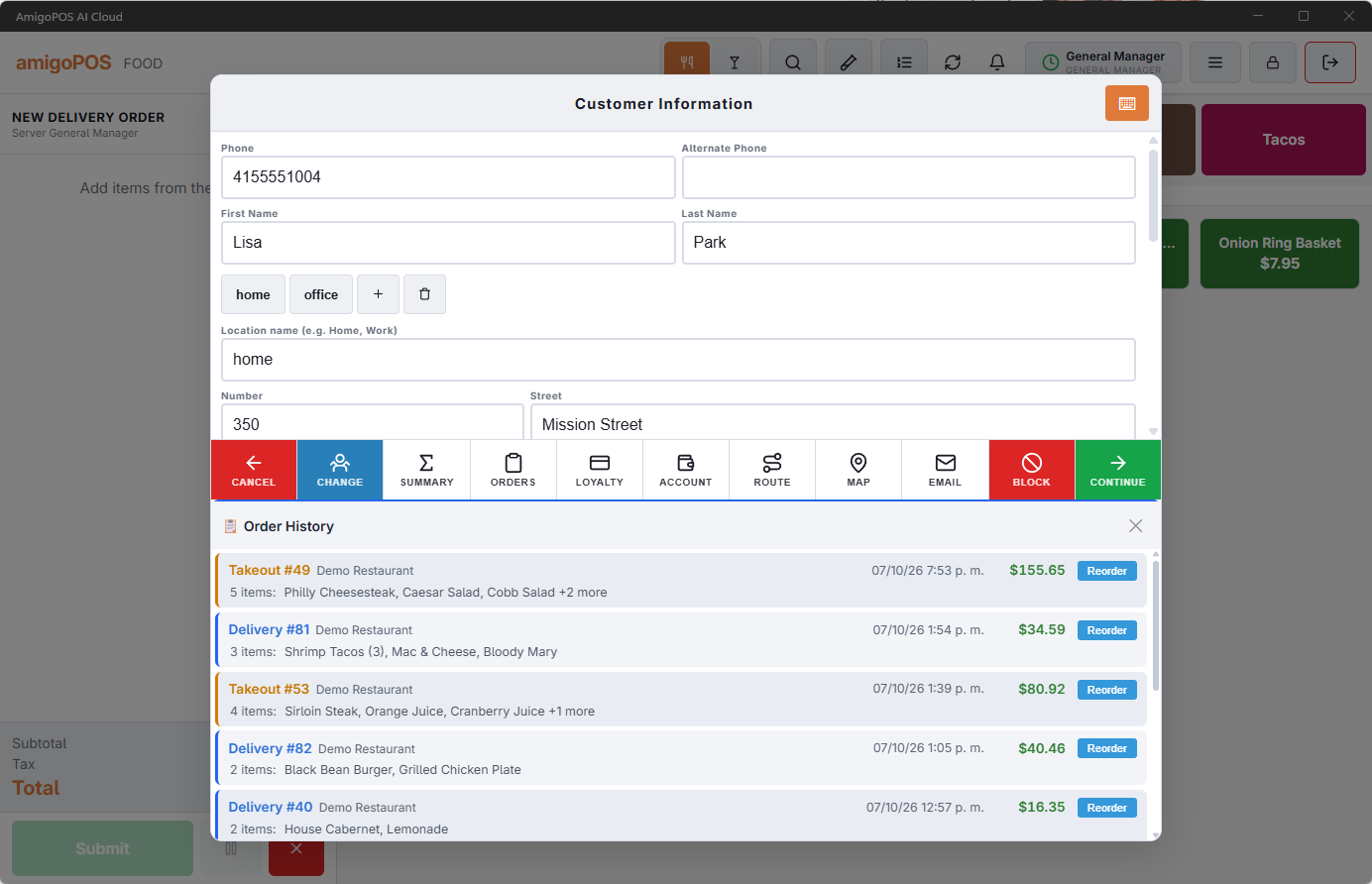
A customer’s past orders are on the Orders tab of their record in Back Office › Customers › Customers, and in the Order History panel of the register’s customer screen, where an order can be rung again.
In Back Office
Open the customer and choose Orders. The tab shows the number of orders on the customer, and lists the last 50, newest first, from every store of your business:
- Date (in the store’s time), Order number, Store, Order Type and Total.
- Voided and refunded orders are marked in the list.
- The eye button (Preview) opens the order.
To find your best customers, sort the customer list by Sort: Total Spent or Sort: Order Count (see Customers list, types, and merge).
At the register
With the customer open on the customer screen, Order History lists their recent orders with the order type and number, store, date (in the store’s time), total, the items and the delivery address. When the Reorder button is turned on for the customer screen, each order that was not voided has Reorder, which puts its items on a new order at today’s prices. See The usual: one-tap reorder for regulars for what is brought over and what is left out.