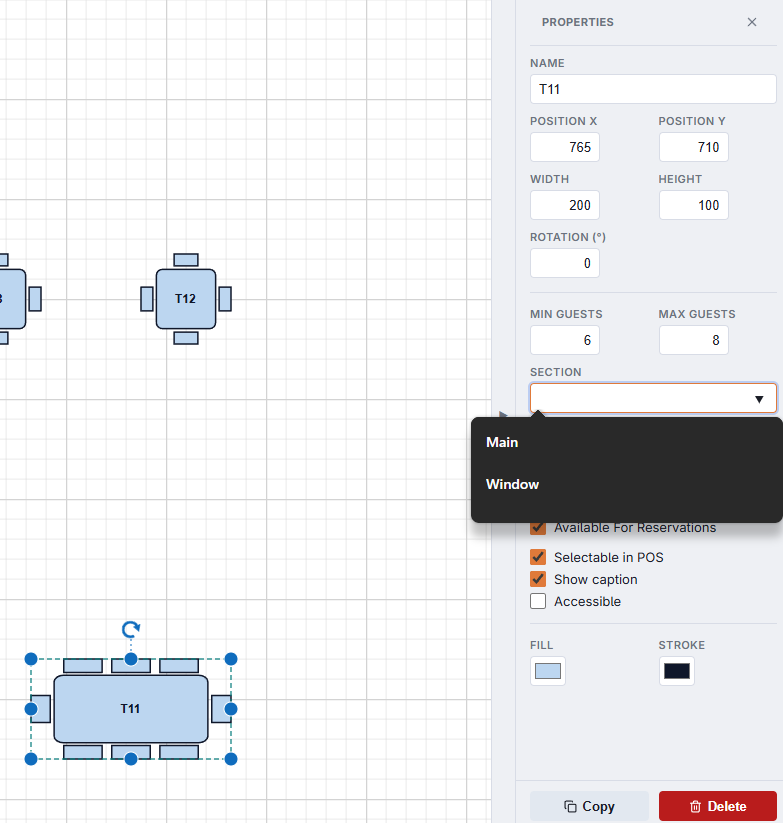
Select a table in the designer to see its properties. The panel scrolls when there are more settings than fit; Copy and Delete stay pinned at the bottom.
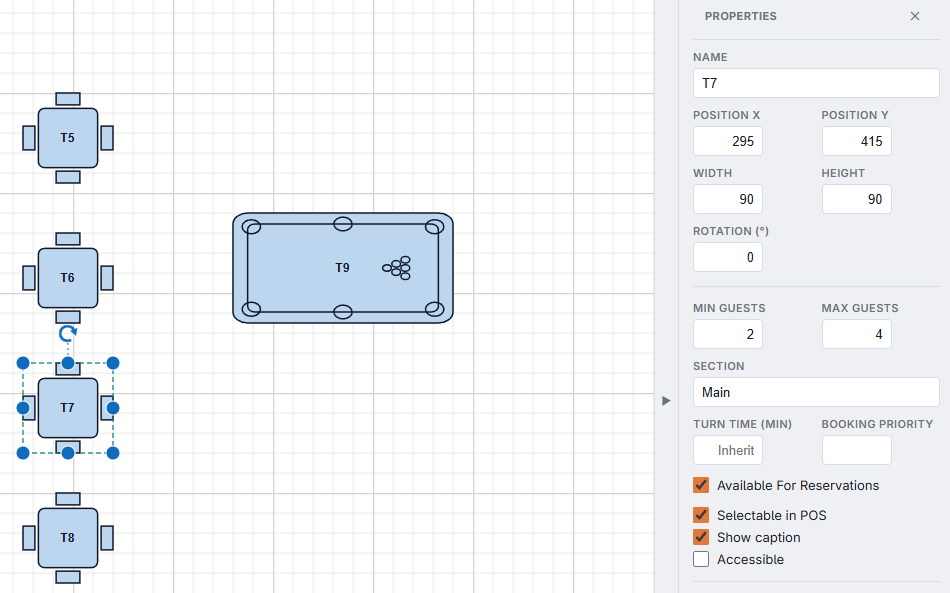
| Setting | What it does |
|---|---|
| Name | What staff and guests see: T12, Bar 3, Pool 2. For an Area Label, the caption text. |
| Position X / Y, Width / Height, Rotation (°) | Exact placement, for when dragging is not precise enough. |
| Min Guests / Max Guests | The party sizes the table suits. Reservations only offer the table to parties in this range. |
| Section | The server section or area the table belongs to. |
| Turn Time (Min) | How long a party usually stays at this table, for reservation times. Blank = inherit from the service period. When enough history exists, a suggestion from the table’s real turns appears with an Apply button. |
| Booking Priority | When several tables fit a booking, the higher number is offered first — protect your best tables or fill the others first. |
| Timer Item | Timed shapes only: which timed item the table starts. See Linking tables to timed items. |
| Light | Timed shapes only: the lamp that follows the table’s timer. See Table lights that follow the timer. |
| Available For Reservations | Offer this table for bookings. Off for tables kept for walk-ins. |
| Selectable in POS | Off makes a table part of the drawing only: it cannot be tapped or seated. |
| Show caption | Show the table’s name on the floor plan. |
| Accessible | Mark the table as accessible, for guests who ask for it. |
| Fill / Stroke | The table’s colours in the drawing (live status colours still apply on the POS). |
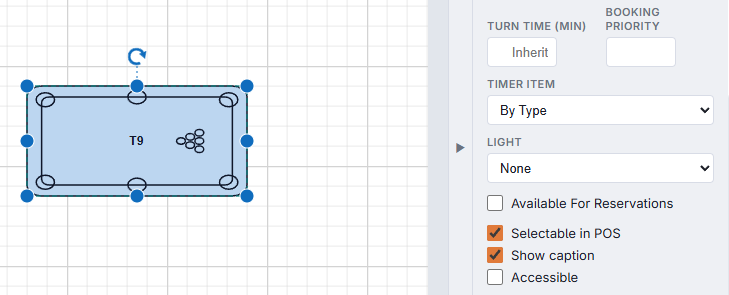
Decor shapes and Area Labels never seat or book guests, whatever their switches say. Timed shapes start with no guest capacity: give them Min and Max Guests and tick Available For Reservations if you want guests to book them.
Naming tables
New tables and copies take the next free name in the room’s own style, keeping any prefix: after T9 comes T10, after P-12 comes P-13, after Bar 3 comes Bar 4. The Section field offers the sections already used in the store as a pick-list, so “Patio” is never also “patio” and the floor overview counts them together; type to add a new one. The designer warns when a name is already used by a table in another room: every table in the store needs a name of its own, or reports and the reservation book cannot tell them apart.