Bump clears a finished order from the board. Recall brings it back. Between the two, an item bump strikes one line at a time so a cook can track a big ticket as it is plated.
Bumping a whole order
Tap the card’s header or footer, or select it and press Enter or Space. The card leaves the board at once and the bump is sent to the server behind it, so a slow network never leaves a cook waiting for a card to disappear.
Bumping items one at a time
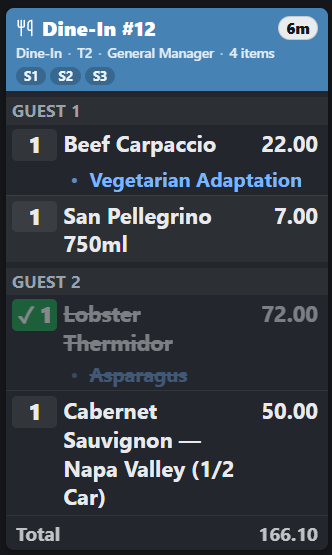
Tap an item line to strike it. Its modifiers strike with it, the line drops out of the all-day summary, and the card stays until every line is struck. Tap a struck line to un-strike it. Item bumps are per display: the grill striking its steak does not strike anything on the salad screen.
Two settings shape this, both in KDS settings:
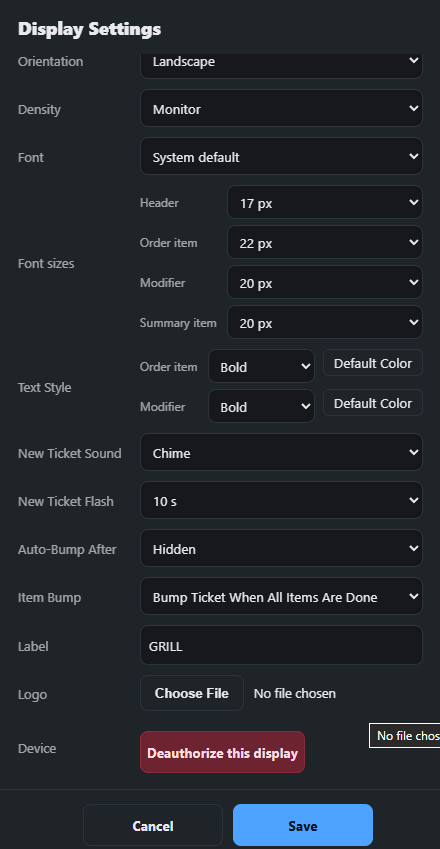
- Item bump mode — whether tapping a line strikes it, and whether the whole card bumps itself once the last line is struck.
- Auto-bump after N minutes — off by default. On a pass-through screen that only needs to see tickets, this clears cards on their own after the set time so nobody has to touch the screen.
Recall and the Done tray
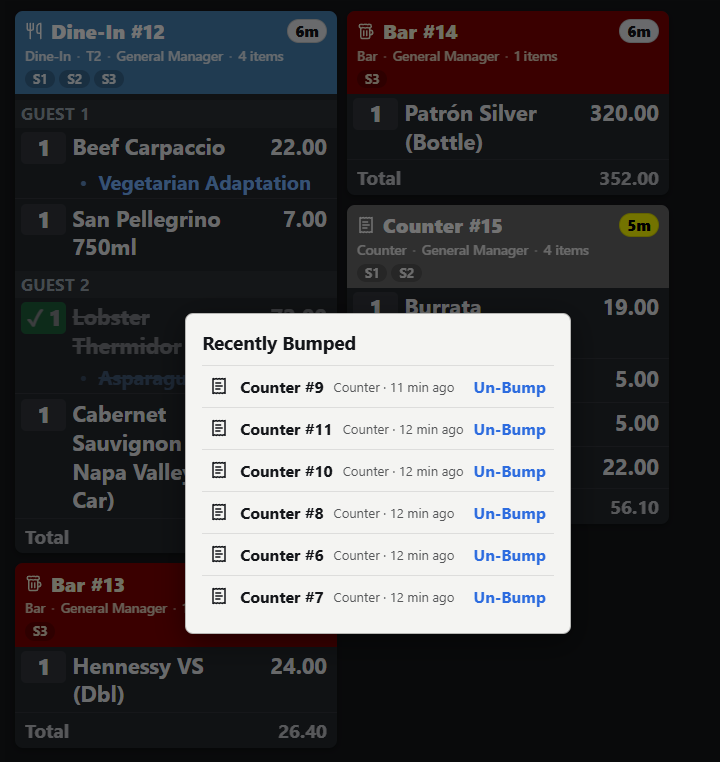
Bumped orders go into the Done tray at the edge of the board, most recent first. Open it to see what was just cleared, and tap an order to bring it back onto the board with its lines intact. R recalls the last bump without opening the tray; press it again to walk further back.
Keys and bump bars
The board is built to run without a touchscreen:
- Enter or Space — bump the selected card
- Arrow keys — move the selection
- R — recall the last bump; ! — rush the selected order
- S — all-day summary, L — late only, D — delivery only, F — show the full order
Most bump bars send ordinary key presses, so they work as they are; the mapping can be changed per station to match a specific bar.
Why a bumped order can come back
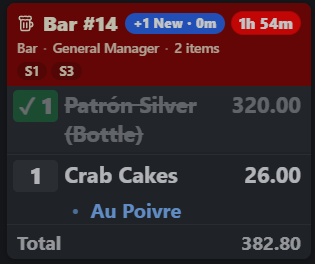
A bump hides that version of the order. If someone adds to the check afterwards, the order is now a newer version and it reappears on its own, showing the added lines in bold. That is deliberate: the alternative is food that never gets made because the ticket was bumped a minute before the addition.
Bump bars and keys
- One press is one command: holding a bump-bar key a moment too long no longer bumps the next tickets too.
- Enter and Space never “click” a toolbar button that kept focus after a tap, and the arrow and page keys no longer scroll the screen.
- P prints the selected ticket and I opens its recipe card; every key works even when its toolbar button is hidden.
Bumping an Entreo delivery
When the store sends its deliveries to Entreo and Kitchen Bump Means Ready is on, the first bump of a delivery order tells Entreo the food is ready, and Entreo starts looking for a driver straight away. See Ready time, changes and cancelling.
Bumping a cancelled card
A card flashing Cancelled was voided at the register. Bump it to clear it, or leave it: it goes by itself after 15 seconds. Its lines can’t be struck one at a time. See KDS overview and ticket layout.