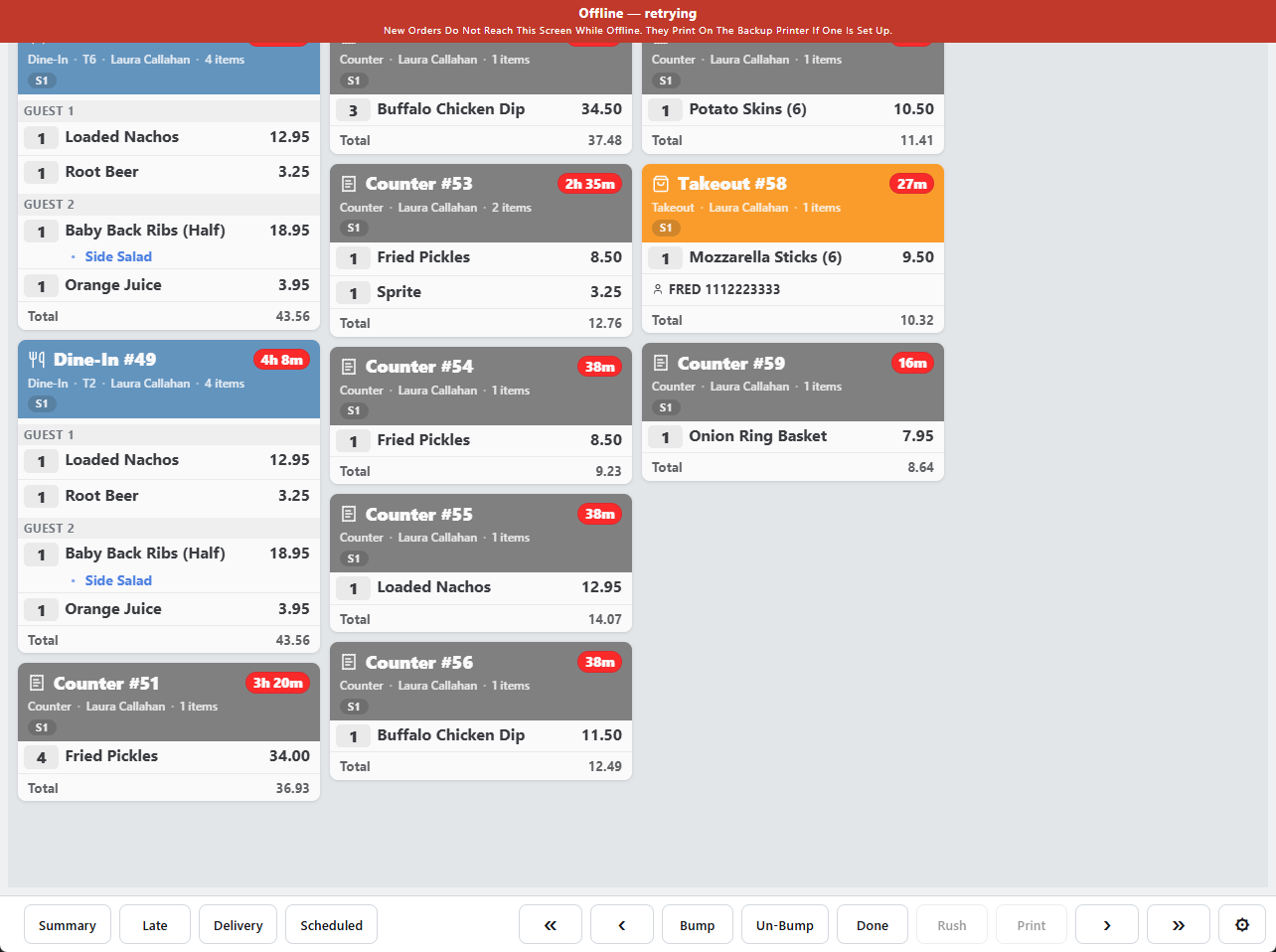
Kitchen Wi-Fi drops. The display is built so that a drop costs the kitchen nothing: the board stays, work carries on, and everything done meanwhile catches up when the server is back.
During the drop
- The toolbar shows Reconnecting. The cards already on screen stay exactly as they were, timers included.
- Bumps, item strikes, un-bumps and rush flags all still work. They are queued on the display and replayed to the server, in order, the moment it is reachable again.
- New tickets rung during the drop cannot arrive, of course. They appear together when the connection returns, each with its true age — a ticket that waited five minutes arrives already five minutes old.
Coming back
The display tries again every ten seconds. On reconnect it pulls a fresh board from the server, replays its queue, and the toolbar goes back to normal. Nothing bumped during the drop comes back, and nothing rung during the drop is missed.
After a restart
The installed app keeps a copy of the last board it saw. If it starts while the server is unreachable — a power cut that took the router with it — it shows that copy straight away, so the kitchen can see what was open before the lights went out, and refreshes as soon as the server answers.
Orders rung while the registers are offline
When the registers themselves have lost the server, a new order exists only on the register that took it. It cannot reach the display, and the display's banner says so. The order prints on the prep station's offline backup printer, if one is chosen, and appears on the display when the connection returns. See Kitchen tickets during an outage.