During an outage the registers cannot reach the Print Agent, so each register prints kitchen tickets itself. As long as the shop's own network is working, tickets come out at the right kitchen printers, one per prep station, as they do every day.
Where each ticket prints
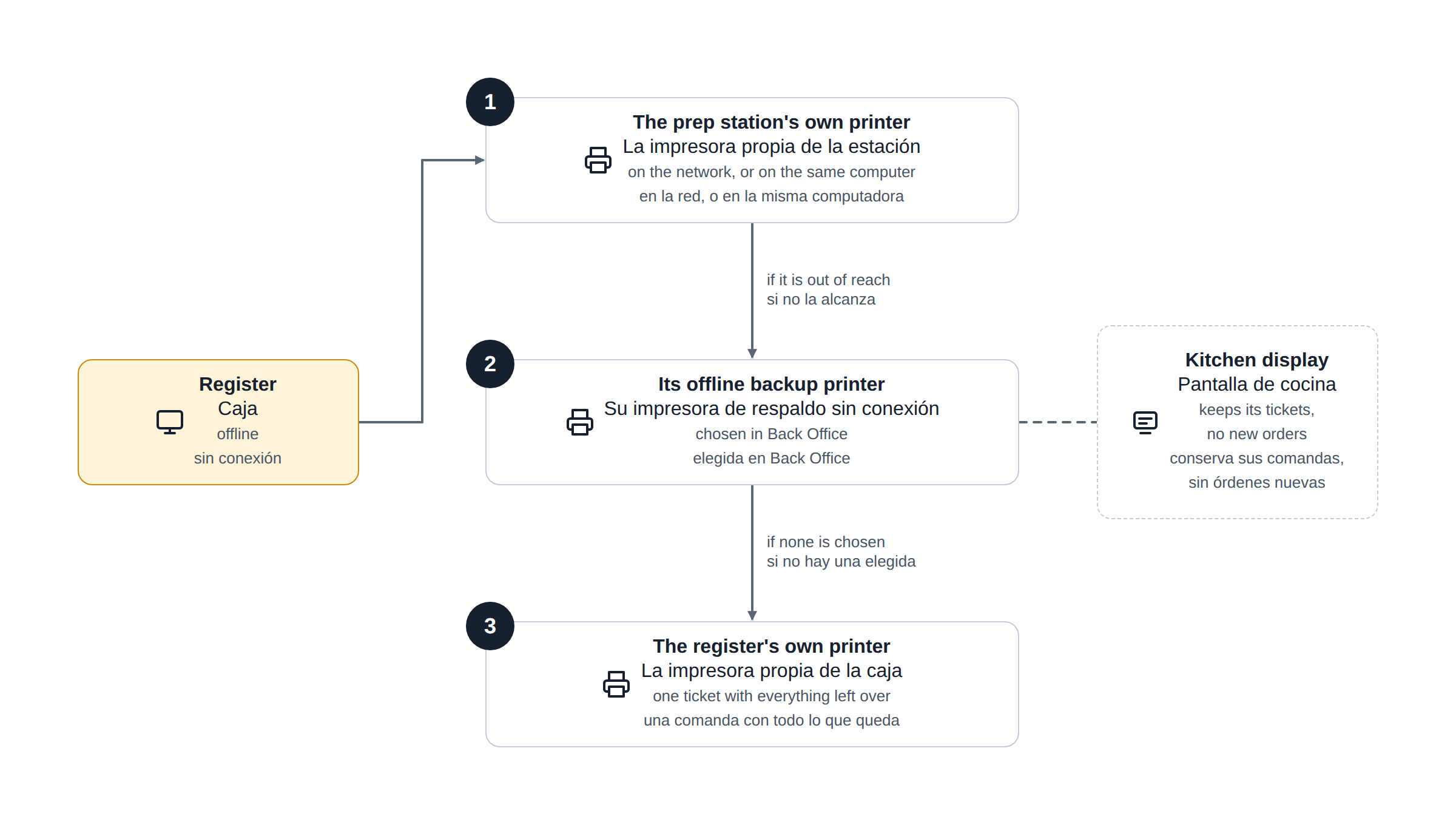
For every prep station on the order, the register uses the first printer it can reach:
- The prep station's own printer — the one chosen for that Prep number in Print Routing — when it is a network printer, or a printer installed on the same Windows computer as the register.
- The prep station's offline backup printer, when one has been chosen.
- The register's own offline printer. Everything that reached no other printer prints here as a single ticket.
What to set up
Network printers: nothing
Each register keeps a copy of the print routing on the device and refreshes it when someone signs in. After installing or changing printers, sign in once on every register while it is online.
Printers on the register's own computer
Where one Windows computer runs both the register and the Print Agent, the printers installed on that computer (normally USB) are used as well. There is nothing to set. Keep the printer's name in Windows the same as when it was added in the Print Agent.
Offline backup printers
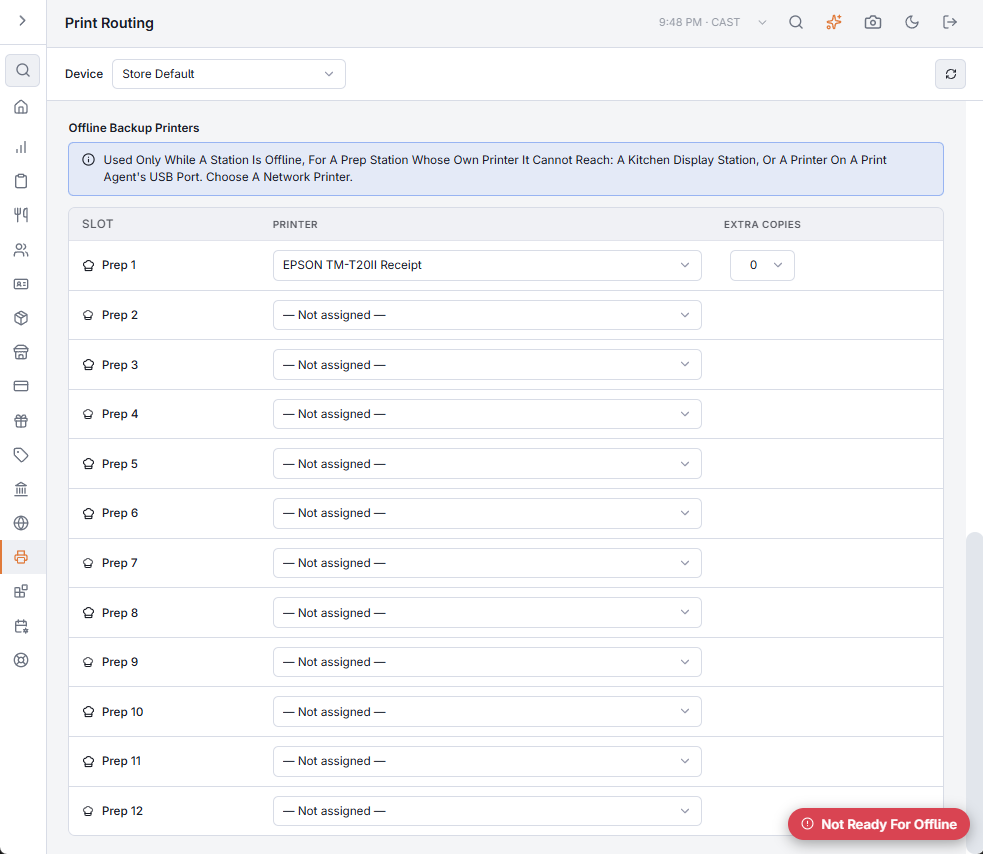
A prep station whose printer the registers cannot reach needs a backup. There are two such cases: a prep station that only has a kitchen display, and a printer on the USB port of a different computer.
- Open Back Office › Hardware & Printing › Print Routing.
- Scroll down to Offline Backup Printers. It has one row per prep number.
- In the row of the prep station, choose a network printer. Extra copies work the same way as in the table above it.
- Leave the device on Store Default to use it on every register, or choose a register to give that register its own.
Kitchen displays
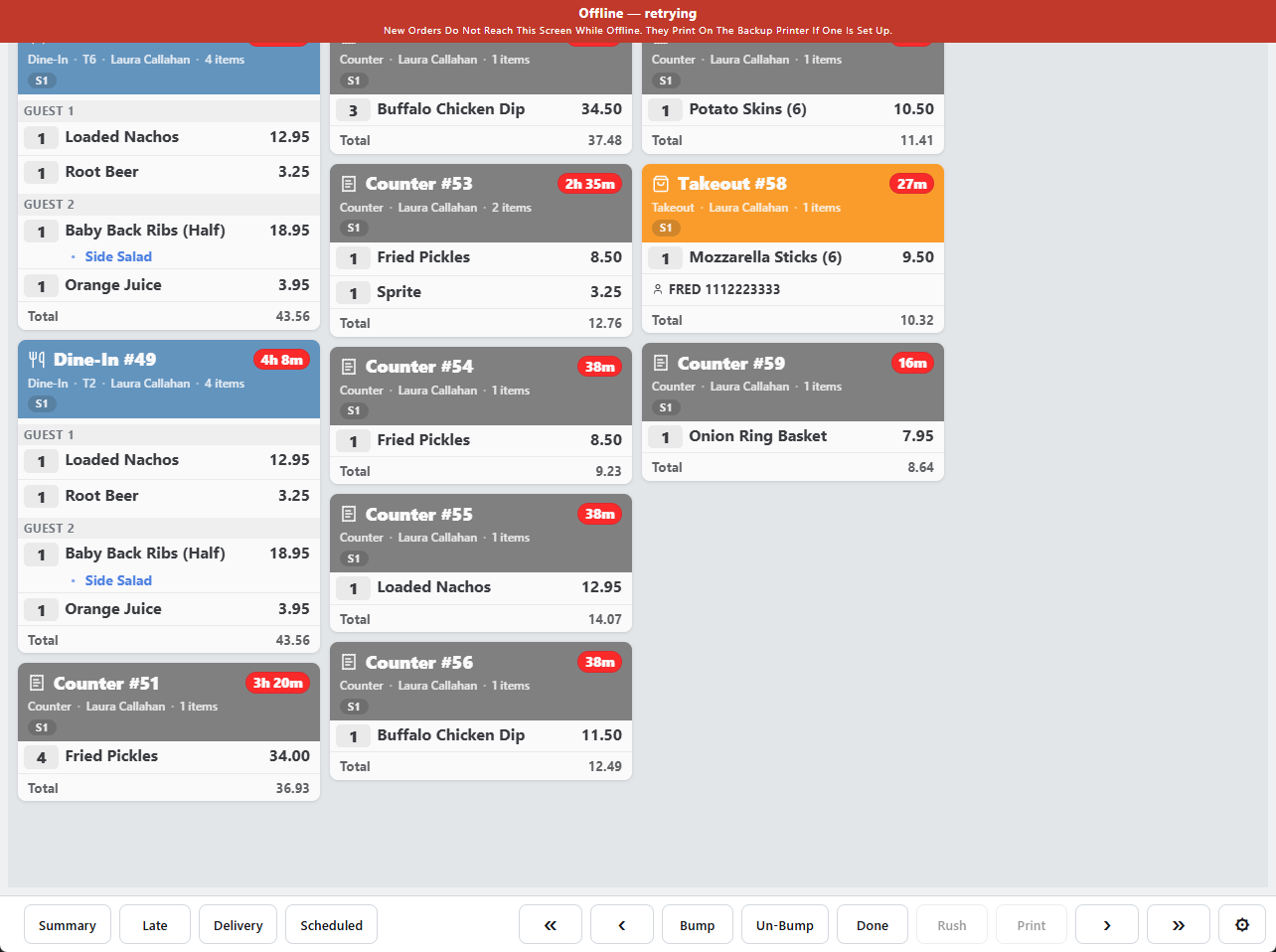
A kitchen display keeps the tickets it already had, and the kitchen can still bump them. Orders rung during the outage cannot reach it, and its banner says so. Those orders print on the prep station's offline backup printer and appear on the display when the connection returns. See When the display loses the server.
Good to know
- Printer type. Each ticket is sent in the printer's own language (Epson or Star) and paper width, taken from the printer's settings.
- Extra copies set in Print Routing are printed.
- Items with no prep number are not printed, the same as online.
- Labels are not printed during an outage.
- The whole order or nothing. A register with no offline printer of its own prints kitchen tickets only when every item's prep station can be reached. Otherwise it prints none of them, a Printing problem message appears, and the server prints the order when the connection returns. Give every register that takes orders an offline printer and this cannot happen.
If the shop's network is down too
Network printers cannot be reached. A register whose offline printer is attached by USB or Bluetooth still prints one ticket there with every item on it. A register that relies on network printers alone prints nothing; the orders are still taken and saved. See Preparing a station for offline mode.