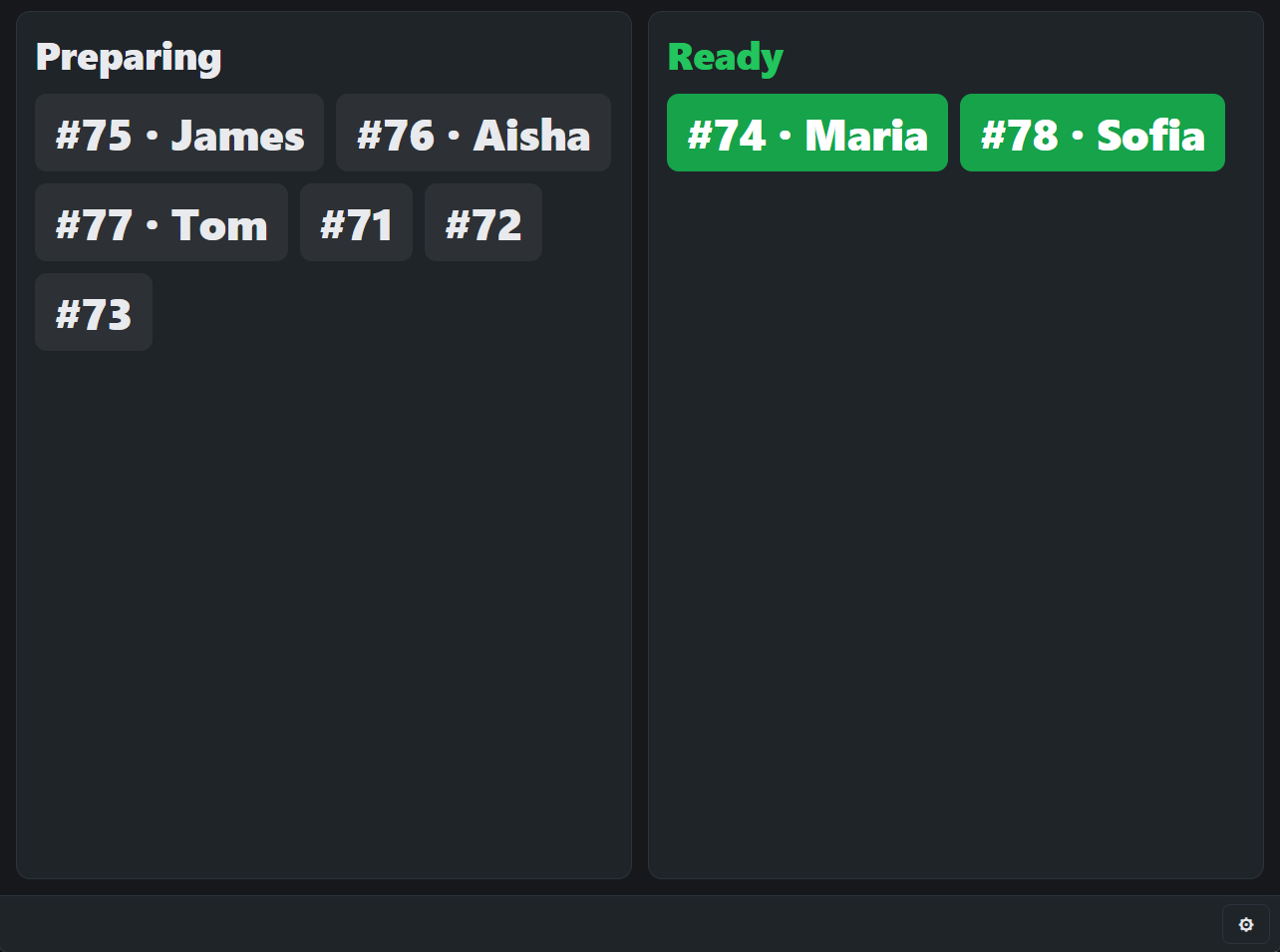
The Order Status Screen is a KDS display meant for customers: a TV at the counter showing two large columns, Preparing and Ready, with the order number and the customer’s first name only. A bell rings when an order turns Ready.
Settings
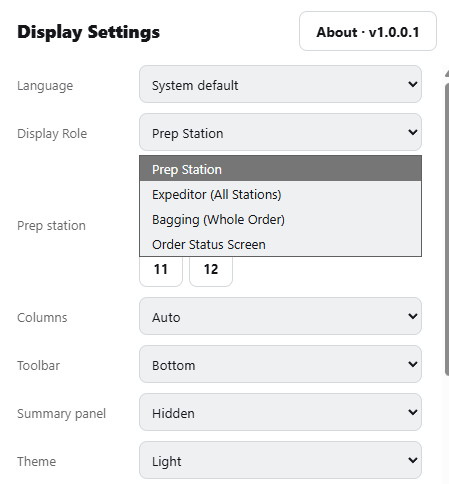
On the display, open ⚙ and set Display Role to Order Status Screen. Three more settings appear:
- Ready When — Every Station Has Bumped It (default), or Bagging Or Expo Has Bumped It. Use the second when the store has a bagging or expeditor screen, so an order is not shown ready before it is bagged.
- Keep Ready For — how many minutes an order stays under Ready (default 5).
- Orders Shown — all orders, or takeout and delivery only.
How orders move
- An order leaves Ready after Keep Ready For, when the POS marks it picked up, or when someone taps it on the screen.
- With Every Station Has Bumped It, an order with nothing for the kitchen to make is not shown.
- The toolbar shows only ⚙. The screen keeps its own timing, so restarting it shows recent Ready orders again for their minutes.