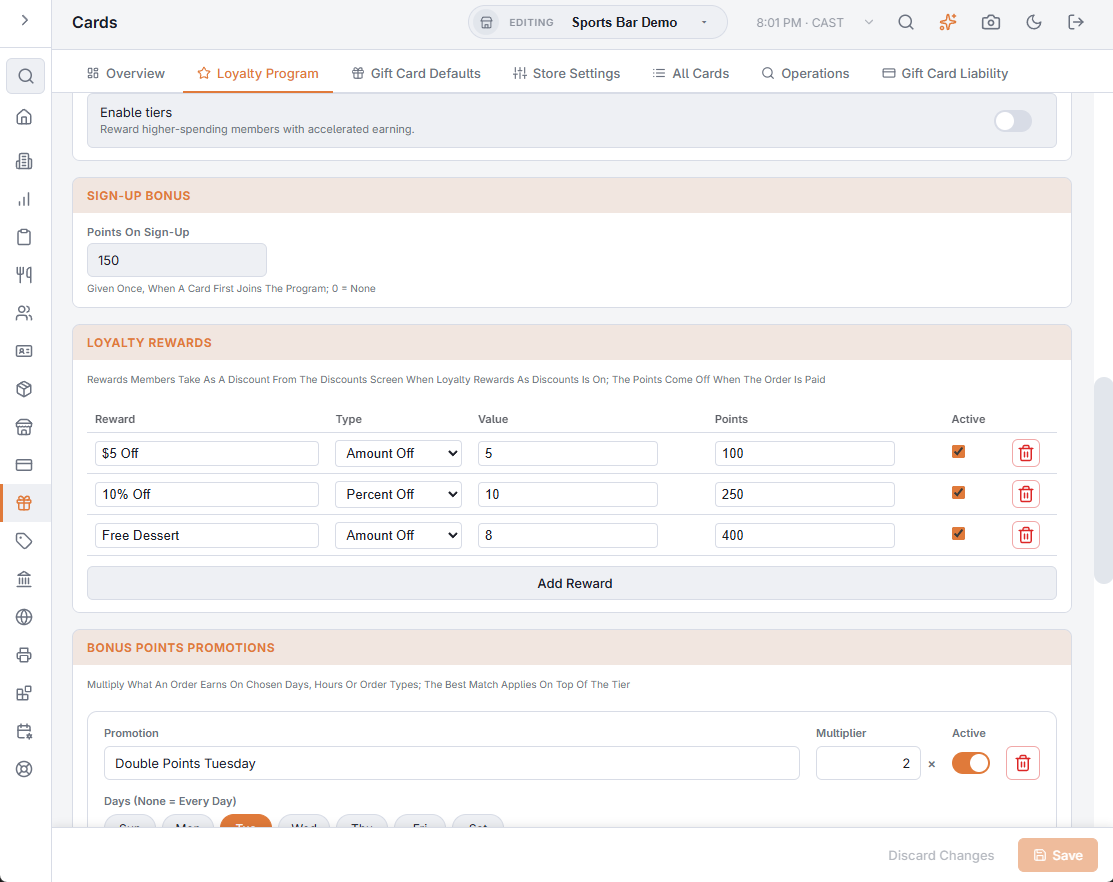
A points program can offer rewards such as 5.00 off for 100 points, or 10% off for 250 points, taken as a discount instead of a payment. The catalog is the Loyalty Rewards section of the Loyalty Program tab in Back Office › Gift & Loyalty › Cards. A discount lowers the sale, so reports show the reward as a discount rather than money collected.
Setting up
- In Loyalty Rewards, press Add Reward for each reward and fill in the row: Reward (the name), Type (Amount Off or Percent Off), Value, Points (what it costs) and Active. The bin icon removes a reward.
- Press Save.
- In All program settings (search), turn on Loyalty Rewards As Discounts. It is off by default.
At the register
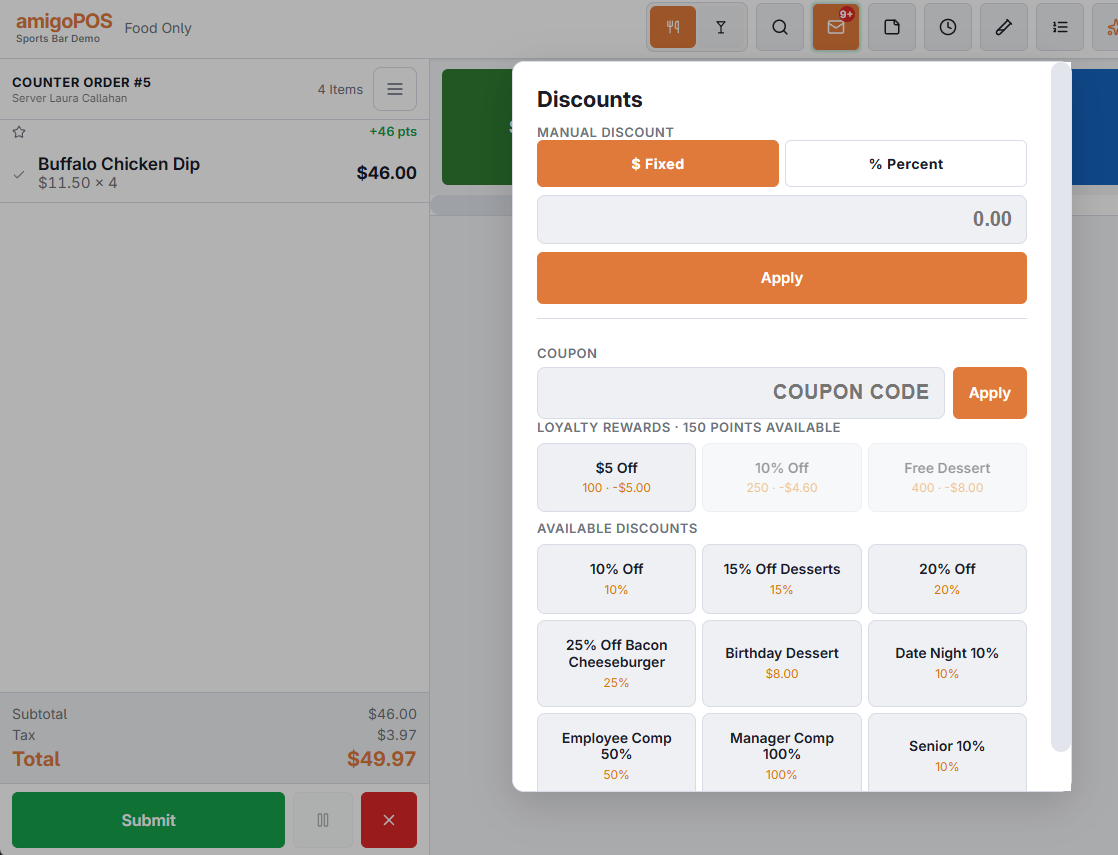
With a loyalty card on the order, the Discounts screen lists the rewards with the points left; rewards the member can’t afford are greyed out. Tap one to apply it — a percentage is worked out on the subtotal at that moment.
When points come off
- Nothing is deducted while the order is open; removing the reward costs nothing.
- The points come off when the order is paid.
- Voiding the order, or refunding it in full, gives them back.
- Splitting the check gives each part its share of the discount; only one part takes the points.
Tax
With Loyalty Rewards Pre Tax on (the default, in All Program Settings), the reward is spread over the items like a store coupon, so tax is charged on the discounted amount; off, it comes off the total after tax. If the items already carry another pre-tax discount, what doesn’t fit comes off the total.