Back Office › Gift & Loyalty › Cards › All Cards lists every card of the business, most recently used first, 50 a page.
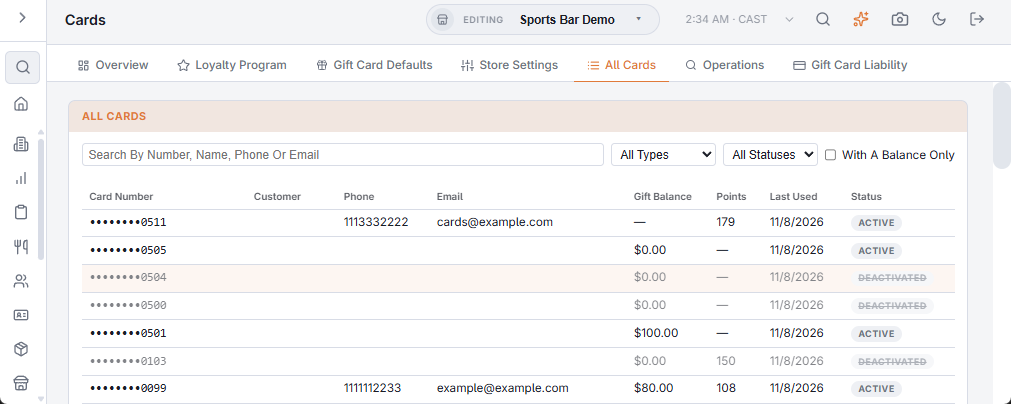
Filters
- Search — part of the number, name, phone or email; it searches as you type.
- Type — gift cards (have gift activity), loyalty cards (have a loyalty balance), or not used yet, such as cards loaded in bulk and never sold.
- Status — active or deactivated.
- With a balance only — cards with gift value, points or bonus left.
Columns: the number (masked, with an E-Gift label on e-gifts), customer, phone, email, gift balance, points or bonus, last used and status. Click a row to open the card (The card detail window).
The Operations tab next to it holds the bulk upload, pending card operations and gift card alerts.
Program cards in the list
Cards your stores sold under a shared card program appear with a Program Card badge. Their balance and history belong to the program ledger, so the detail window shows every member’s lines with an At column. See Program cards at the register.