Gift cards are cash-like, so AmigoPOS can limit how fast a card is used or loaded and raise an alert when something looks wrong. The limits and alert rules are store settings in All program settings (search); the alerts are listed on the Operations tab of Back Office › Gift & Loyalty › Cards.
Daily limits
- Gift Card Max Redeems Per Day — how many times one card can pay or be cashed out in 24 hours.
- Gift Card Max Load Per Day — how much value can be sold or reloaded onto one card in 24 hours, at the register and online.
Both are 0 (no limit) until you set them. A refused use tells the cashier why and raises an alert. Transfers, adjustments, refunds, bulk loads and voids are never limited.
Alerts
| Alert | Raised when | Setting |
|---|---|---|
| Cash Out | Any cash out | Gift Card Alert On Cash Out (on) |
| Manual Adjustment | An adjustment or complimentary value at or above the amount | Gift Card Alert Adjust Over (50; 0 = every one, -1 = never) |
| Emptied Soon After Loading | A card emptied within that many minutes after it was loaded | Gift Card Alert Quick Drain Minutes (60; 0 = off) |
| Refused By A Daily Limit | A daily limit refused a use or a load | The limits above |
| Locked After Wrong PINs | Too many wrong PINs online | Gift Card Pin Max Failures (see Card PINs) |
Reviewing alerts
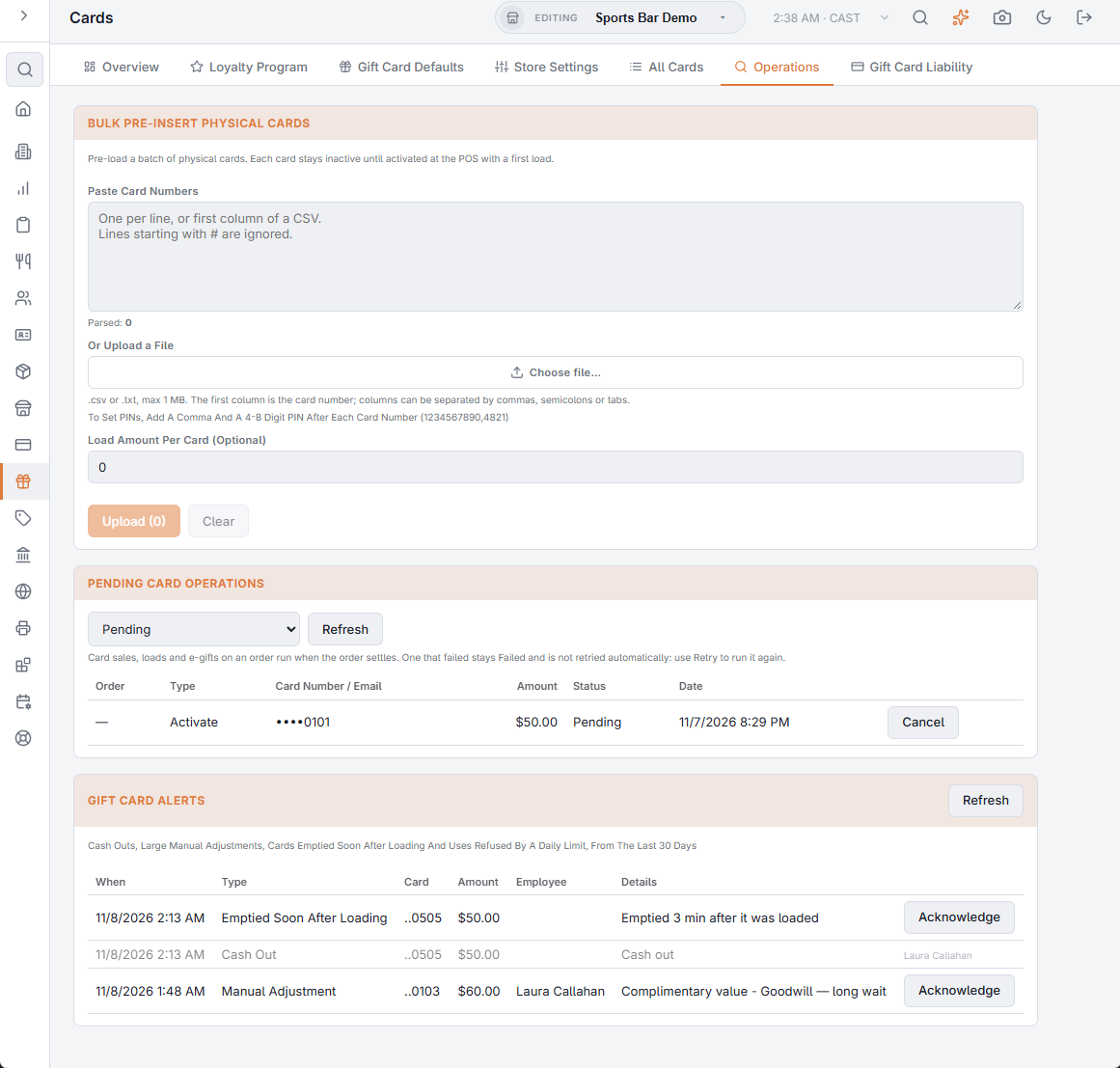
Gift Card Alerts lists the alerts of the last 30 days: When, the type, the Card (last four digits), the Amount, the Employee and the Details, shown in the language Back Office is shown in. After looking into one, press Acknowledge; the row is greyed out and shows who acknowledged it. Refresh loads new alerts.
Set Gift Card Alert Email to receive each store’s new alerts by email as they happen, in the store’s language; the details in the email stay in English.