An assignment connects a modifier group to a menu item. It decides which groups the register shows when the item is added, in what order, and whether an answer is required. One “Choose a side” group can serve fifty items through fifty assignments. Assignments are made in two places: on the item, and on the group.
On the item
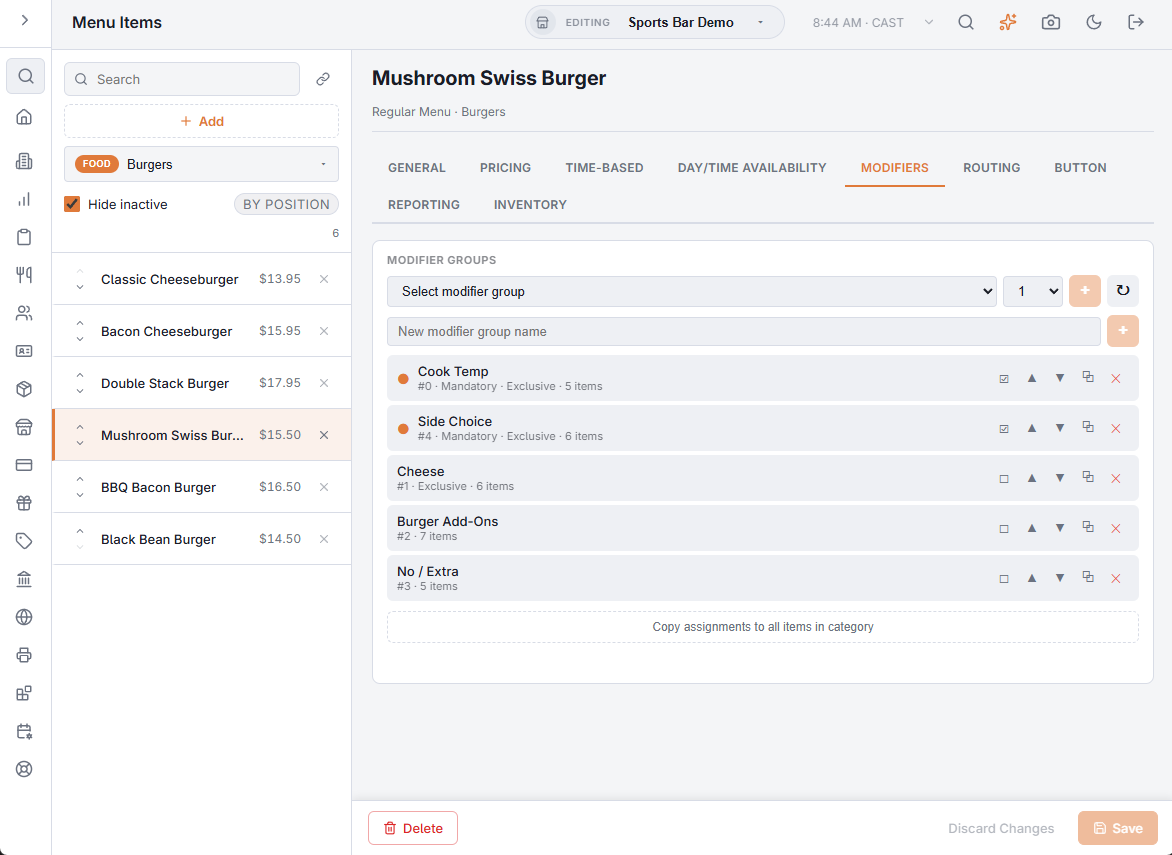
In Back Office › Menu › Menu Setup › Menu Items, open the item and its Modifiers tab. A new item has to be saved first.
- To add an existing group, pick it in Select modifier group, pick its position (1–20) and choose +. The ↻ button reloads the list of groups.
- To make a new group and assign it at once, type its name in New modifier group name and add it. Fill in its modifiers afterwards in Food modifiers, groups, and levels.
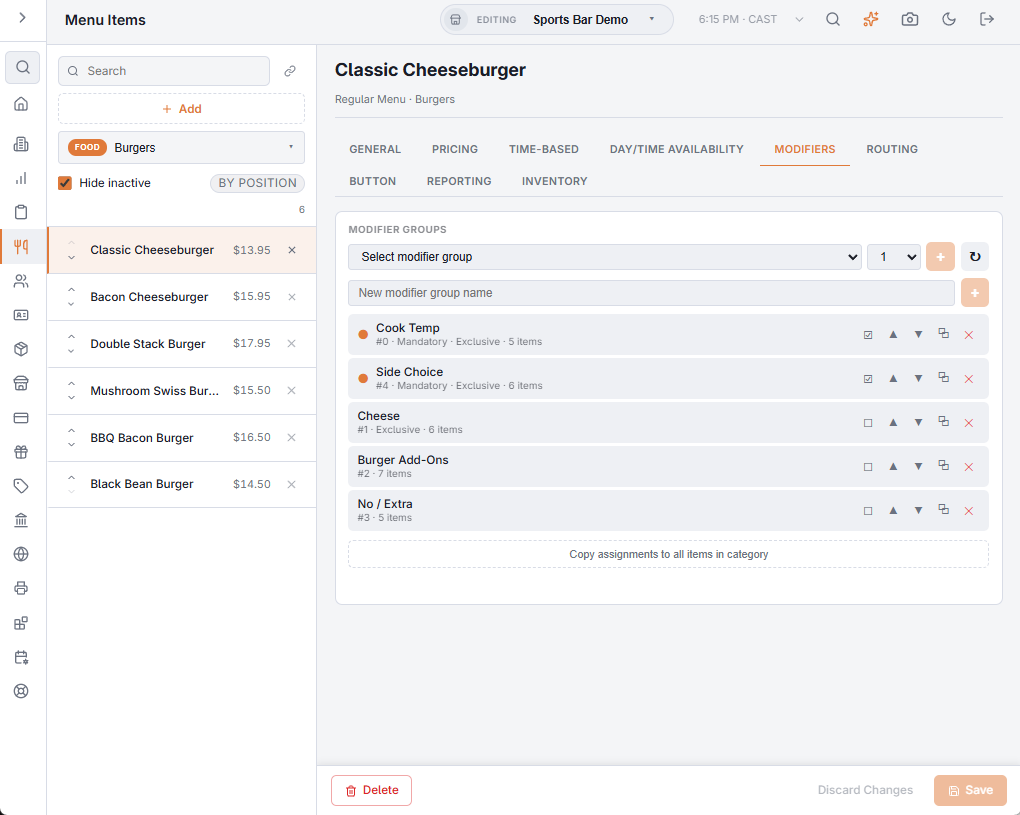
Each assigned group is a row, with a dot when it is mandatory, and these buttons:
- Make mandatory / Make optional — a mandatory group must be answered before the item is added.
- Move up / Move down — the order of the group tabs at the register.
- Copy assignment — assigns the same group again, at the end.
- Remove — takes the group off this item.
Copy assignments to all items in category gives every other item in the item’s category this item’s groups, in the same order and with the same mandatory settings. It lists the items it will change and asks you to confirm; their own assignments are overwritten, and it cannot be reversed.
Assignment changes on this tab save as you make them.
On the group
In Back Office › Menu › Menu Setup › Food Modifiers, open the group and its Menu Items tab. Pick a Menu category and a Menu item, tick Mandatory if needed, and choose Assign. Current assignments lists every item that uses the group, with its category, a Mandatory switch and a remove icon. It is the place to check before changing a group that many items share.
Patterns that work
- Build a few groups and reuse them. One “Choose a side” group assigned everywhere means a new side is one edit, not fifty.
- Make a group mandatory when the kitchen cannot start without the answer, such as temperature or size; leave add-ons optional.
How the groups behave while ringing: Food modifiers and how they prompt.