Back Office › Multi-Store › Order Types And Discounts compares the stores two ways: how each store’s sales split by order type, and which discounts each store gave. A toggle in the toolbar switches between Order Types and Discounts.
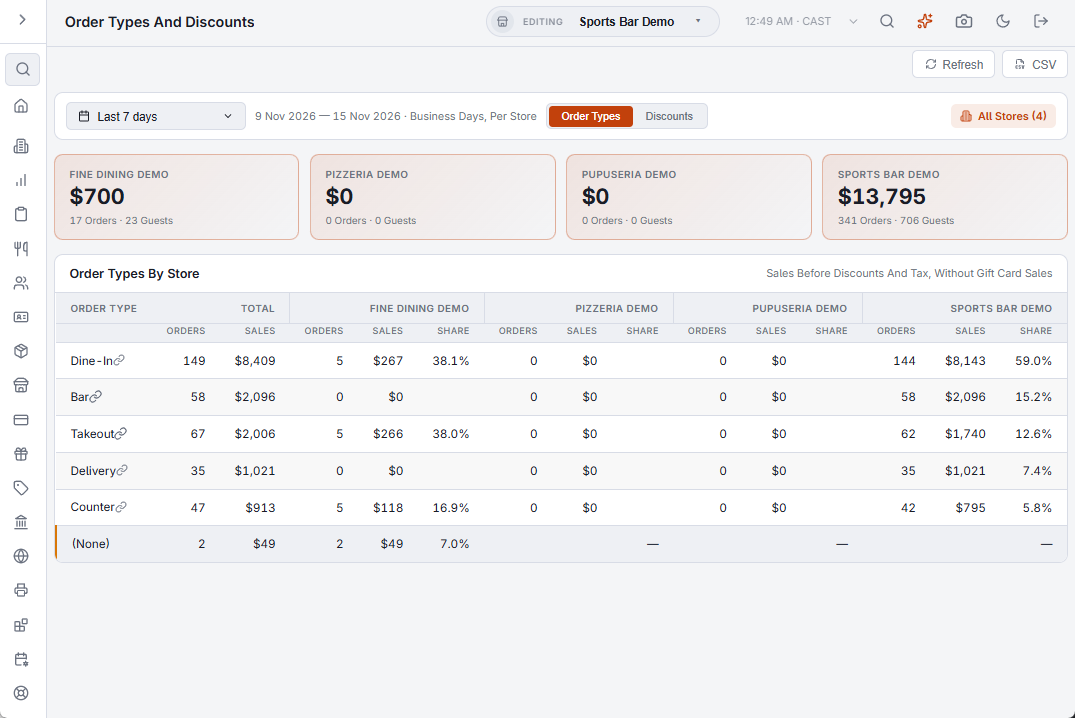
The toolbar
- Dates — opens on Last 7 days; the choices are the same as on the other Multi-Store pages. Each store counts its own business days.
- Order Types / Discounts — which list the page shows and the CSV exports.
- Refresh and CSV in the header.
Order Types
A box per store shows its sales, orders and guests. The table has one row per order type, highest sales first, and for each store Orders, Sales and Share (the order type’s part of that store’s sales). Point at a store’s sales figure to see the average check and the guests.
Discounts
A box per store shows the amount taken off and how many times a discount was used. The table has one row per discount, largest amount first, and for each store Times Used, Amount and Share (the discount’s part of everything that store discounted).
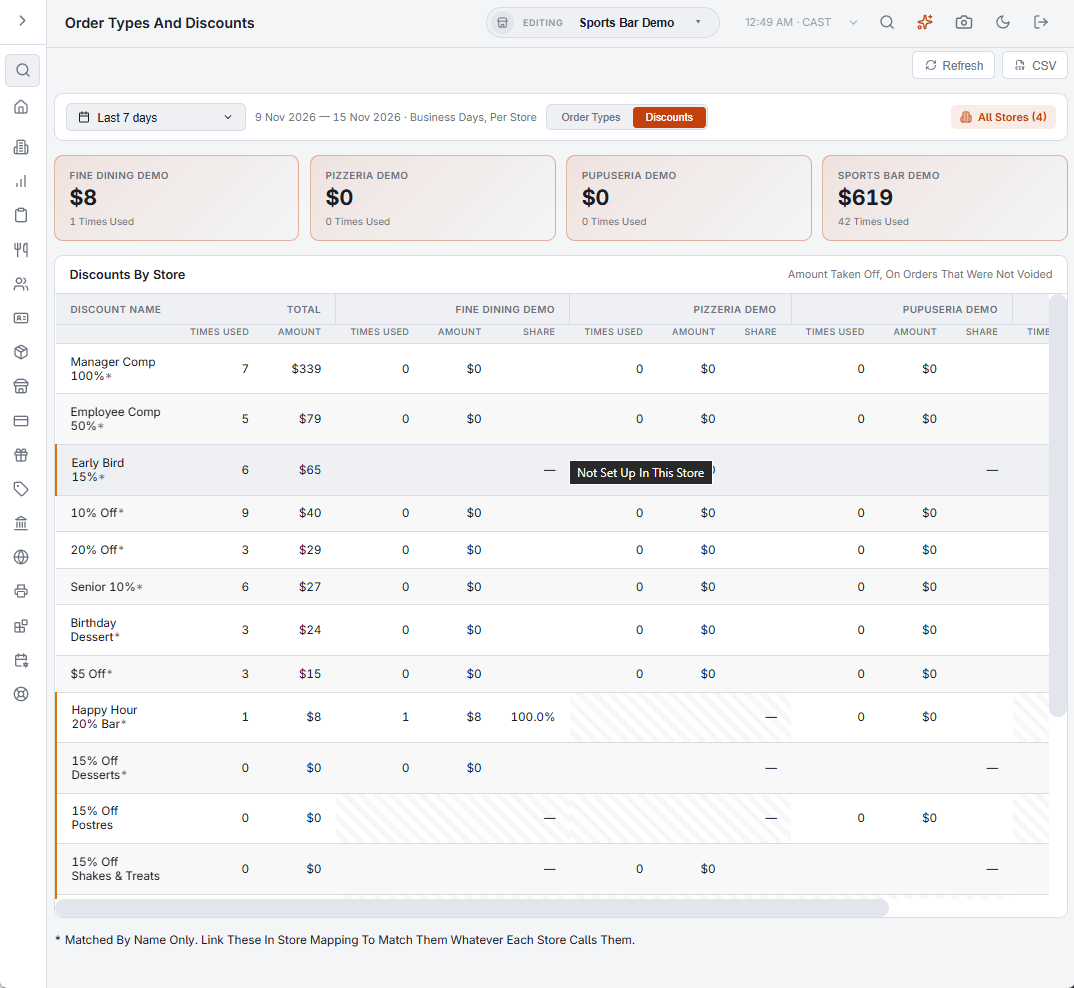
How rows are matched
Order types and discounts that are linked in Store Mapping share one row and show a link mark. The rest are matched by name. A row matched by name in two or more stores has an asterisk: linking those keeps them together whatever each store calls them.
How the figures are counted
Both views count orders that were not voided, by business day. Sales are before discounts and tax and leave out gift card sales, which is the gross sales figure of Sales Comparison, so a store’s order types add up to its gross sales there.