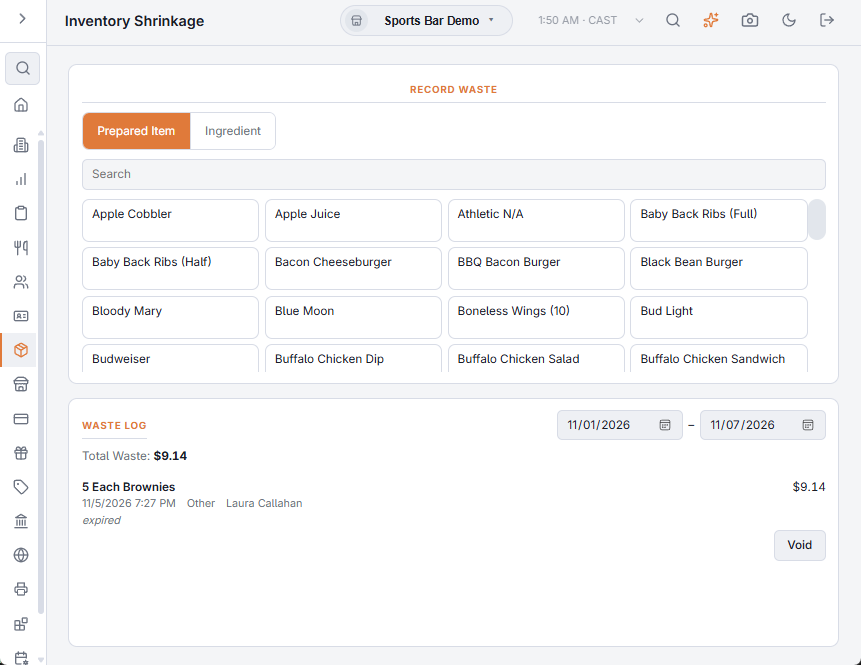
Back Office › Inventory › Operations › Inventory Shrinkage records known losses — the dropped tray, the spoiled case, the plate sent back — when they happen, so stock stays true and each loss has a reason instead of turning up later as an unexplained count difference. Record waste on the left; the Waste Log is on the right.
Recording waste
At the register, Waste on the More menu opens the same form. Both work the same way:
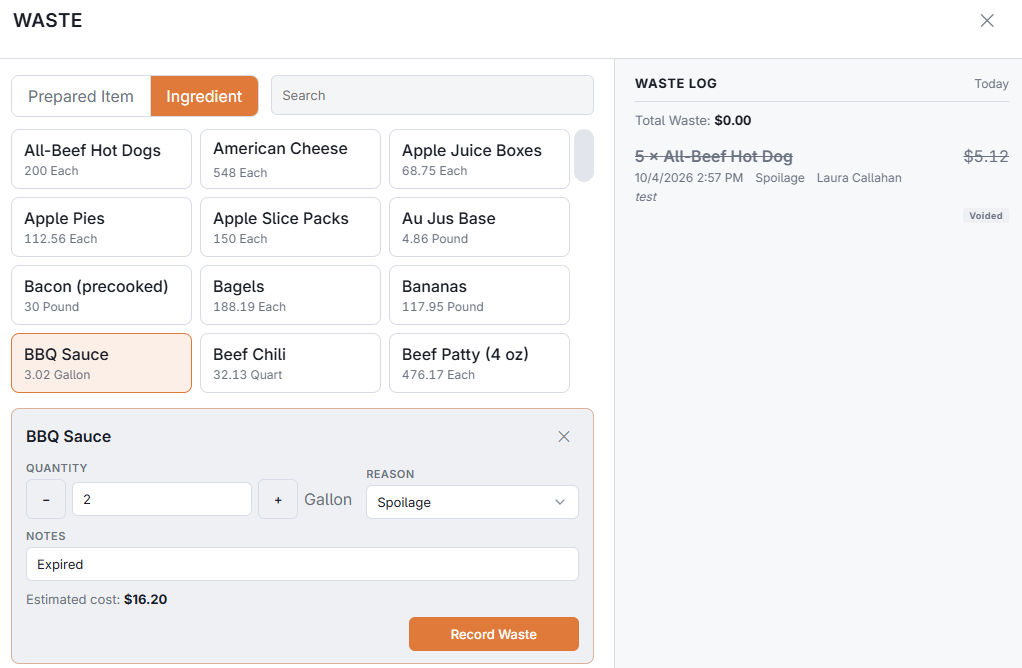
- Choose Prepared Item for a menu item that was made and thrown away — its whole recipe comes off stock — or Ingredient for raw stock (a spoiled case of lettuce). A menu item without a recipe can’t be wasted this way: “This Item Has No Recipe. Record Its Ingredients Instead.”
- Search for the item and pick it. Ingredients show what is on hand.
- Enter the Quantity (the − and + buttons step by one; an ingredient is in its unit), pick a Reason (required) and add Notes if needed. For an ingredient, the Estimated cost shows before you record. If the quantity is more than is on hand, you’re told it will show as oversold.
- Choose Record Waste. The stock comes off oldest first, at its real cost.
The Waste Log
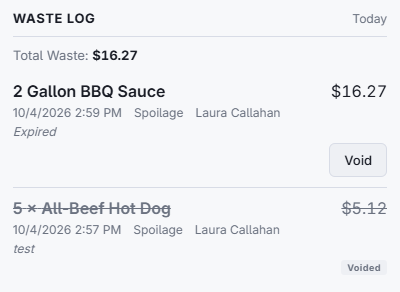
The Waste Log lists the waste for the business days between the two dates (the last seven days when the page opens): the quantity and item, its cost, when, the reason, who recorded it and any notes, with the Total Waste at the top. Void asks “Put The Stock Back?”; confirm with Void to undo an entry recorded by mistake, or choose Keep. A voided entry stays in the log marked Voided.
Reasons
The reason list is kept in Main Settings, Adjust reasons tab — see Inventory settings. The same reasons are offered on each line of a count. Keep the list short and distinct: spoilage, breakage and over-portioning each point to a different fix, and one reason for everything hides which one you have.