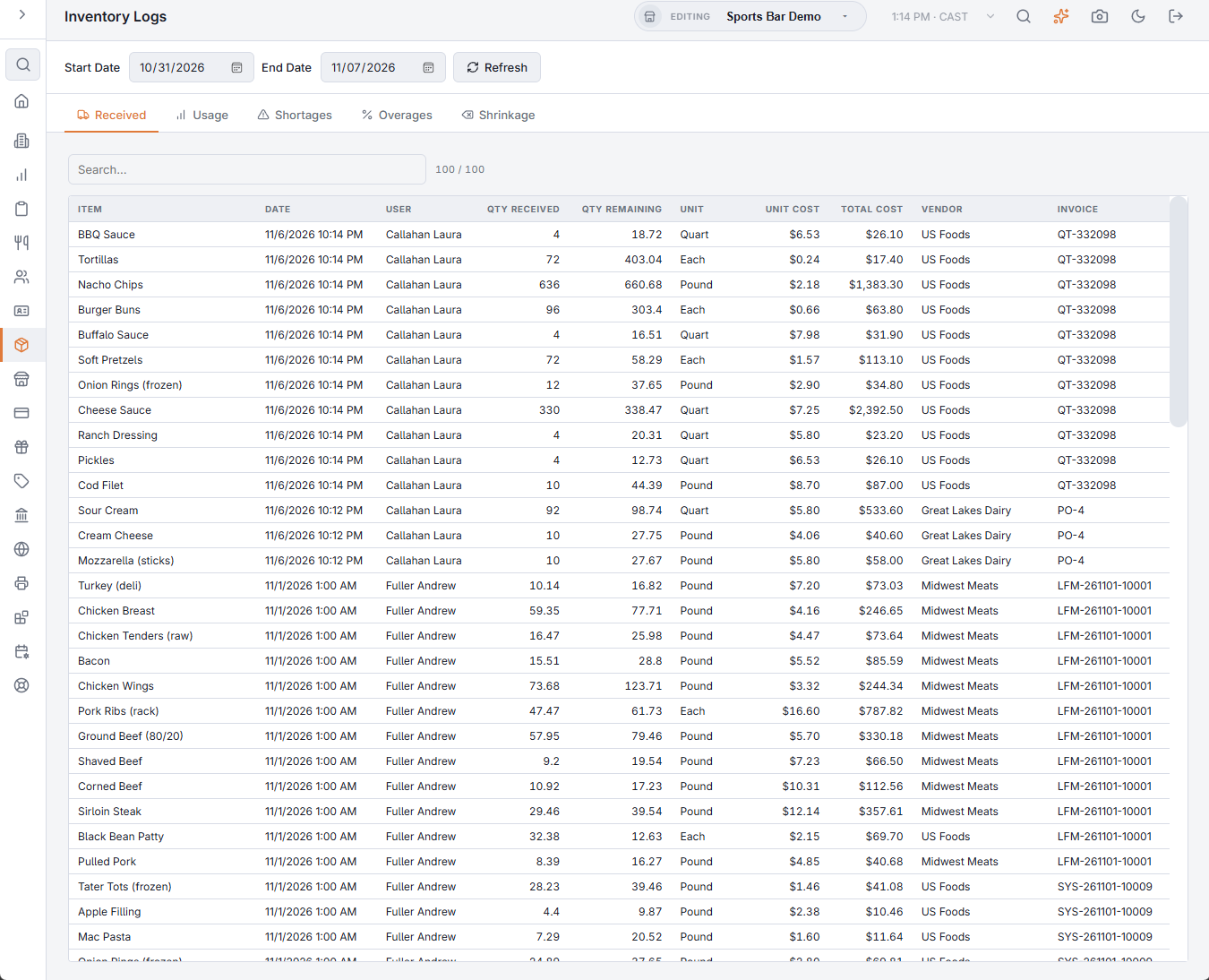
Back Office › Inventory › Reports & Audit › Inventory Logs is the movement journal: every change to stock between a Start Date and an End Date, by business day. The page opens on the last seven days; changing a date reloads the open tab, and Refresh reloads it again. Each tab has its own search box and shows how many rows match out of the total.
The tabs
- Received — deliveries: the item, date, who received it, Qty received and Qty remaining of that lot, the unit, Unit cost, Total cost, Vendor and Invoice. Transfers in from another store are listed too, with the transfer number as the invoice. Count overages, returns and prep batches move stock but are not deliveries, so they are not listed.
- Usage — stock taken out: the item, date, user, the Menu item and Order it went into, Qty used, unit and Cost. Waste and count shortages also appear here, without a menu item.
- Shortages — stock that counts found missing: the item, date, who counted, the Quantity missing, its unit and its Cost.
- Overages — stock found by counts and added back at the last purchase cost: the quantity found and how much of it is still on hand.
- Shrinkage — every stock adjustment with its category, quantity, unit, Cost, Reason, user and date, and the Total cost at the top: waste recorded on the Inventory Shrinkage page or at the POS (see Waste and shrinkage), count differences in either direction, and stock sent to another store.
Using the log
This is the drill-down behind the inventory numbers: a cost-of-goods spike on Inventory performance traces to specific usage or receiving lines here, and a count difference traces to its adjustment and reason. Prep batches are not in the log; they are listed on the Prep page — see Making prep batches.
The logs show what moved. The Inventory audit log shows who made each manual stock change, such as a delivery, a count or a refund, with its notes.