Suggestions tell the server, right now, what to offer the table and how to look after the guests. They are worked out from the order itself and from what this store's own guests buy, and are worded by AI for the moment, in the register's language. They never show costs or margins.
Opening Suggestions
- Seating chart: tap a table, then Suggestions on the table panel.
- Orders list: select an open order, then Suggestions on the button bar.
- Managers also see them inside Table and Order Insight.
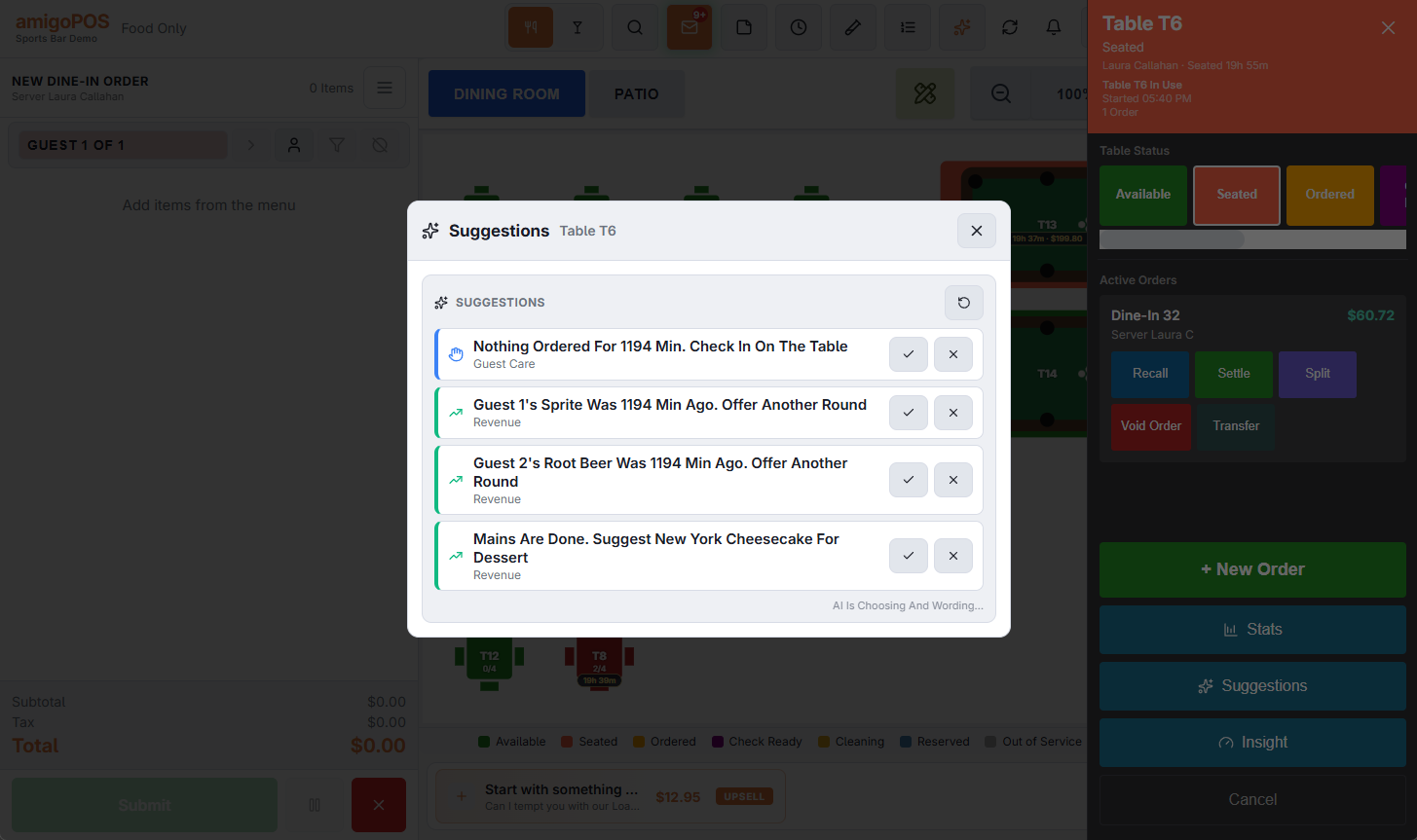
Each line has a colour: green for revenue (something to sell), blue for guest care and red for safety. Tap Done when you have acted on it or Not Now to drop it; either way it is not offered again on that order.
What it can suggest
- Safety: a linked guest's allergies (confirm with the kitchen); a blocked customer (tell a manager).
- Guest care: food late from the kitchen (from the kitchen display's own pace); nothing ordered for a while; a dropped check not paid yet; a slow takeout order; an item that was comped or removed (a manager visit); a VIP, a regular, a guest back after a long time, a birthday this week.
- Revenue: a guest with nothing to drink; another round; a starter early in the meal; dessert once mains are done; what this store's guests usually add to what was ordered; the customer's usual order; tonight's push item; a loyalty sign-up.
It never suggests an item that is not on the menu or is sold out, never offers discounts or free items, and never invents a price.
The instant suggestion on the order screen
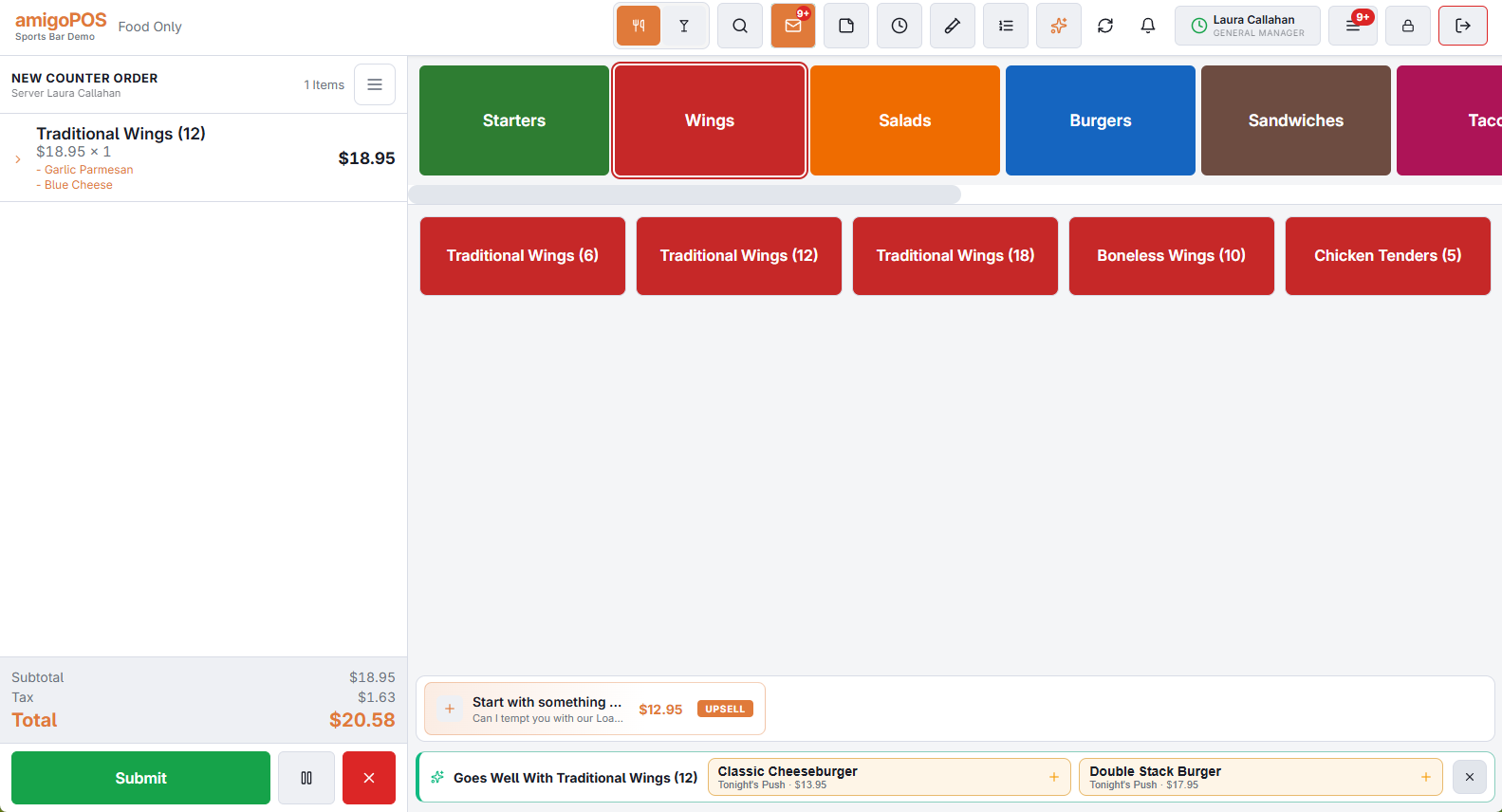
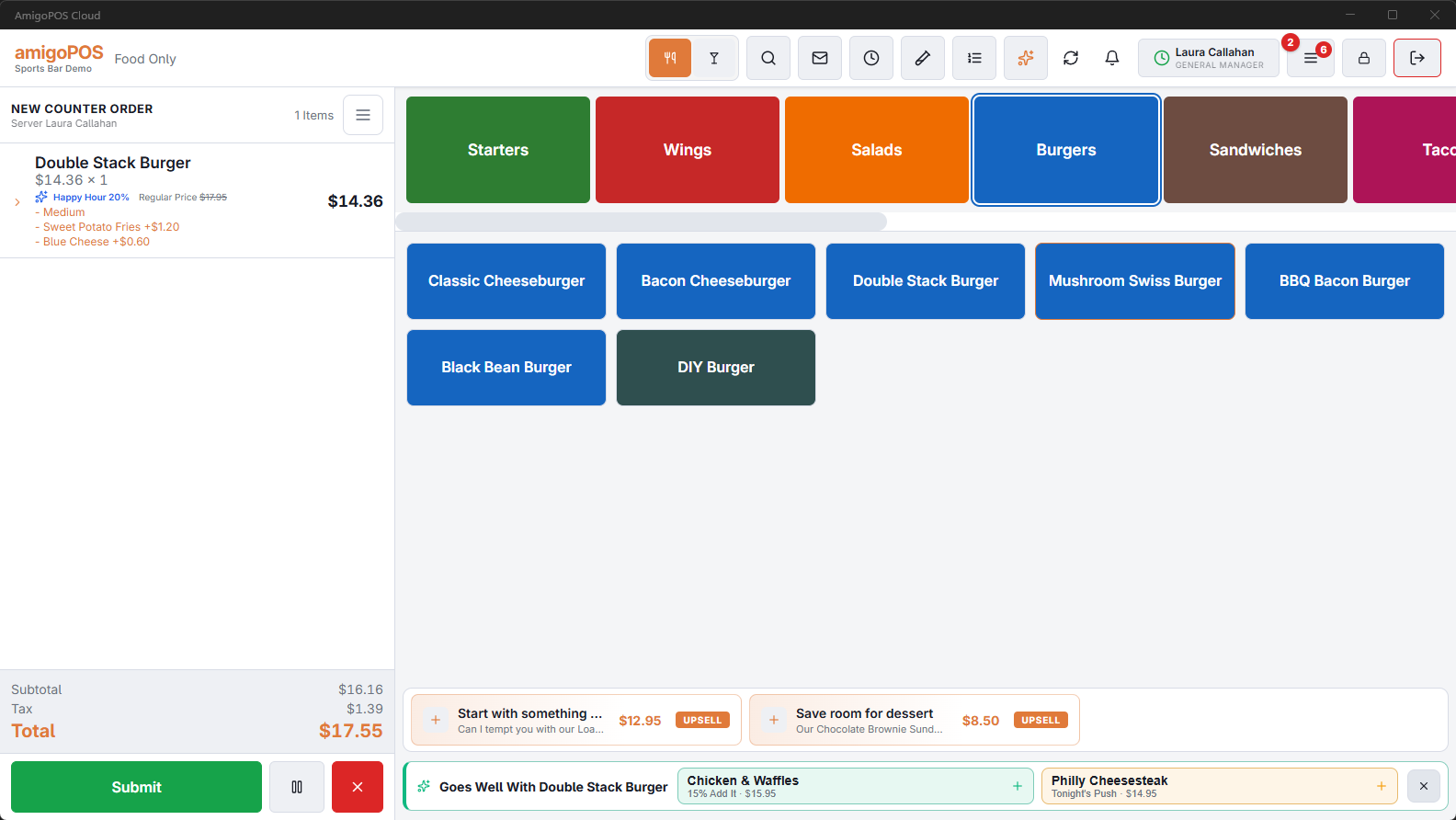
When you ring an item, a green strip under the order can show Goes Well With …: what this store's guests most often add to it, or tonight's push item. Tap Add to ring it exactly as if you had tapped it on the menu (modifiers, age check and sold-out counters still apply), or the cross to close it.
Dots on the seating chart
A table with something that cannot wait shows a dot in its corner: red for a guest's allergy, a blocked customer or food very late; amber for food late, a check waiting or nothing ordered for a long time. The table panel's Suggestions button carries the same colour. The dot goes when the suggestion is answered or the situation ends.
On your phone
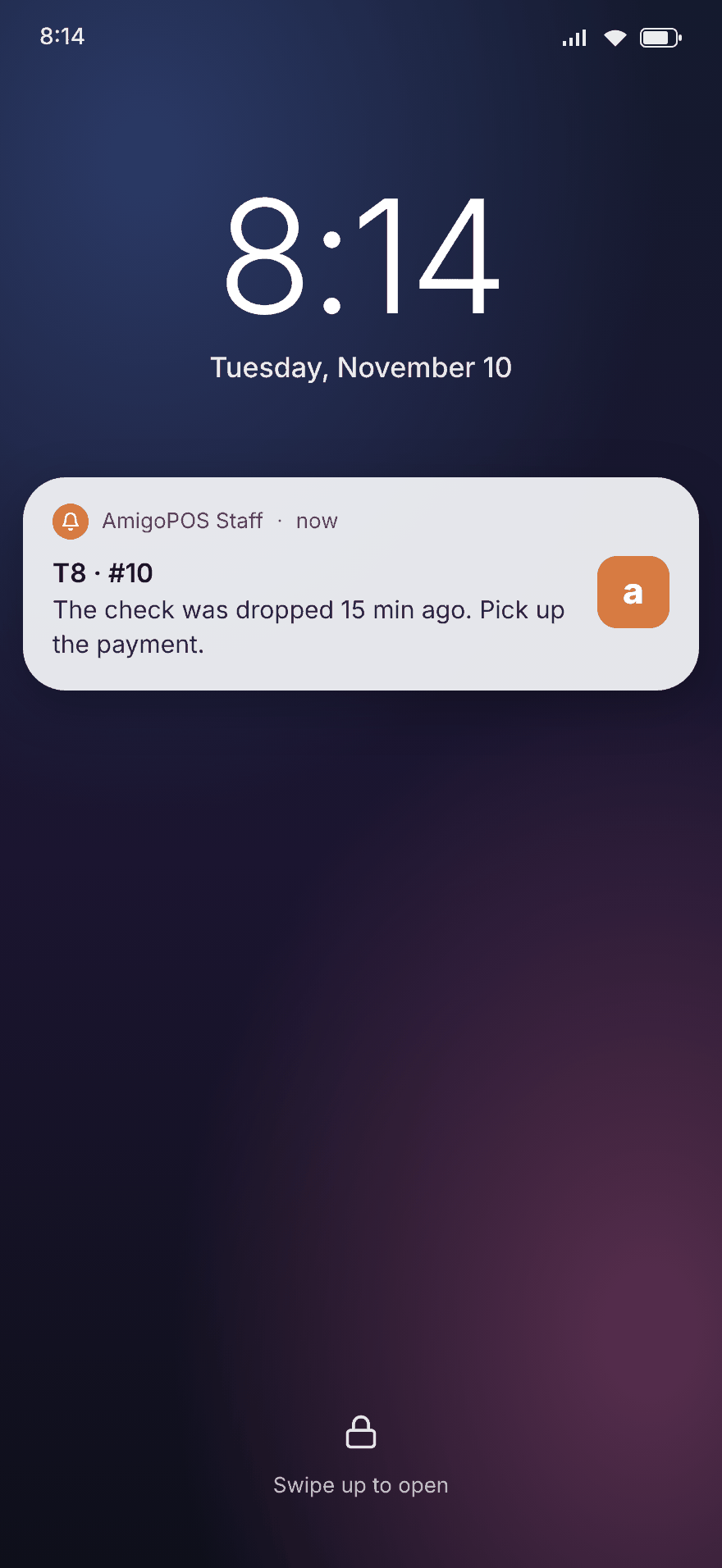
If you use the staff site on your phone with notifications on, the same time-critical suggestions for your own orders arrive as a notification, once per order. Managers on duty also get blocked customers and badly late food.
My Shift
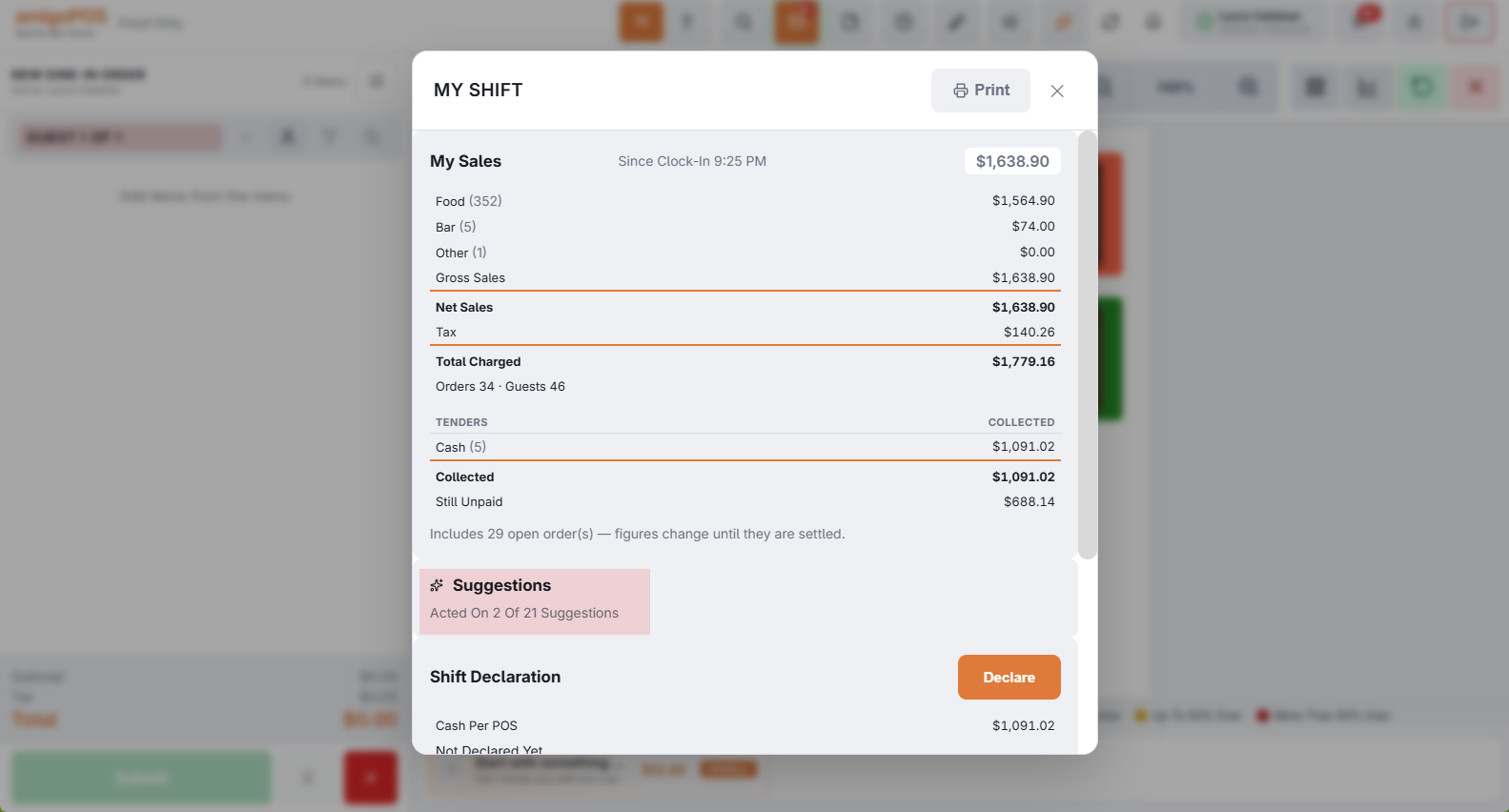
My Shift shows how many suggestions on your orders you acted on since you clocked in, and the sales they added.
Two suggestions as you ring
The strip on the order screen now offers two items for the item just rung: what this store's guests most often add to it, ranked by what actually sells when offered here, topped up with tonight's push items (marked Tonight's Push). Tap one to add it; the cross closes both.
Upgrades
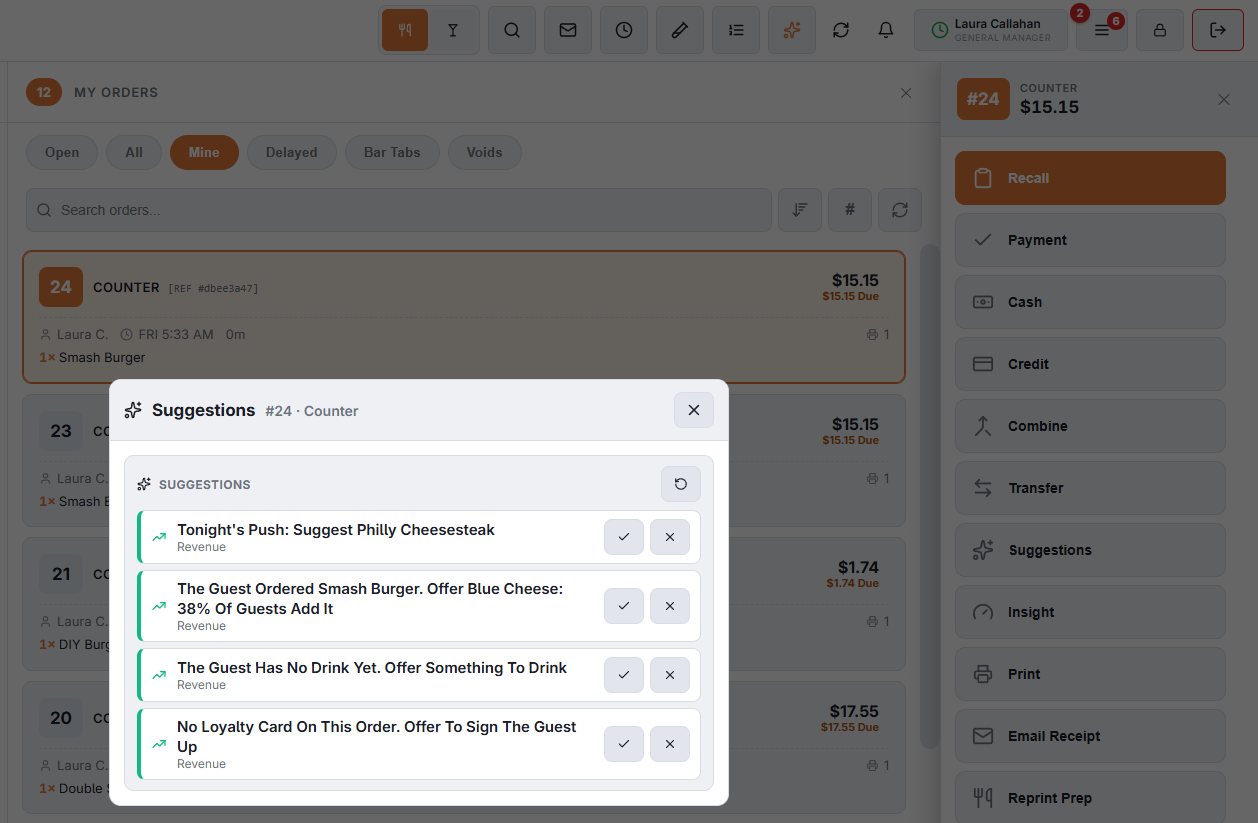
When most guests add a paid option to an item — extra cheese, a larger size, a premium side — Suggestions offers it for an item just rung that has not gone to the kitchen yet. It needs at least 15 sales of the item in the last 60 days, a fifth of them with that option.
Standard wording first, then AI
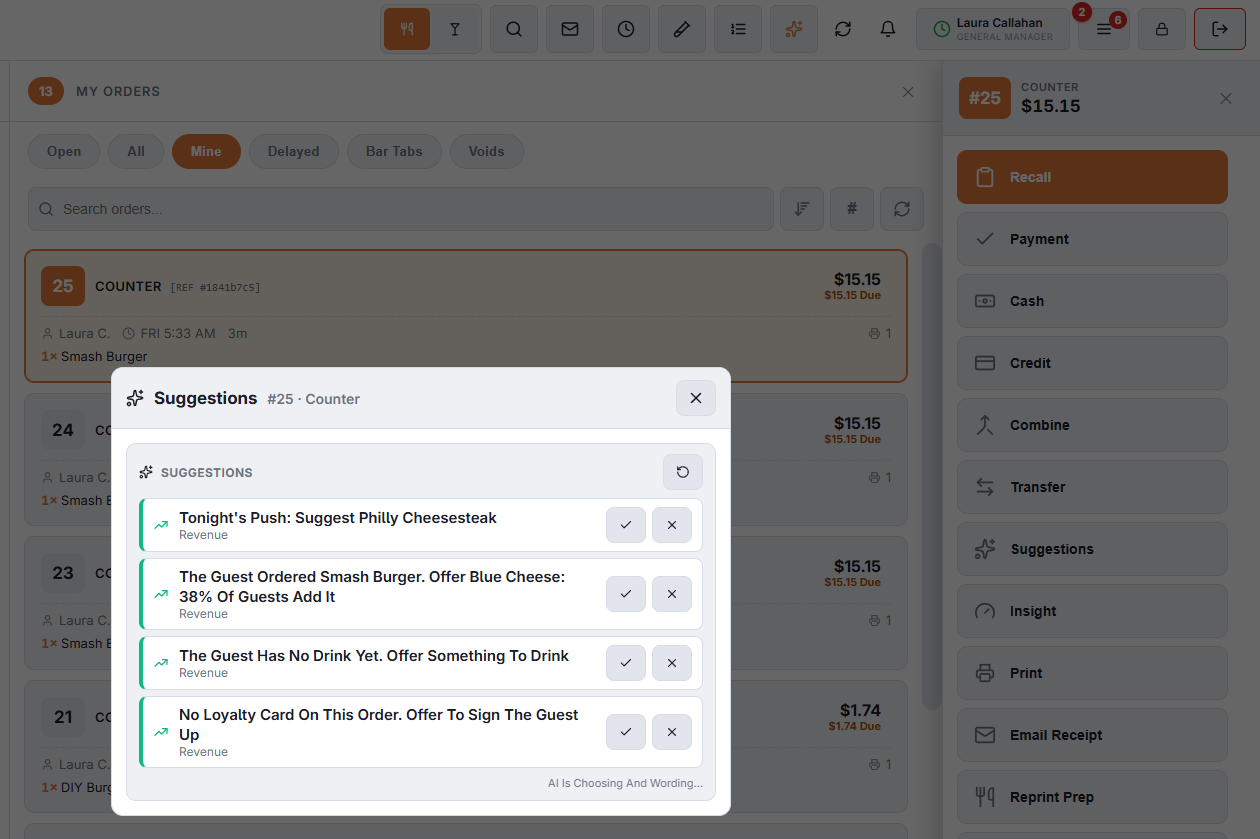
Suggestions open at once in standard wording, with AI Is Choosing And Wording… underneath. A moment later the AI's choice and wording replace them. If nothing on the order has changed, the AI's version opens straight away.
A known guest is seated
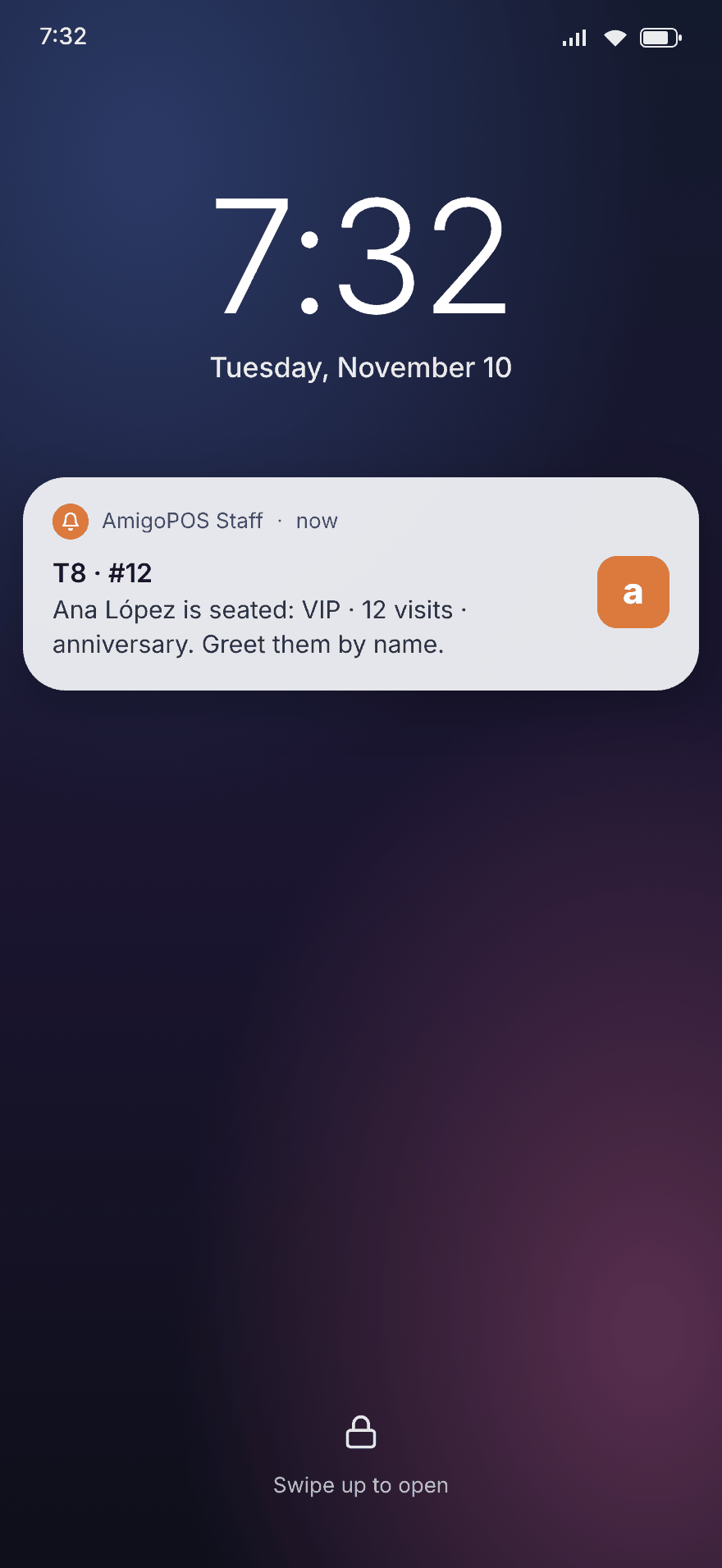
When a VIP, a regular (5 or more visits) or a guest with a birthday this week sits down — from a booking, or as the customer on a new order — the server's phone is told at once, with the booking's occasion and any allergies. With no server on the order yet, the managers on duty get it.
Choosing what your phone gets
Each employee chooses on the staff site, in the Notifications card: All, Safety Only (allergies and blocked customers) or Off. See Staff notifications.
Learning
Each store tunes its own suggestions: a kind of suggestion staff act on climbs, one they keep dismissing sinks — now also by time of day and by order type, so dessert can work at dinner and not at lunch.