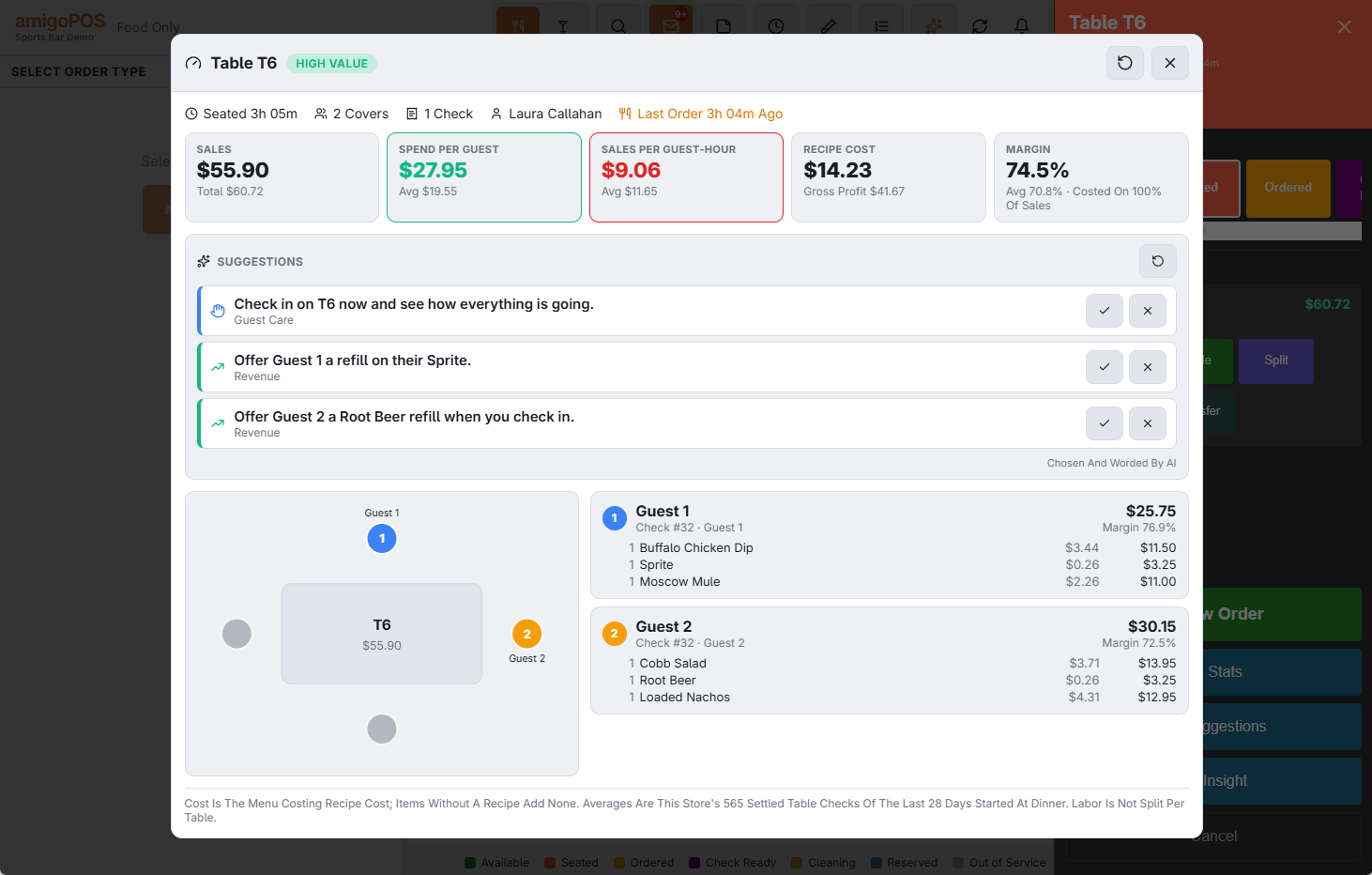
Insight shows a manager one table, or one order of any type, in depth: how long it has been open, what it has sold, what the food cost to make and what is left, and every guest with their items and linked customer — set against the store's own average for the same kind of order at the same time of day.
Where to open it
- Seating chart: tap a table, then Insight on the table panel. It covers every open check on the table.
- Orders list: select any order (dine-in, takeout, delivery, bar tab, open or paid), then Insight on the button bar on the right.
What the figures mean
- Sales: what the guests ordered, after discounts and before tax; the total with tax underneath, and the average check for this order type when there is enough history.
- Spend Per Guest: sales divided by covers.
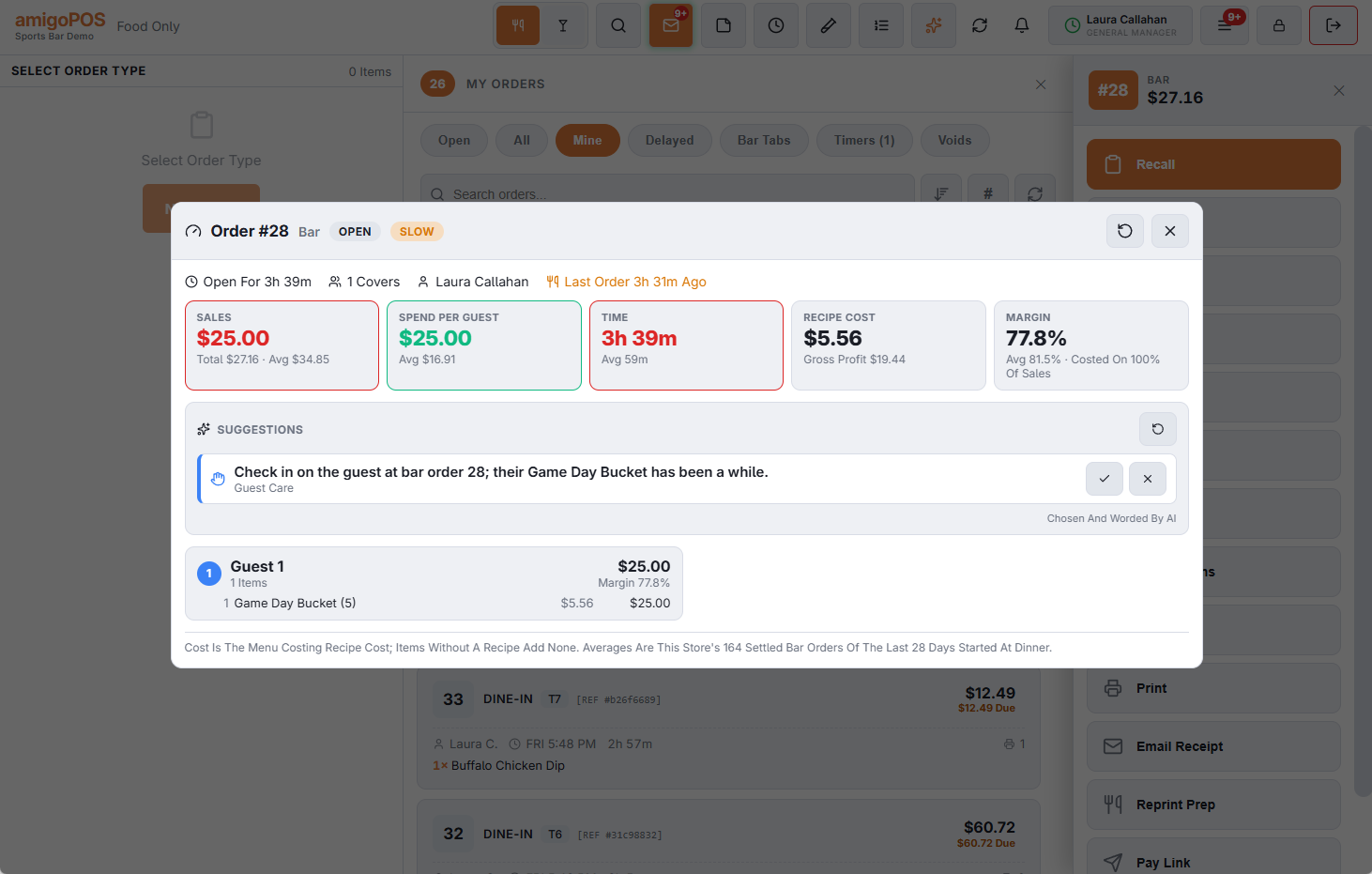
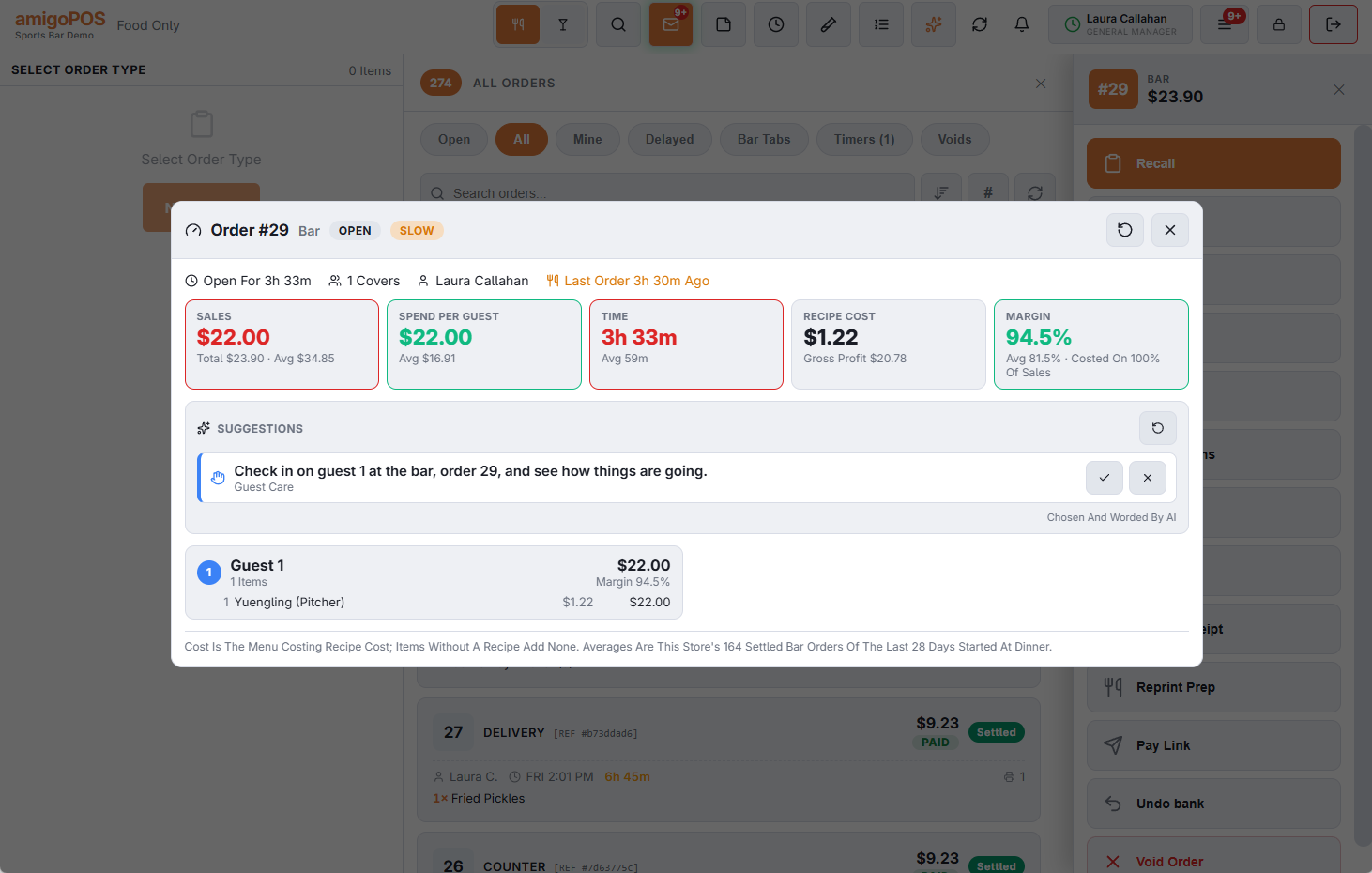
- Sales Per Guest-Hour (tables and bar tabs) or Time (takeout, delivery, counter): how hard the seats are working, or how long the order has taken.
- Recipe Cost and Gross Profit: the Menu Costing recipe cost of what was sold. Items without a recipe add no cost, so the Margin tile says how much of the sales it was measured on.
- Margin: gross profit as a share of the costed sales.
A tile turns green when it is at least 10% above the store's average and red when it is 10% below. Discounts, comps, removed items, gratuity and tips show on the line under the tiles.
Status
The chip next to the title sums the order up: High Value (spending at least a quarter more than usual), Lingering, Low Spend (a table seated long and spending slowly) or Slow (an order taking much longer than usual), Ready To Turn (the check was dropped), On Pace or Just Seated. Order Insight also shows Open, Settled or Void.
Suggestions inside Insight
Under the tiles, Insight shows the same suggestions servers see. See Suggestions: what to offer and how to look after guests.
Who can open it
Insight shows costs and margins, so it needs the job permission Insight (Costs And Margins). Anyone else gets the manager approval prompt. Servers use Suggestions instead, which never shows costs. See Setting up Insight and Suggestions.
The whole room
To see every occupied table of a room at once, use Floor View on the seating chart.