A gift card bonus is a trigger on Back Office › Discounts & Promotions › Printed Coupons. A classic holiday promotion: buy $50 in gift cards, get a $10 bonus. The bonus is a printed coupon the buyer gets with the receipt, valid later (for example January to March), so the gift card sale brings a second visit.
1. Create the bonus discount
In Discounts (types and rules), create the bonus as a Coupon Only discount, for example $10 Bonus, with the dates it can be used (Start and End Date, for example January 1 to March 31) and any minimum spend.
2. Create the trigger
On Printed Coupons, add a trigger (Printed and scannable coupons):
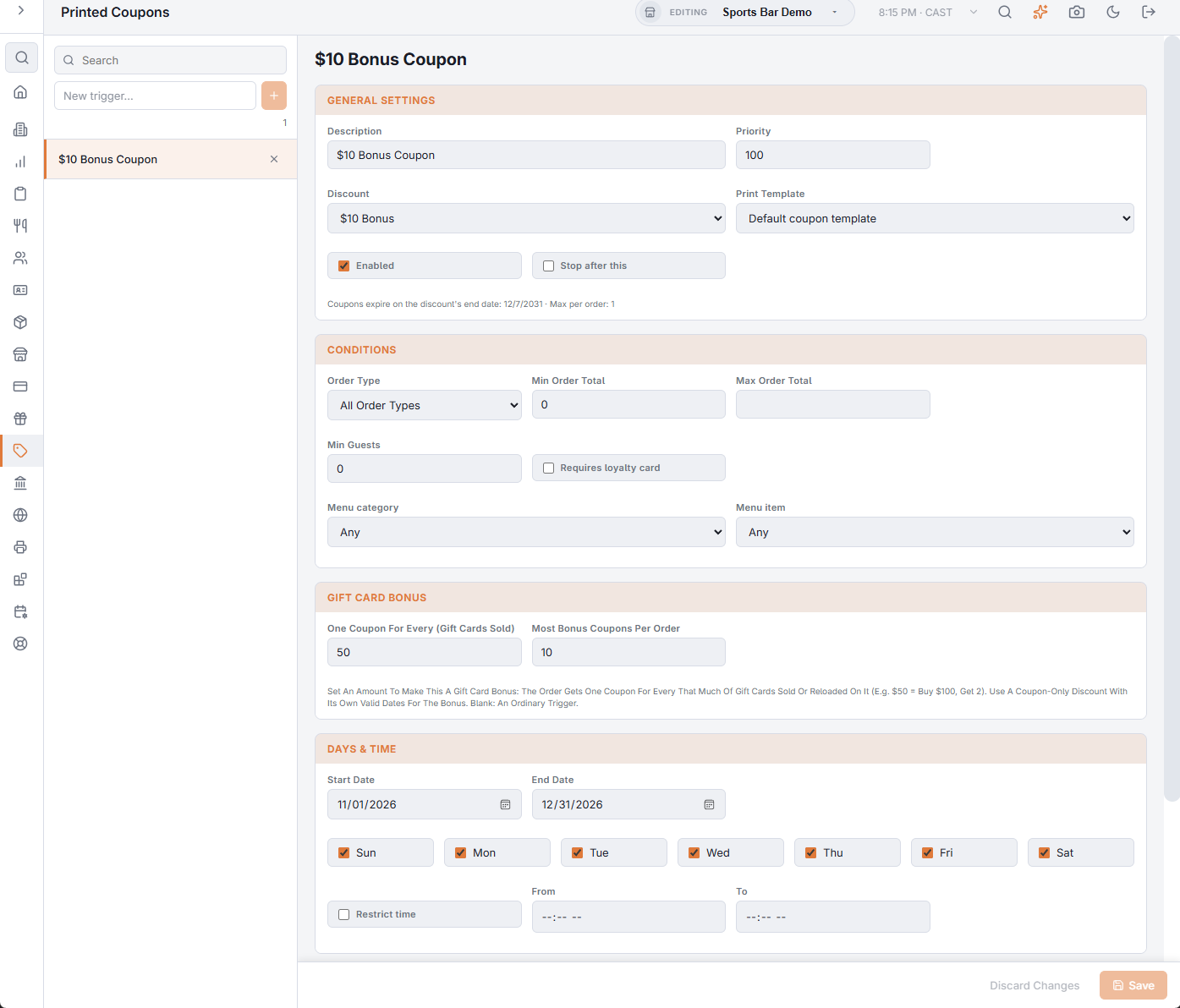
- Discount — the bonus discount from step 1, and the print template you want.
- Gift Card Bonus › One Coupon For Every (Gift Cards Sold) — for example 50. Filling this in makes the trigger a gift card bonus.
- Most Bonus Coupons Per Order — 10 by default.
- Days & Time › Start Date / End Date — when the promotion runs, for example November 20 to December 31.
- Limits — a total for the whole campaign and per customer per day, if you want them.
At the register
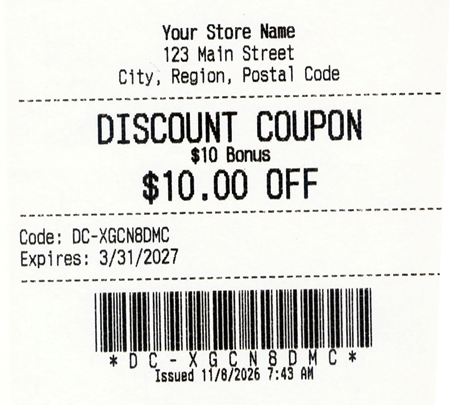
When an order with gift cards sold or reloaded is paid, it gets one bonus coupon for every full amount: $100 in gift cards with “every 50” gives 2 coupons, $99 gives 1. Line discounts on the gift card are taken off first. The coupons print after the receipt, like any trigger coupon, for order types whose workflow has Print coupons.
- The bonus discount’s own Max Coupons Per Order is about using coupons, so it doesn’t limit how many are given.
- Only gift cards sold at the register count; e-gifts sent online or from Back Office don’t print a receipt.