Table codes are managed on the Tables tab of Back Office › Web Orders › QR Table Ordering. Each code belongs to one table on one seating chart and never expires on its own — a printed card keeps working until you revoke or regenerate its code. Code actions on this tab take effect at once; they do not wait for Save.
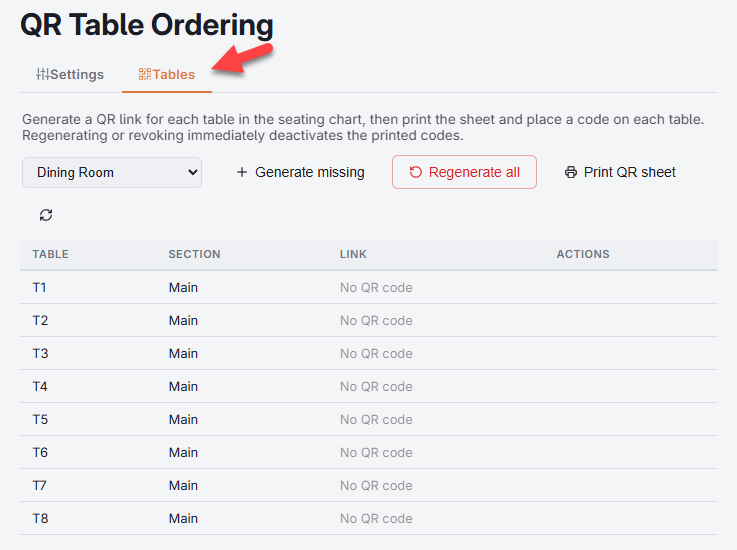
Generating codes
- Pick a seating chart in the drop-down at the left of the toolbar. The grid fills with every table on that chart; decorations are left out.
- Select Generate missing. Every table without a code gets one; tables that already have a code are left alone, so it is always safe to press. QR codes updated. confirms it.
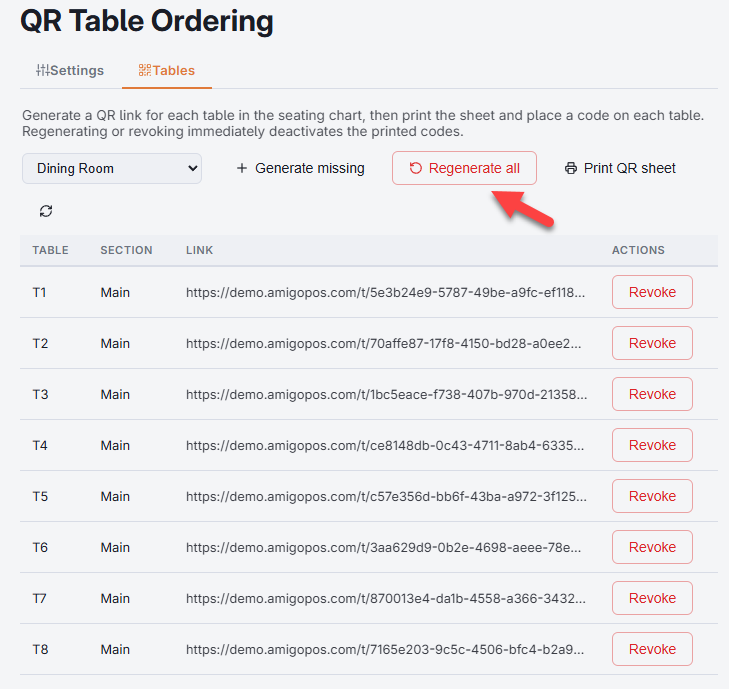
- The Link column fills with each table’s address — what the printed code opens.
- Repeat for each seating chart.
What the grid shows
- Table — the table name from the seating chart, which the guest sees on their phone.
- Section — the seating-chart section, useful when sorting printed cards by area.
- Link — the full address the code opens: the Web ordering URL from the Settings tab,
/t/and the table’s key. A table without a code shows No QR code. - Actions — Copy link, Print this table’s card and Revoke.
The refresh button at the end of the toolbar reloads the grid, for example after adding a table to the chart.
The link is long and random on purpose: it is the only thing between a passer-by and your ordering page for that table. Treat printed codes like table numbers, not secrets — but do not publish the list anywhere public.
Printing
- Print cards — the designed table cards for every coded table on the chart picked in the toolbar, laid out as set on the Card design tab. See Designing the printable table card.
- Print this table’s card — on a row, the same card for that one table, for replacing a lost or damaged card.
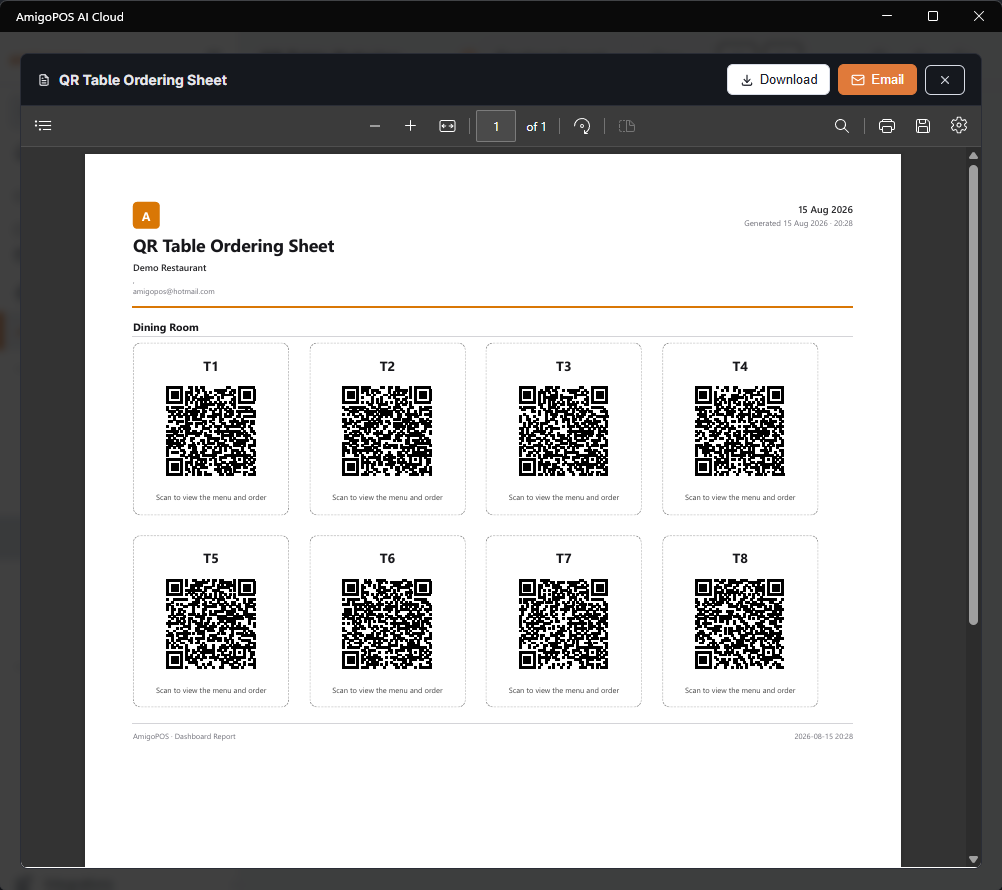
- Print QR sheet — a plain sheet of every coded table’s code with its name, across all charts, for reference rather than for the tables.
Each opens in the usual preview window, where you can print, download or email it.
Printing needs the Web ordering URL on the Settings tab, saved. Without it the page says Enter the web ordering URL in Settings before printing.; with unsaved changes it says Unsaved changes — save first, because the printouts are built from the saved settings.
Print on card stock and slide the cards into small acrylic stands, or print on adhesive label stock and stick them to the table edge. Cards in the middle of the table get scanned more than cards tucked behind the condiments.
Revoking one code
Revoke switches off one table’s code at once, after Deactivate the QR code for this table? The printed code will stop working. Anyone scanning that card from then on sees a “table not available” page instead of the menu. Use it when a card is stolen, photographed and shared, or a table is taken out of service. Press Generate missing to give the table a new code, and print its card when ready.
Regenerating a whole chart
Regenerate all replaces every code on the selected chart in one step, after Replace every QR code in this seating chart? All previously printed codes will stop working.
Every printed card for that chart stops working the moment you regenerate. Do it only when you are ready to reprint and swap the cards on the floor — before opening, never mid-service.
Reasons to regenerate:
- A batch of cards was photographed, copied or otherwise leaked.
- You rebuilt or heavily rearranged the seating chart.
Changing the Web ordering URL does not need new codes: reprint the cards, and the new printouts carry the new address.
When tables change
- You add a table to the chart — press Generate missing and print the one new card. Nothing else is disturbed.
- You rename a table — the code keeps working and the new name shows on the guest’s phone. Reprint only if the name is on the printed card.
- You delete a table from the chart — its code stops working on its own. Throw the card away.
Guest cards for pool tables and lanes
Timed tables can also carry a guest table card that shows the running game and the check so far, printed from Back Office › Activity › Orders › Table Time › Guest QR Cards. It uses the same table code as QR ordering: generating the cards creates a code for tables that have none, and revoking a table’s code here also retires its guest card. See The guest table page and QR cards.