Voiding an order is not the same as giving the money back. Whether the card is reversed depends on how the order was paid.
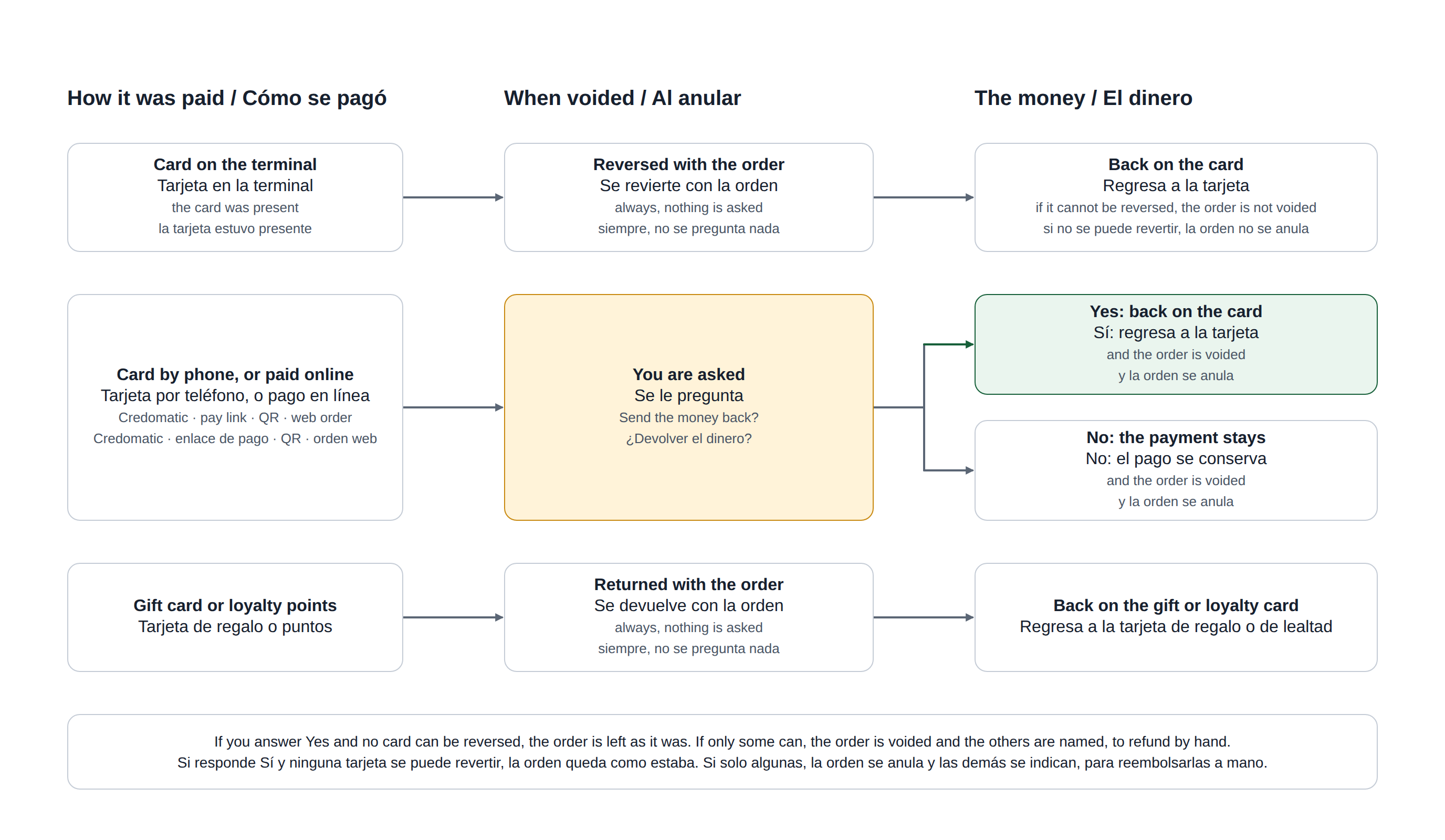
The three cases
- A card on the terminal. Always reversed with the order; nothing is asked. If it cannot be reversed — the terminal is offline, or the day’s batch has closed — the order is not voided, so no card stays charged for a cancelled order. Refund that payment instead: see Refunds.
- A card taken by phone, or an online payment — a pay link, a QR payment, a web order. The void screen adds a step and asks whether to send the money back.
- A gift card or loyalty points. Always returned to the card with the order.
The card step
- Void the order as usual: pick the reason, then answer the inventory question.
- A step named Card lists each payment — for example Credomatic · VISA …1234 · 25.00 or Stripe · 18.50 — and asks This Order Was Paid By Card. Send The Money Back?
- Yes, Send It Back reverses the card and voids the order. No, Keep The Payment voids the order and leaves the payment as it is.
When a card cannot be reversed
| What happened | What the register does | What you do |
|---|---|---|
| No card could be reversed | Leaves the order as it was and shows the reason. | Fix the cause and void again; or void again, answer No, and refund by hand. |
| Some were reversed, some were not | Voids the order and names the ones that failed. | Refund those by hand. |
| A card taken by phone whose batch has already closed | Reports it as not reversed: a closed batch cannot be voided. | Refund it from the Credit Cards screen. See Credomatic (card not present). |
An online payment is always refunded in full, including a tip paid with it.
Where it applies
On the Orders screen, at the register and at the call center, and in Back Office › Activity › Orders › Orders. Orders voided by End of Day are not asked about and their cards are not reversed.
The reason prompt itself is described in Voids and the void reason prompt.