The Floor Plan button in the reservation book’s header puts the room beside the day’s bookings, so the host works from one screen: who is coming, and where they are sitting.
What the floor shows
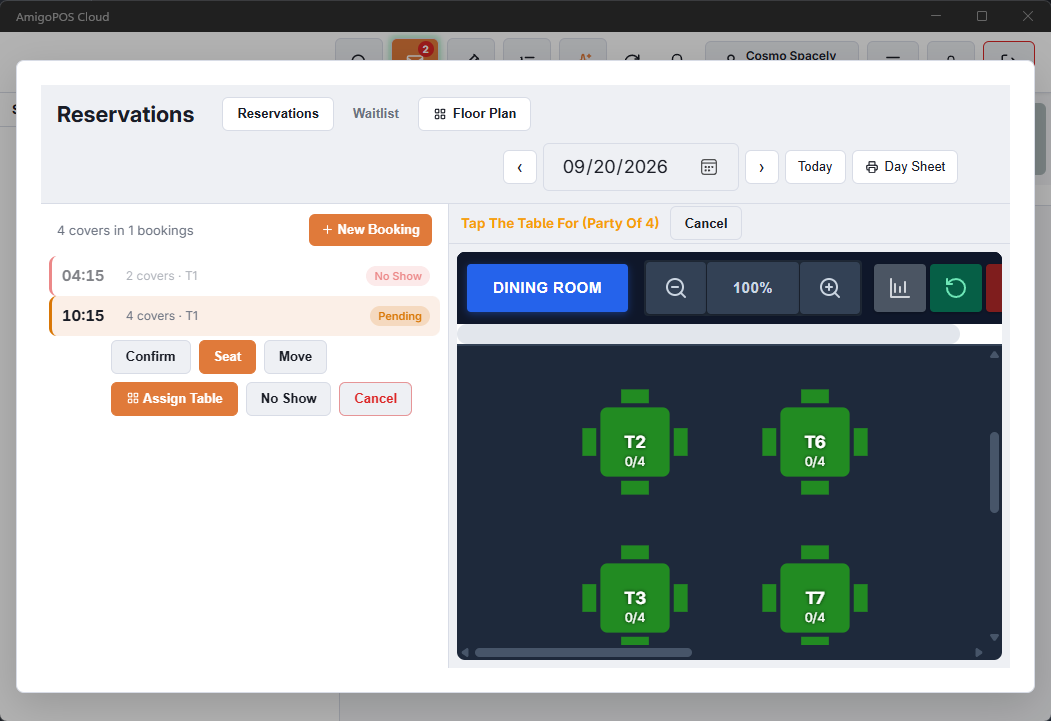
- Booking pills — a table holding a pending or confirmed booking today shows it, for example 19:30 Smith ×4. When a table has more than one, the earliest is shown with +1.
- Live table status — colors, guest counts and timers still come from the orders on the tables, exactly as on the register’s floor, so a booked table that already has a party on it is obvious.
- The selected booking — its table gets a dashed ring. Tapping a table that holds a booking selects that booking in the list.
- Rooms — the room buttons on the floor switch the booking list to that room as well.
Assigning a table
- Select the booking and tap Assign Table (offered on pending and confirmed bookings).
- The floor opens with Tap The Table For … above it.
- Tap the table. The booking moves there, the floor closes, and the book shows the booking on its new table.
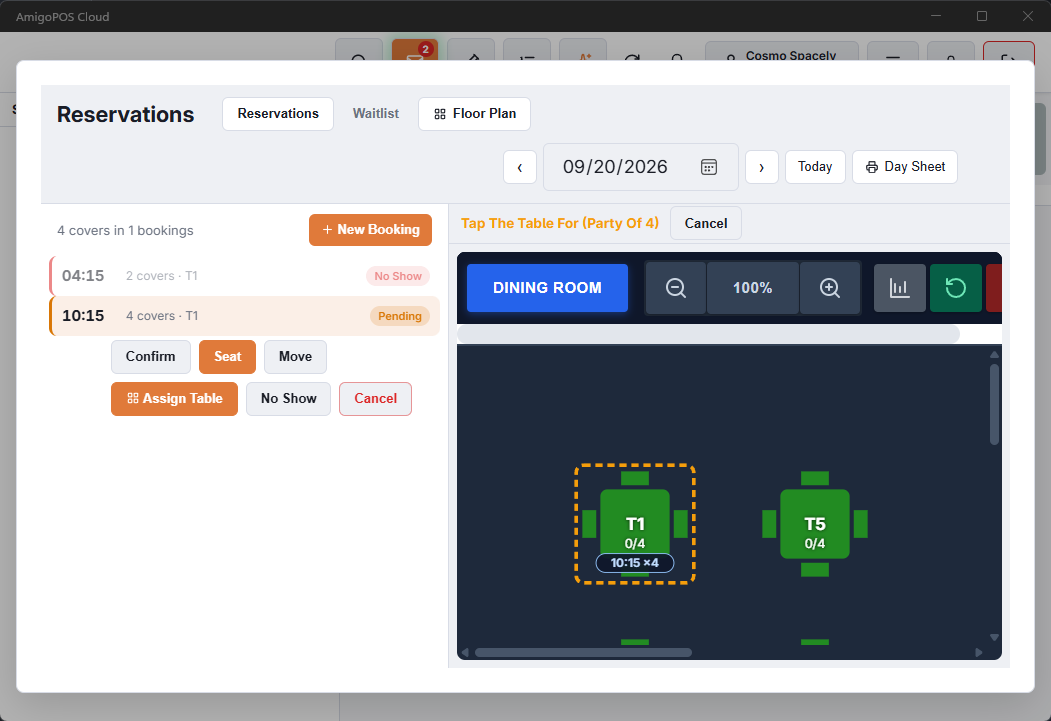
The move goes through the same checks as moving a booking with Edit: if another booking, or a guest in the middle of booking online, already has that table at that time, the book says so and nothing changes. Cancel in the hint backs out without moving anything.
Tables guests chose online
When guests pick their table online, their booking arrives with the table already assigned and shows on the floor like any other assignment. The host can move it the same way; the guest is not told, so a move away from the table they asked for is worth a word when they arrive.
A booking on several tables
While a booking is being assigned, the floor’s toolbar shows Multiple Tables (the link button). Tap it, tap the tables with the main table first, then Use These Tables. The bar adds up the seats of the tables you picked. The booking reads T6 + T7, each of its tables carries the pill and the ring, and tapping any of them selects the booking.
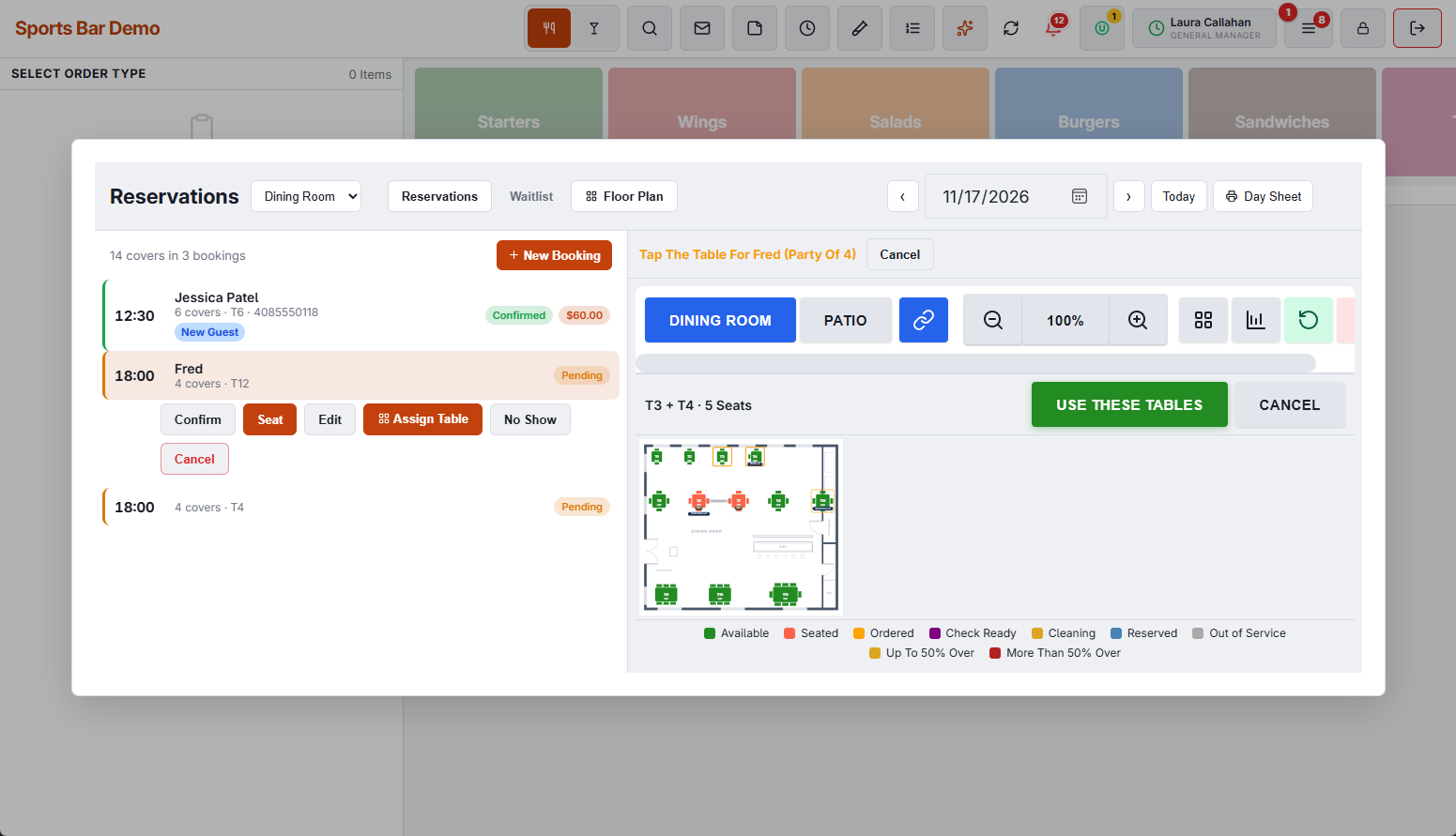
A table that is in use right now can be picked, because the booking is for later; pool tables and other timed tables cannot. When the party is seated, the check takes all the tables. See Combining tables for a large party.