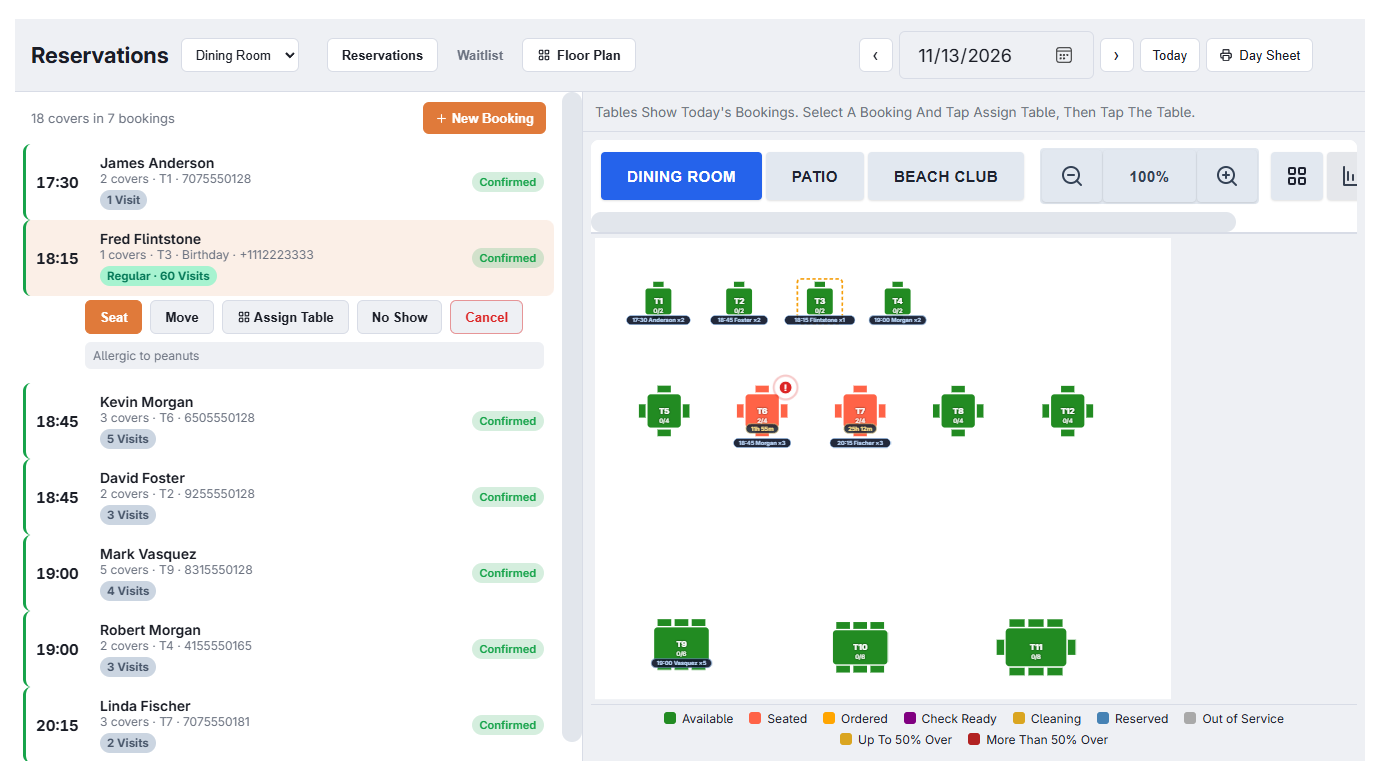
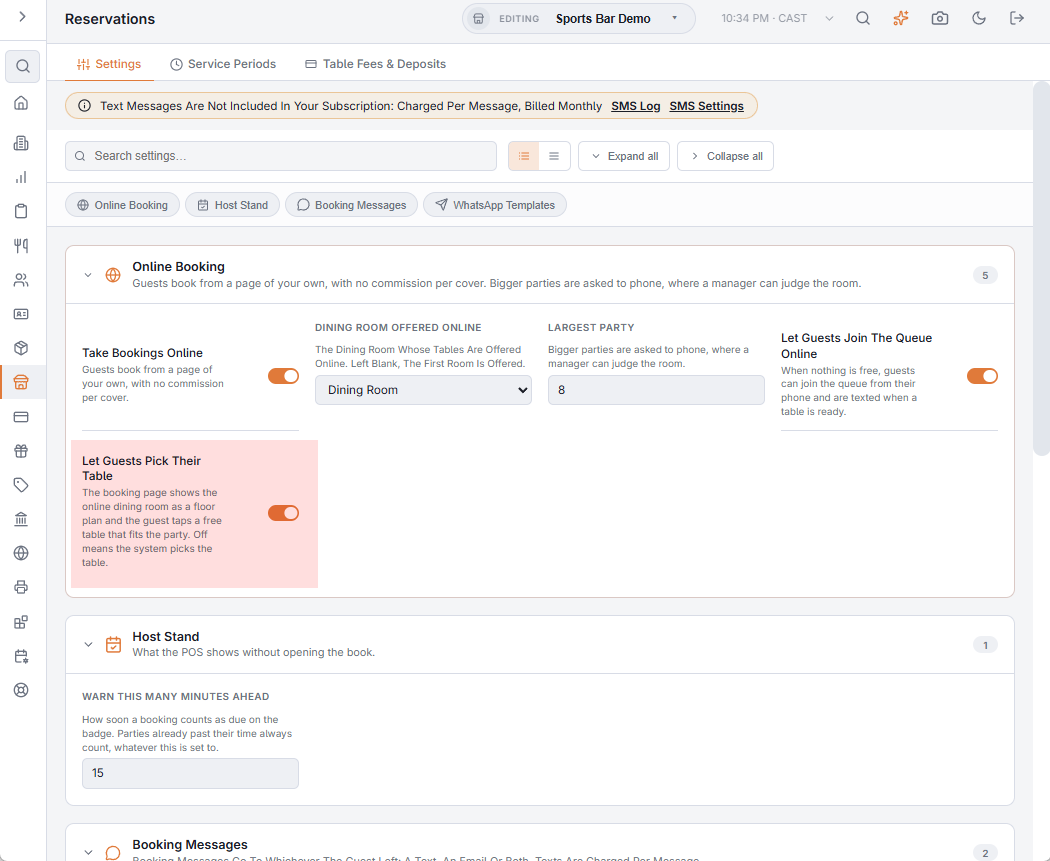
With Let Guests Pick Their Table switched on, the booking page shows the dining room as a floor plan once the guest has chosen a time, and the guest taps the table they want. It is off to start. Switch it on in Back Office › Store Setup › Reservations, on the Settings tab under Online Booking; it needs a Dining Room Offered Online to be chosen, since that is the room the page draws.
What the guest sees
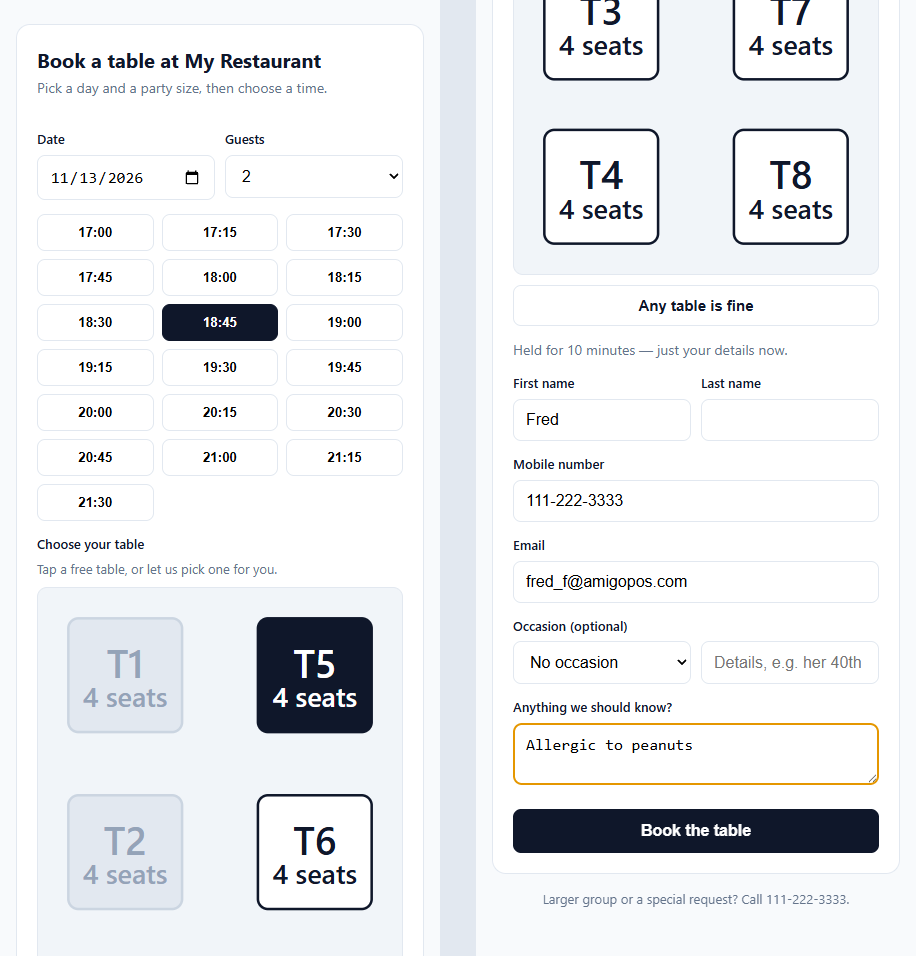
A day, a party size and the free times, as before. After tapping a time the page draws the room: every table that fits the party, where it stands in the room, with its name, its seats and ♿ when it is marked accessible. Tables that are free at that time are outlined and can be tapped; tables already taken for that turn are faded. The guest taps a table, or Any Table to let the restaurant choose, and then fills in their details. Walls and decor are not drawn: the plan is a sketch, enough to tell the window from the kitchen door.
What is held
The table is held for the guest from the moment they tap it, for as long as the ordinary booking hold (see How times are offered). It is that table and nothing else: no substitute is chosen behind the guest’s back. If somebody took it between the time being shown and the tap, the page says the table was just taken and shows the times again. Any Table holds the table the system would pick on its own, as it does when the switch is off.
Which tables are offered
- Tables of the online dining room with Available For Reservations on and Min / Max Guests that fit the party (see Table properties explained).
- Only single tables. Parties that fit nowhere on their own are seated by pushing tables together, which the system still does; for them the page shows no plan and behaves as before.
- A time that is already full under the shift’s pacing offers no tables, whatever is free on the floor.
On the host stand
The booking arrives with its table already assigned, shown in the day book and on the reservation floor plan exactly like a table the host assigned by hand, and the host can still move it (see Floor plan and assigning tables). Nothing changes on the day: Seat opens the order on that table.