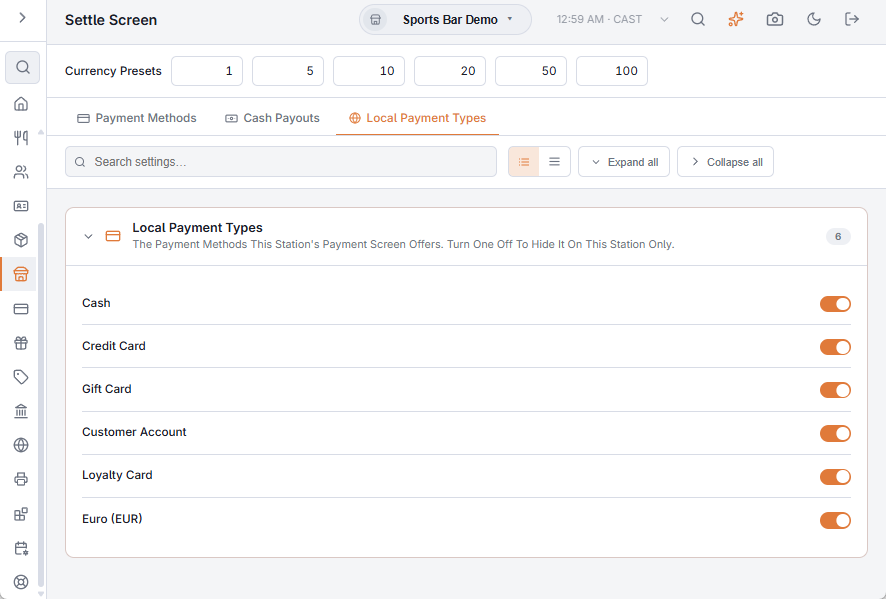
Back Office › Store Setup › Settle Screen › Local Payment Types chooses which payment methods the payment screen offers on this station. Use it when one register should not take a tender the store takes elsewhere: no cash at a card-only counter, or room charges only at the hotel bar.
How it works
- The tab lists the store’s payment methods that can take a payment, in their button order, each with a switch. A method in another currency shows its currency code.
- Turn a switch off and that method disappears from the payment screen on this station. Other stations keep it.
- A switch saves the moment you flip it and applies the next time the payment screen opens. A method added later starts on.
The switches are kept on the station itself, not with the store. Change them in Back Office on the register you want to change. Resetting the app’s data on a station turns all its switches back on.
What it does not change
- The methods themselves — name, icon, whether they open the drawer, where they can be used — are set up under Back Office › Payments › Payment Methods. See Payment methods.
- Only the payment screen follows these switches. Quick Cash and Quick Card on the orders list, and the speed bar’s cash button, still work.
Related: Settle-screen layout.