If you think someone else knows your password, or you signed in on a computer that is not yours, you can end every other session of your AmigoPOS account in one step.
Sign Out Everywhere Else
- Sign in to the AmigoPOS website and open Profile › Login Activity.
- Under Signed-In Devices, press Sign Out Everywhere Else.
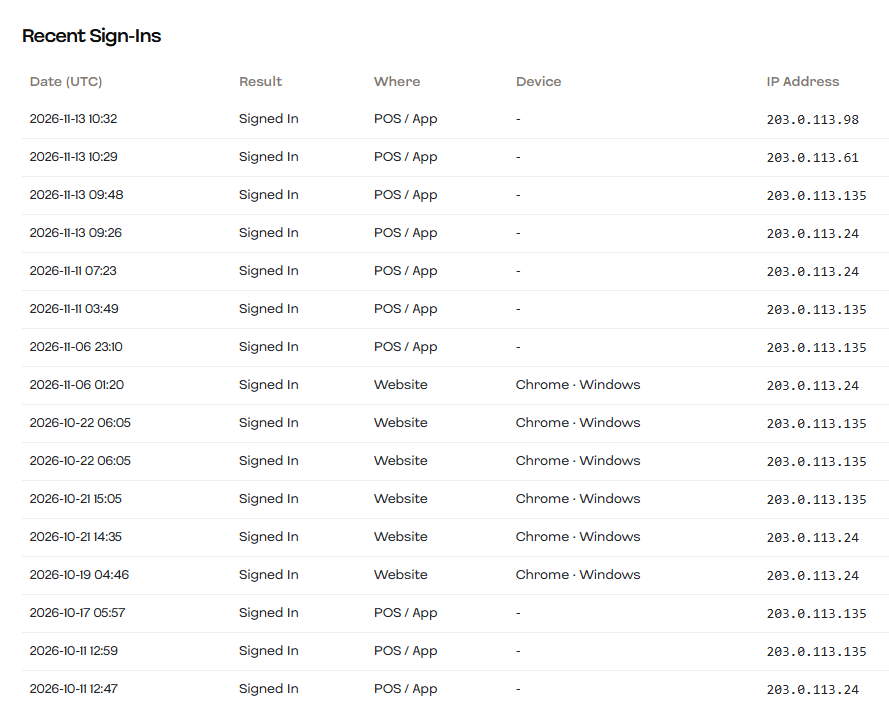
The browser you are using stays signed in. Every other browser, the apps signed in with your email, the web Back Office and the help site are signed out within a few minutes and have to sign in again.
- Registers keep working. A register’s access comes from its registration in Registered Devices, not from your password, even if it was set up by signing in with your email. To take a register away, deactivate it there.
- If someone may know your password, change it too: signing out does not stop them signing in again with it.
What also ends your other sessions
- Changing or resetting your password.
- Changing your sign-in email.
- Turning two-factor sign-in on or off.
- An administrator locking the account.
Changing your name or phone number does not sign you out anywhere.
Changing your sign-in email
In Profile › Edit Profile, a new email needs your Current Password. It protects the account if someone finds it signed in on a shared computer: without the password they cannot move it to their own email. A wrong password counts toward the account lockout, like a wrong sign-in.
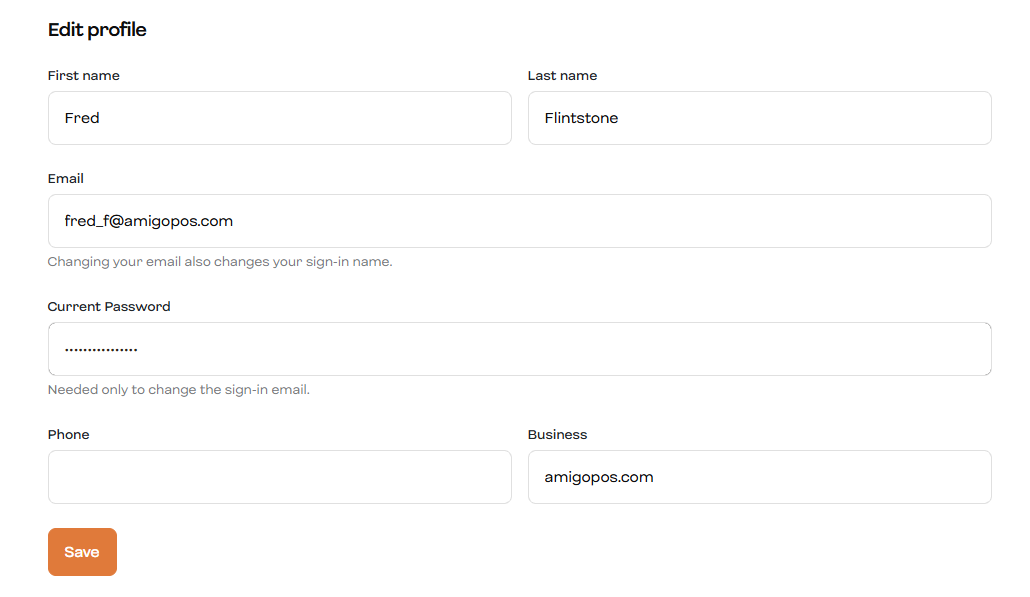
The old address gets an email saying the sign-in email changed (Account security emails).