A prep item is stock you make yourself — a marinara, a pizza dough, a house dressing — from other inventory items. Menu recipes use it like any other ingredient, and its cost comes from what went into it.
Setting up a prep item
- Create the item in Back Office › Inventory › Setup › Items List, with the unit you count it in (for example L or kg).
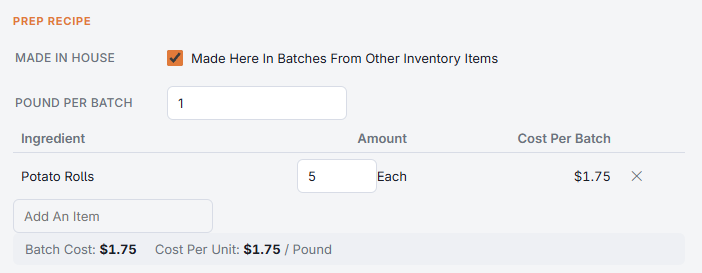
- In the Prep Recipe section, turn on Made In House.
- Enter how much one batch makes (shown as, for example, 4 L Per Batch).
- Add the ingredients for one batch, with quantities in their count or recipe unit — see Recipe units.
- Save the item. The section shows the Cost Per Batch of each line, the Batch Cost and the resulting cost per unit.
- A prep item can use other prep items (a pizza sauce made with a roasted garlic paste), up to three levels deep. An item can’t be an ingredient of itself; the editor warns “An Ingredient Is Itself Made From This Item”.
- Before the first batch is made, the item’s cost per unit comes from its prep recipe, so menu recipes that use it show a food cost from day one.
Making it
Record each batch on the Prep page: the ingredients come off stock and the prep item goes in at what the batch actually cost — see Making prep batches. Sales then take the prep item from its own stock.