Every inventory item is counted, received and valued in its unit (the count unit). A recipe unit lets recipes use a smaller unit of the same item — ounces of a cheese counted in pounds, ounces of a wine counted in bottles — without doing the math on every recipe line. It is set on the item in Back Office › Inventory › Setup › Items List.
Setting it up
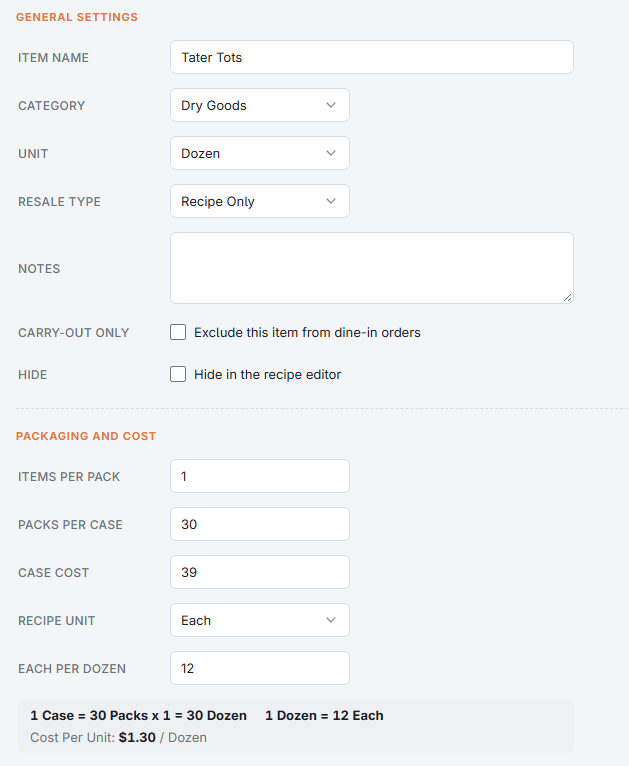
- Open the item and go to Packaging And Cost.
- Pick the Recipe Unit. Same As Count Unit means no conversion.
- In the box that appears, labelled for example oz Per lb, enter how many recipe units are in one count unit. The line below confirms it, for example 1 lb = 16 oz. The item can’t be saved with a recipe unit and no number (“Enter How Many oz Are In One lb”).
Using it in recipes
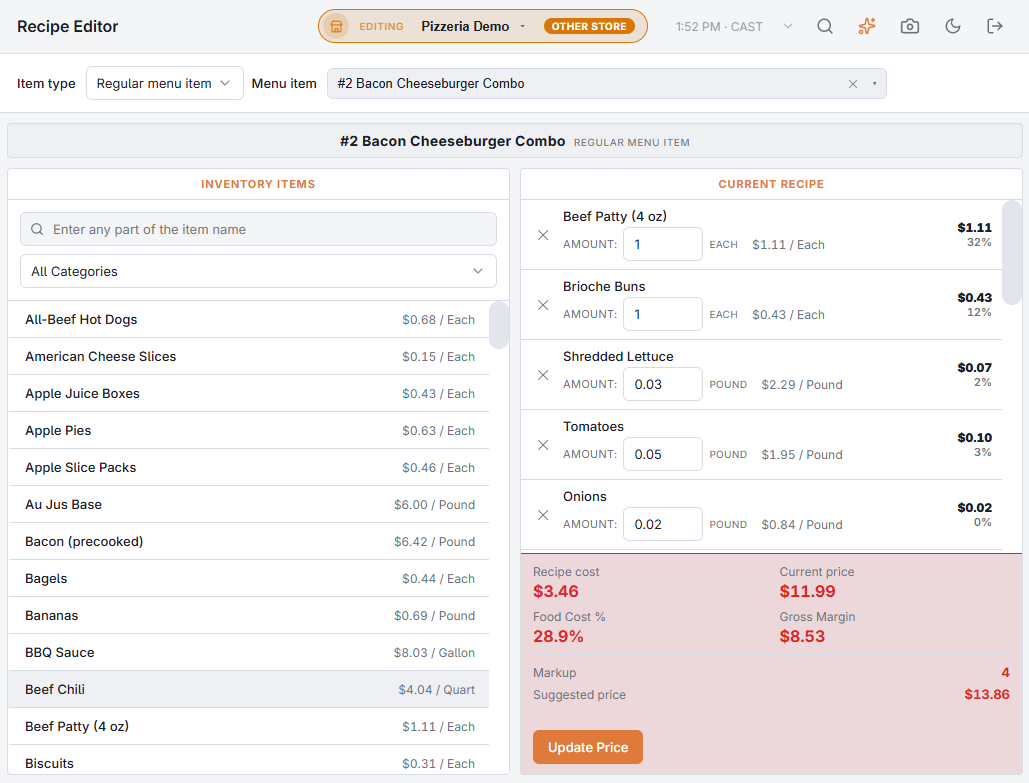
In the Recipes (yield, cost, ingredients), when you pick an ingredient that has a recipe unit, a unit list next to the quantity offers the recipe unit (chosen first) and the count unit. The cost shown follows the unit you pick, and the line keeps the unit it was added in. Prep recipe lines on the item editor have the same unit list on every line — see Prep items made in house.
What happens to stock
Stock always stays in the count unit. A sale that uses 4 oz of a cheese counted in pounds takes 0.25 lb. Used In Recipes on the item editor shows each recipe’s amount in the unit it was entered in.