Programs are created by AmigoPOS; a restaurant becomes a member either by entering the program’s join code or by accepting an invitation. Nobody is made a member without agreeing: the administrator approves requests, and the restaurant accepts invitations.
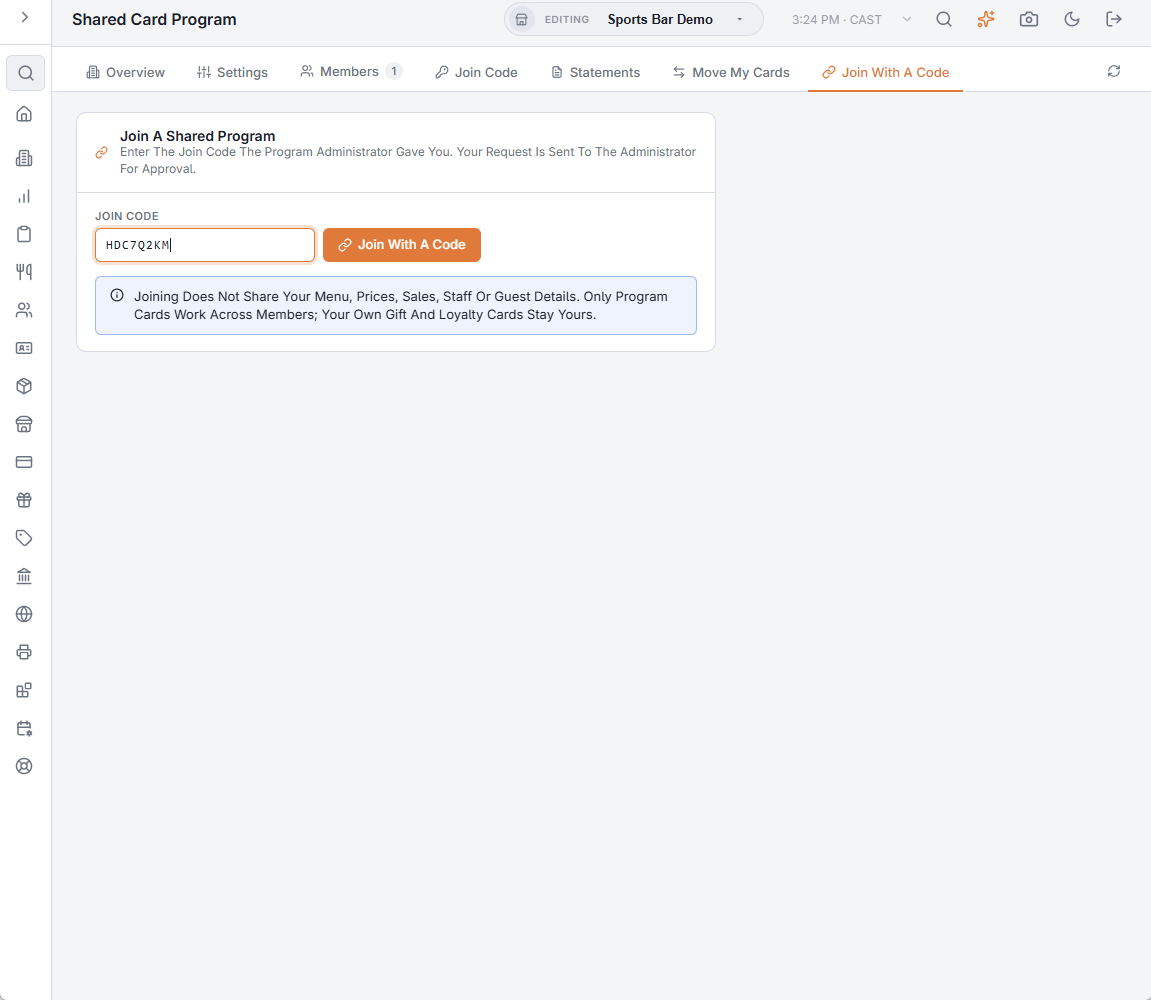
Join with a code
- Ask the program administrator for the join code.
- Open Back Office › Gift & Loyalty › Shared Card Program and the Join With A Code tab.
- Type the code and tap Join With A Code. Your request is sent to the administrator and the program appears on the Overview tab as Requested.
- When the administrator approves it, your status becomes Active and program cards start working at your registers.
Accept an invitation
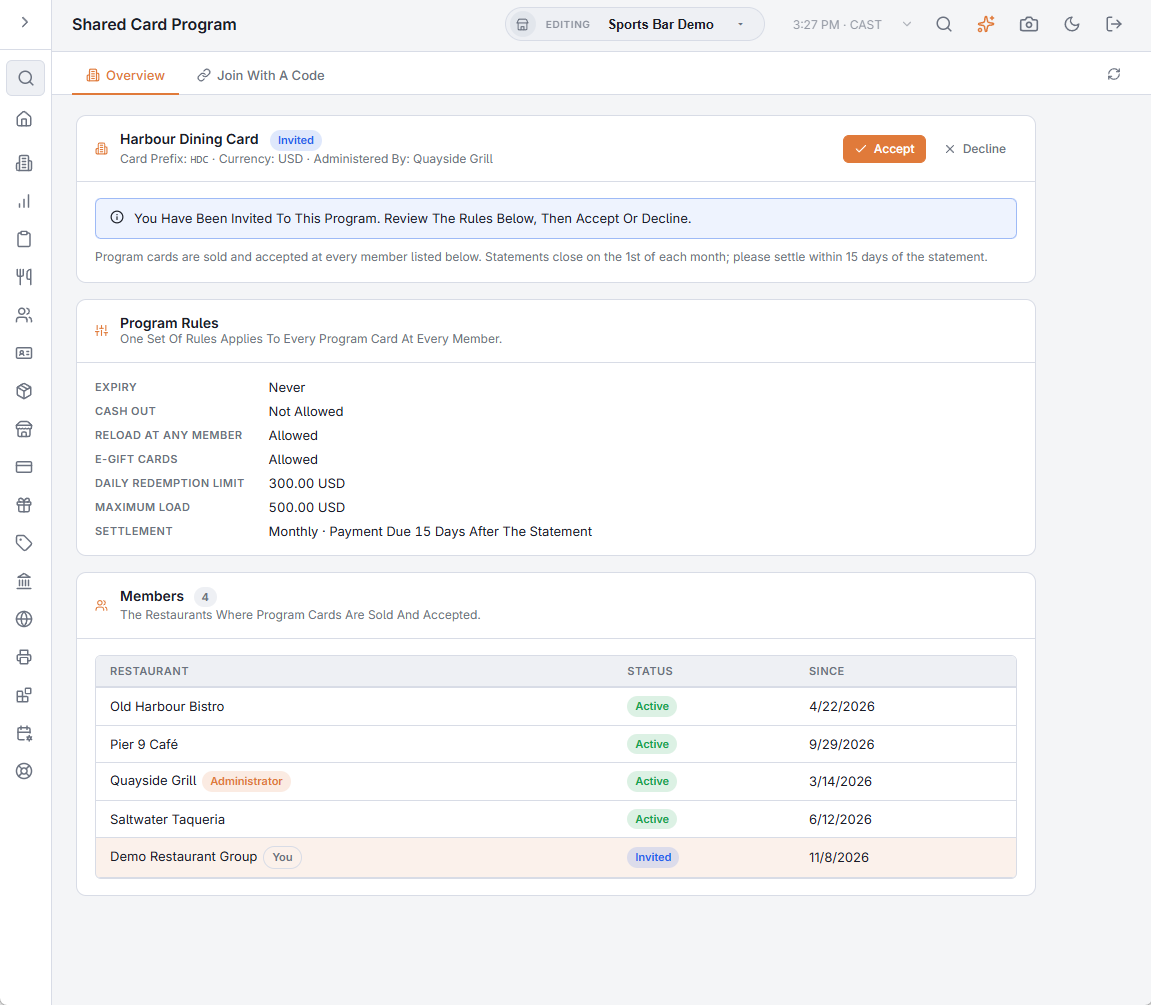
When the administrator (or AmigoPOS) invites you, the program appears on the Overview tab with the Invited badge and the rules below it. Review the rules, then Accept or Decline.
Statuses
| Badge | Meaning |
|---|---|
| Requested | You entered the code; waiting for the administrator. You can Cancel Request. |
| Invited | The administrator added you; waiting for you to accept. |
| Active | Your registers sell and accept program cards; you get statements. |
| Left | You left or were removed. Cards you sold stay redeemable at the other members, and you still see your past statements. |
| Declined | You declined the invitation, or the administrator refused the request. The administrator can invite you again. |
The Overview tab
For each program you belong to: the program’s name, card prefix, currency and administrator; your status; the Program Rules (read-only unless you administer the program); the Members that sell and accept the cards; and your Statement E-mail — where your statement is sent when a period is closed (Settlement statements). If you belong to more than one program, a selector at the top of the page switches between them.
What changes at the register
Nothing to set up. From the moment you are Active, any card whose number starts with the program’s prefix is a program card at every one of your stores: it can be sold, reloaded (if the rules allow), paid with and voided like any gift card, and e-gifts can be issued under the program (Program cards at the register).
Leaving
Leave Program on the Overview tab stops your registers selling and accepting program cards from that moment. Cards you sold remain redeemable at the other members, and your final statement settles what you still owe or are owed. The administrator member cannot leave: AmigoPOS hands the program over first.