When an order starts, the register asks for whatever the order type’s When The Order Starts stage lists — a table, the number of guests, a customer, a loyalty card, a name — one after another, in the order the Workflow tab shows them. Change the order with the arrows on the Workflow tab (Workflow steps, stage by stage).
How the prompts run
- Each prompt opens when the previous one closes, whether it was answered, skipped or cancelled. Cancelling a prompt doesn’t cancel the order.
- A prompt that is already answered is skipped: no seating chart when the table was picked first, no customer lookup when a customer record is on the order, no loyalty screen when a card is on it, no name prompt when the order has a customer or a name.
- The menu is ready behind the prompts, on the type’s opening category.
Counter service
Ask For A Name Or Pager Number asks for the guest’s name or the buzzer number as the order starts. Skip leaves the order without one. The name prints on the kitchen ticket, label and receipt, and shows on the kitchen display and the orders list.
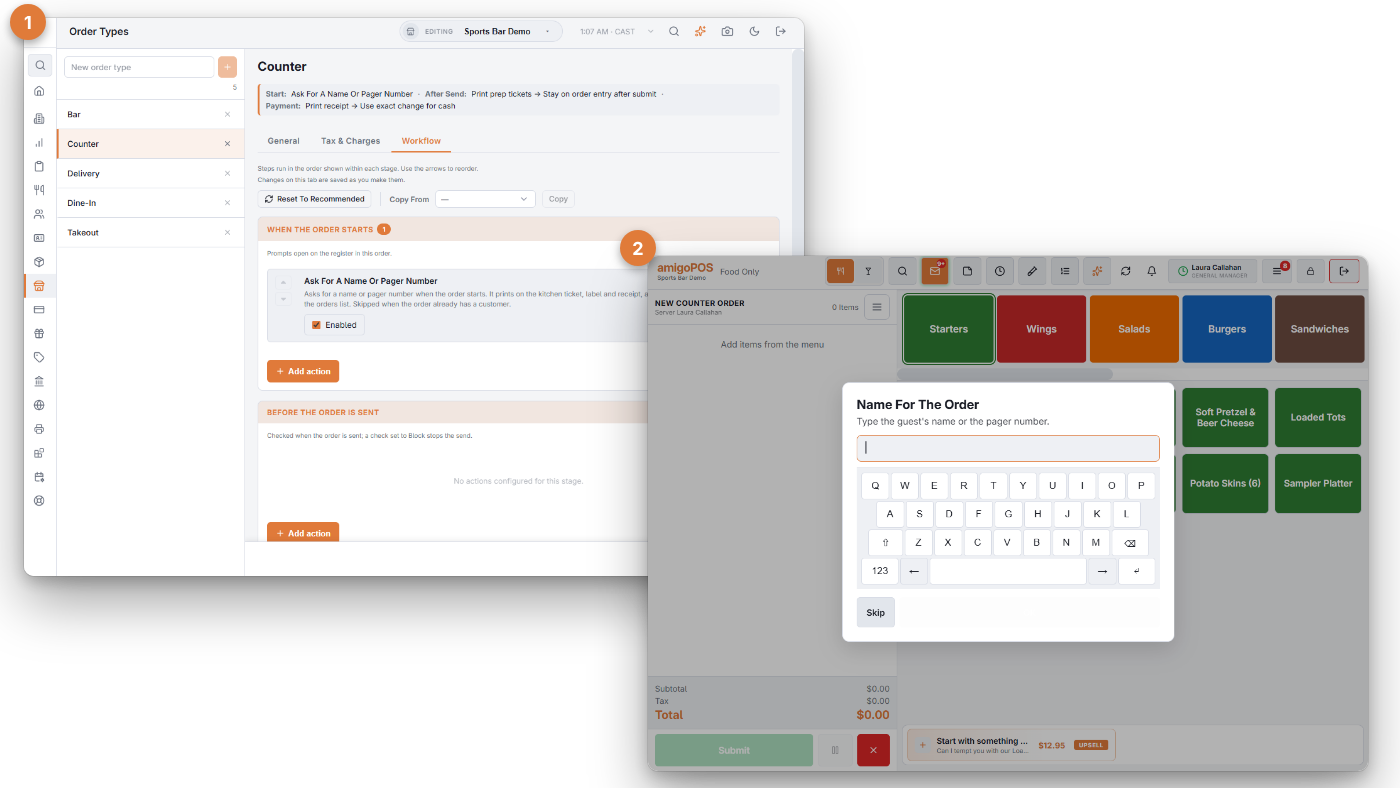
To make sure no order leaves without a table or a name, add Require A Table Before Sending or Require A Customer Before Sending in the Before The Order Is Sent stage.
Changing an order’s type
On an order already started, this needs the Change Order Type permission; without it, a manager approves first. Choosing the type of a new order needs none, and while the register is offline it is not asked.
More › Change Order Type runs the new type’s start stage for the open order and asks only what it still needs, in the type’s order: a customer when none is attached, a table (then the guest count) when it has none, a name when it carries none. The loyalty prompt isn’t asked mid-order. A Require zero balance before new order step never counts the order being changed.
Staying on order entry
With Stay on order entry after submit, each new order of the type runs its start steps too — the balance check, the prompts and the opening category — once the payment screen (if any) has closed. The server stays on the category they were using unless the type names one.
Recalled orders
Recalling an order doesn’t ask anything again. Steps marked Also On Recall restore the screen: the guest bar, guest assignment and the opening category.
Offline
Each register keeps a copy of the workflow, so start prompts, checks and kitchen printing keep working through an outage. Customer lookup becomes a name-and-phone prompt, and the loyalty prompt is skipped (Working offline).